

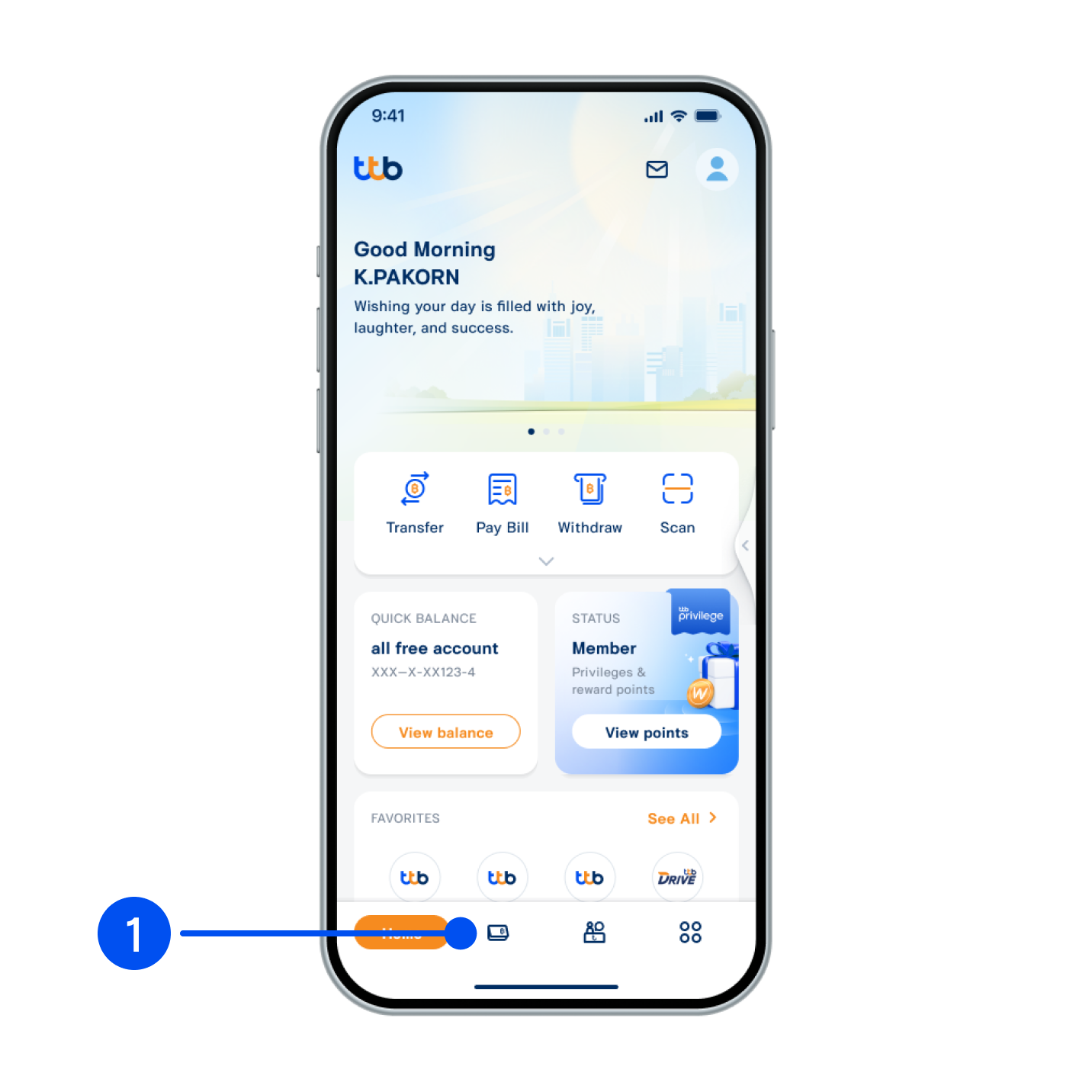
1. Select “Account”, the 2nd menu from the bottom.
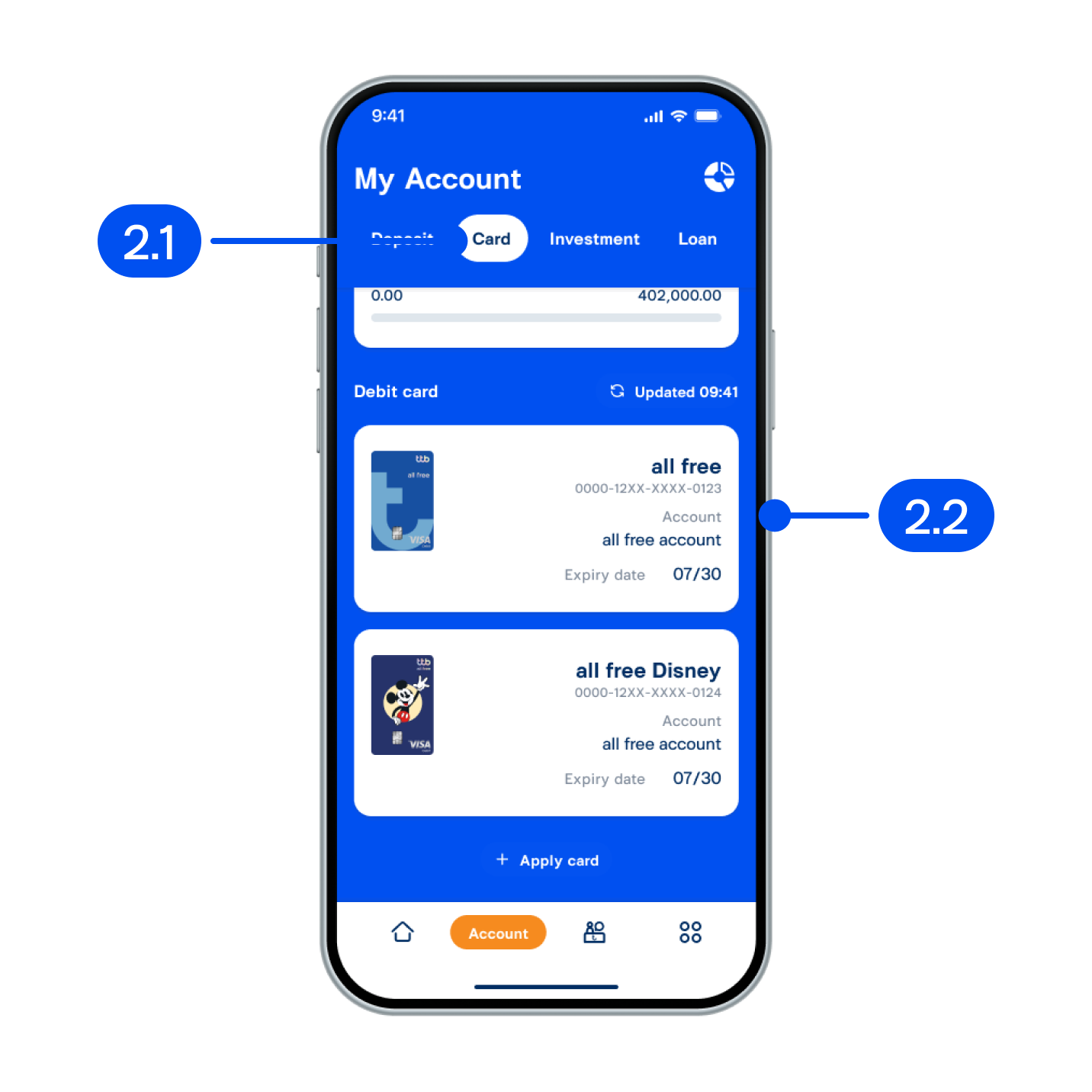
2. On My account page,
2.1 Select “Card”
2.2 Select debit card
2.1 Select “Card”
2.2 Select debit card
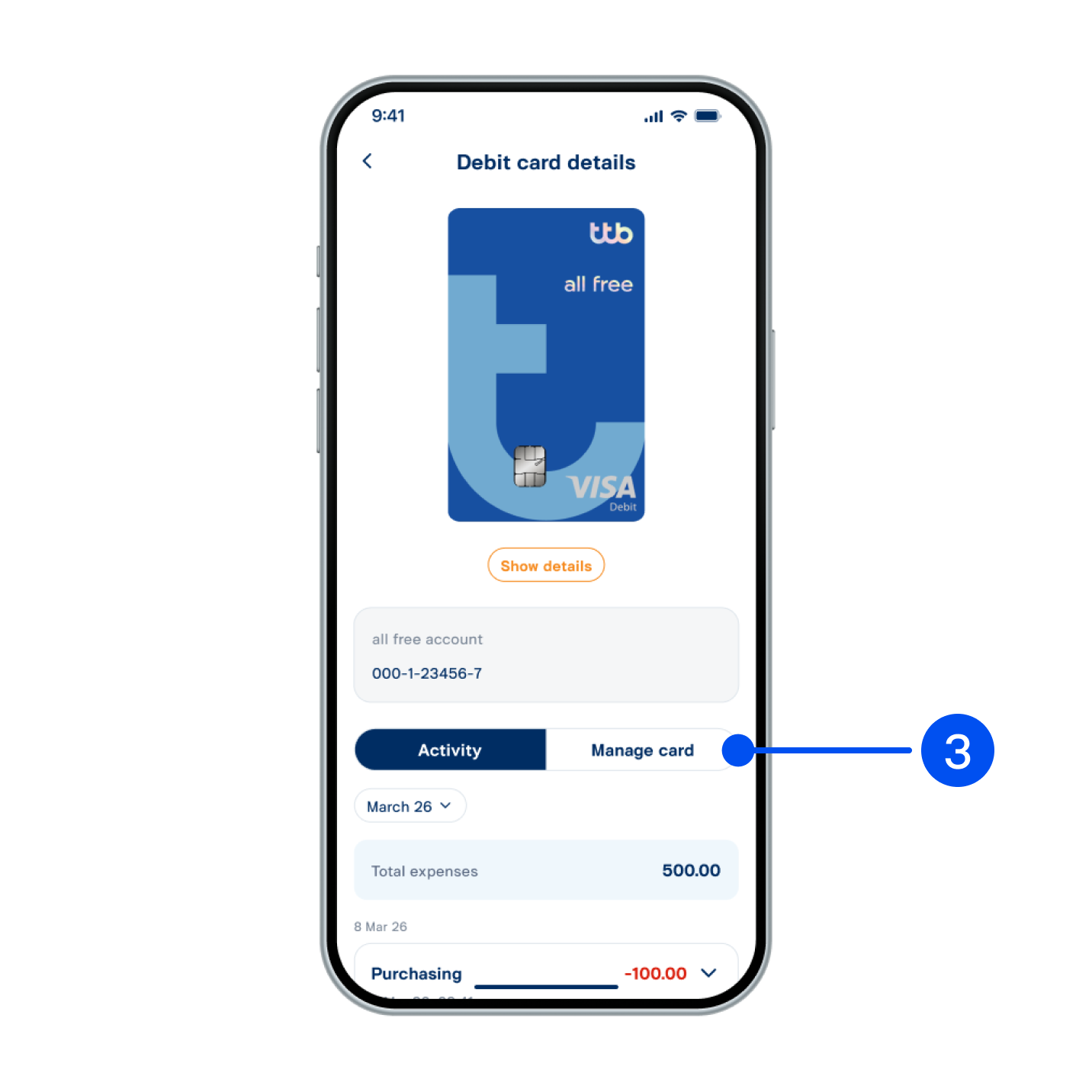
3. The Card Details page displays your recent transactions. To view and manage your card settings, select "Manage Card".
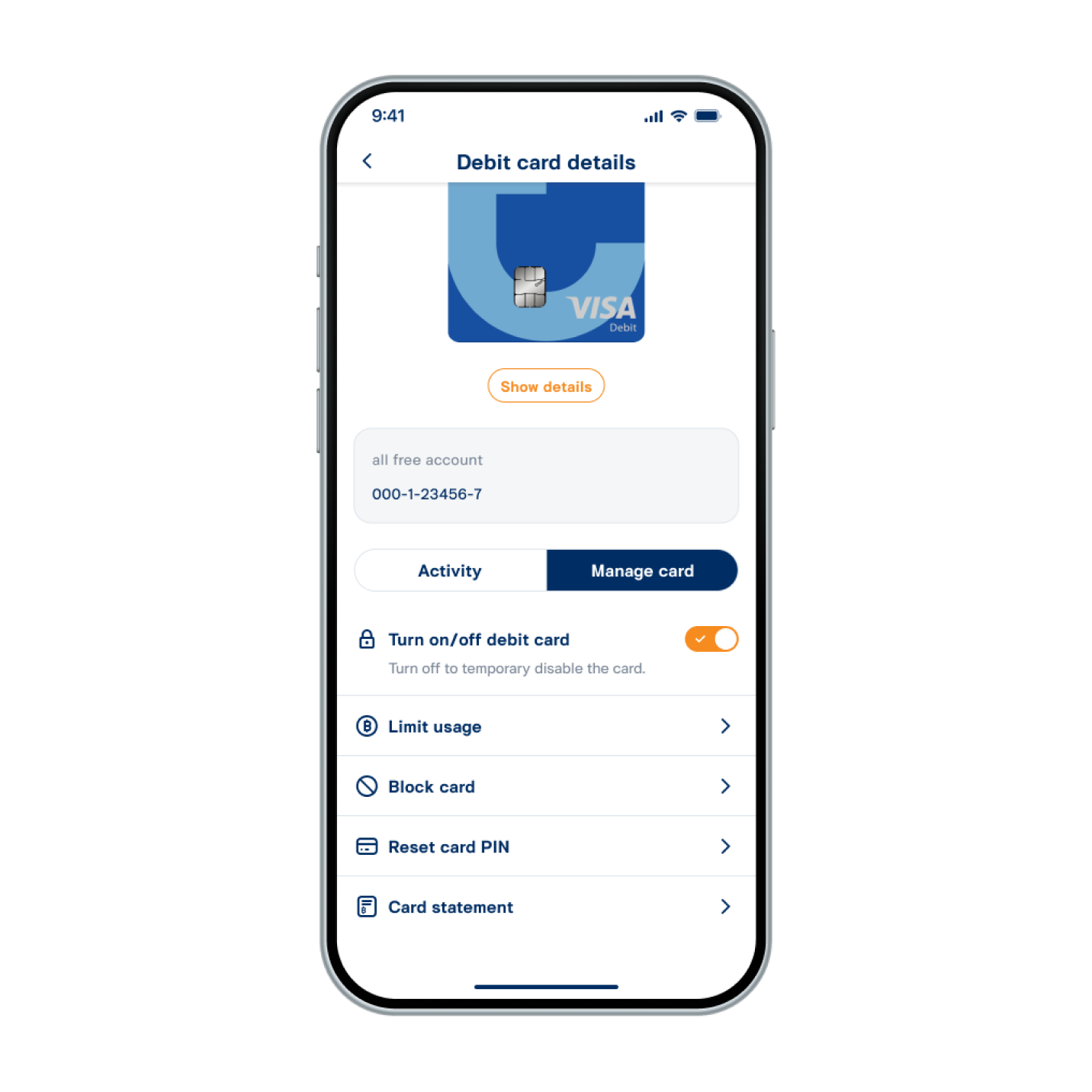
4. See debit card details successfully.