external-popup-close

You are being redirected to

https://www.ttbbank.com/

Proceed

Add Deposit Account

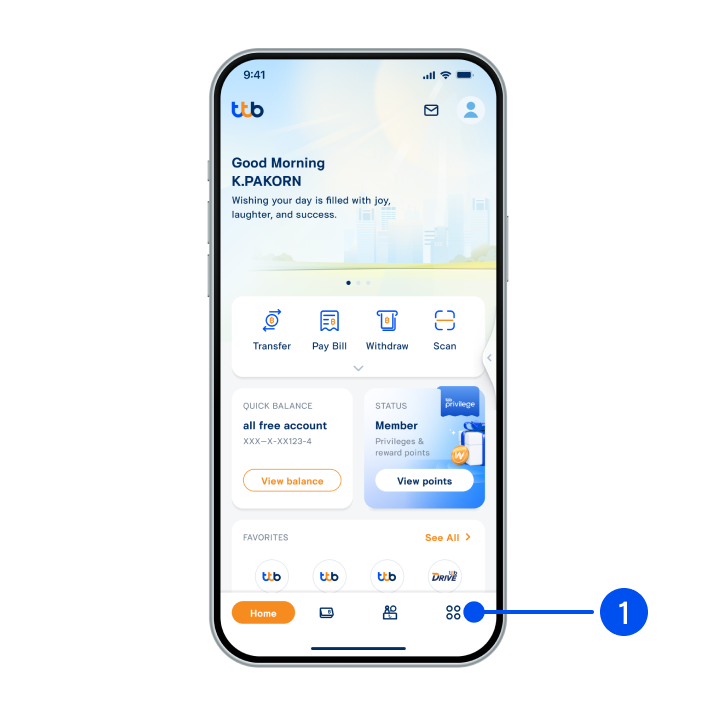
Select “More”, the 4th menu from the bottom.
1. Select “More”, the 4th menu from the bottom.
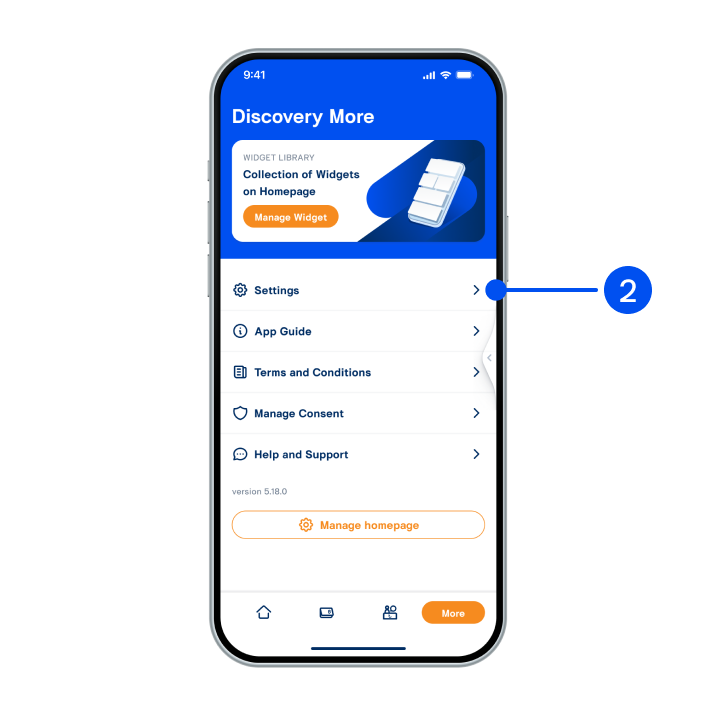
Select “Setting”.
2. Select “Setting”.
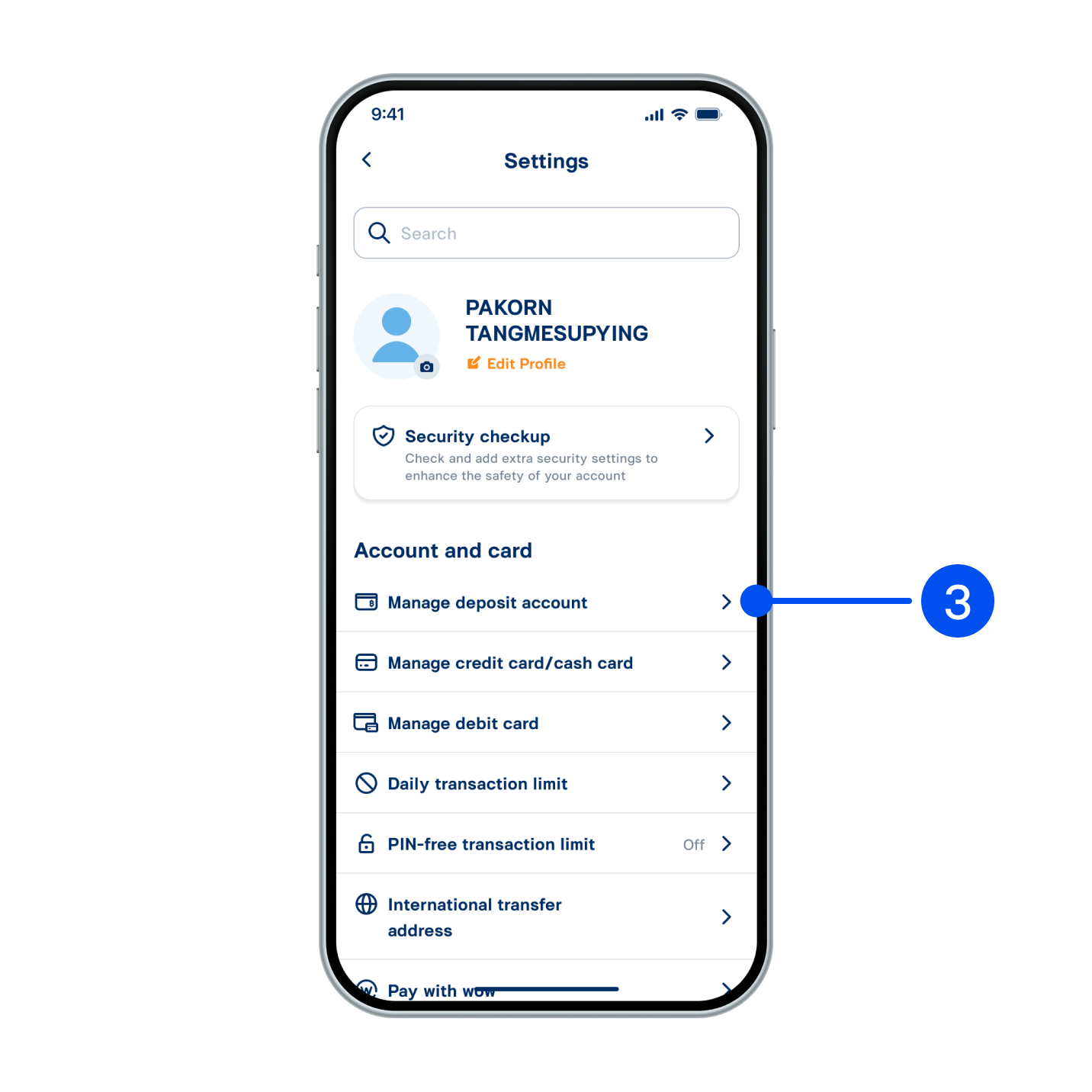
Select “Manage deposit account”.
3. Select “Manage deposit account”.
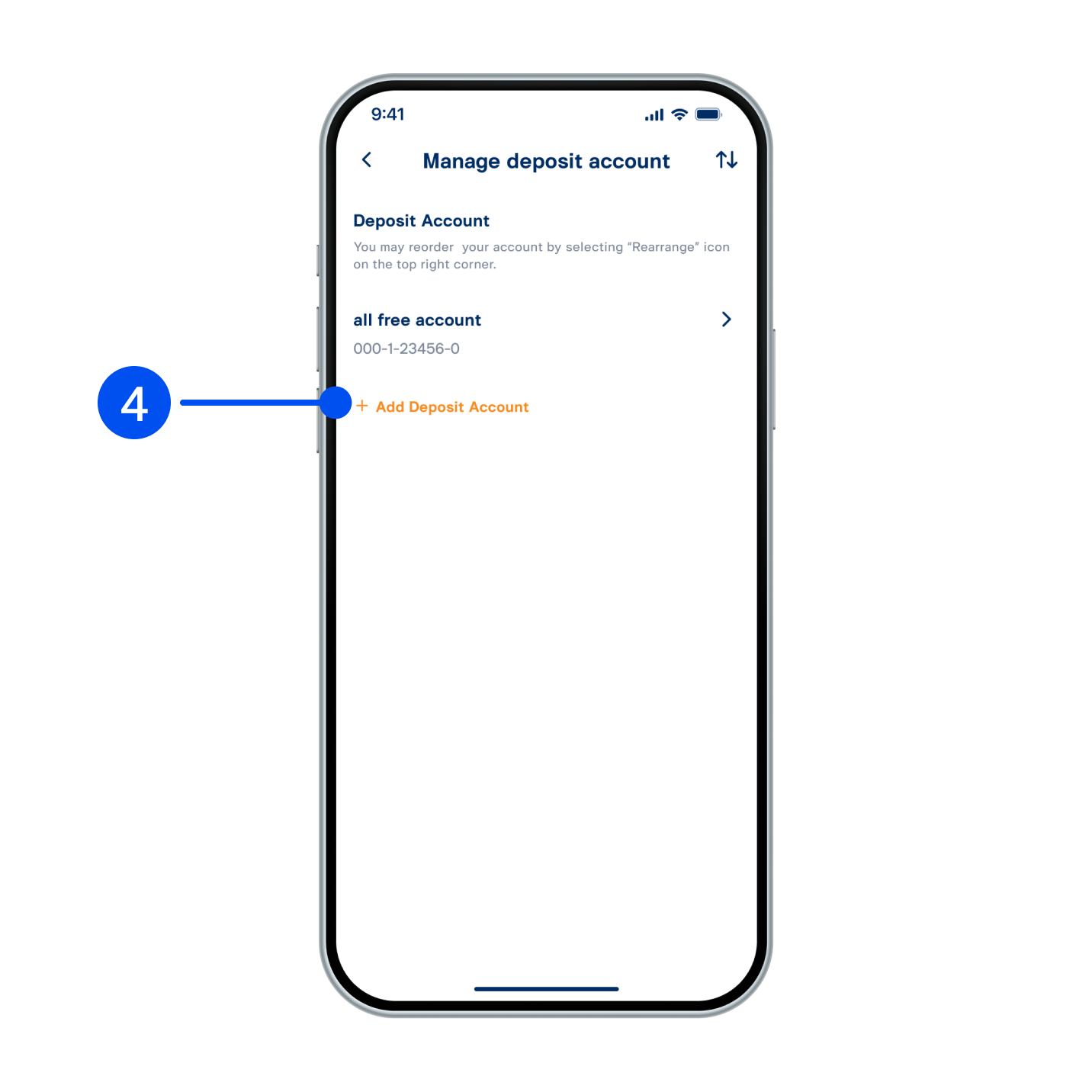
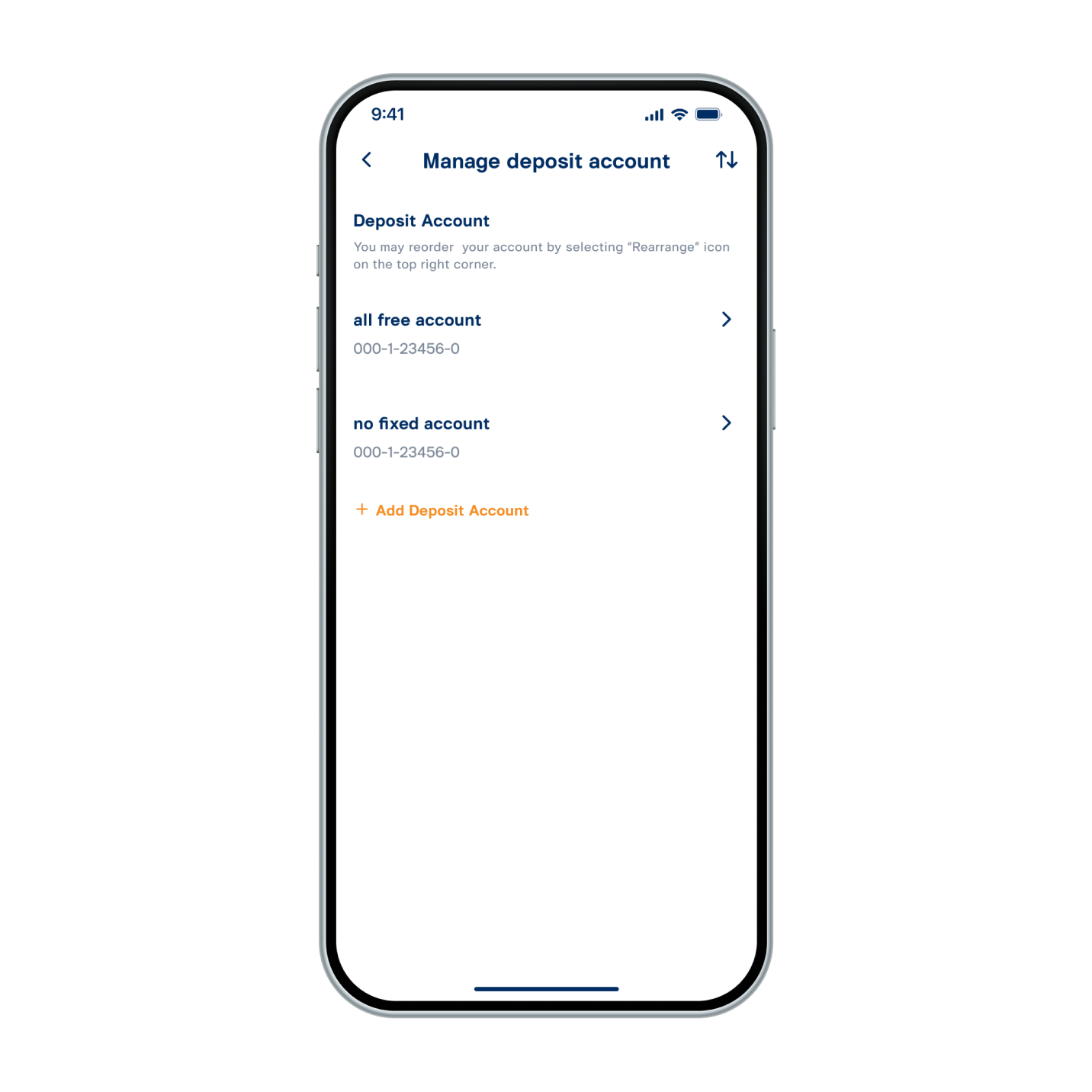
Select “Add Deposit Account”.
4. Select “Add Deposit Account”.
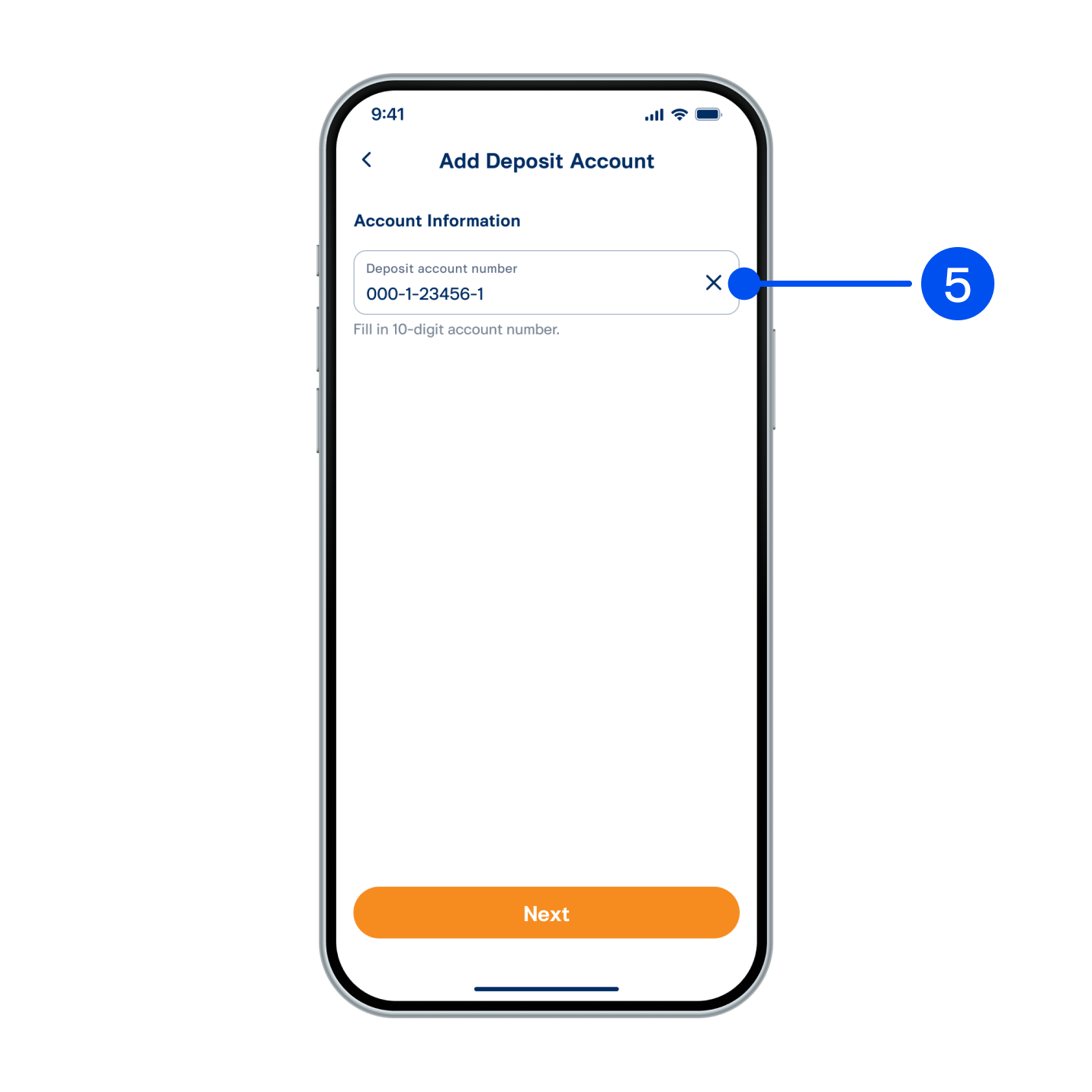
Enter 10-digit account number.
5. Enter 10-digit account number.
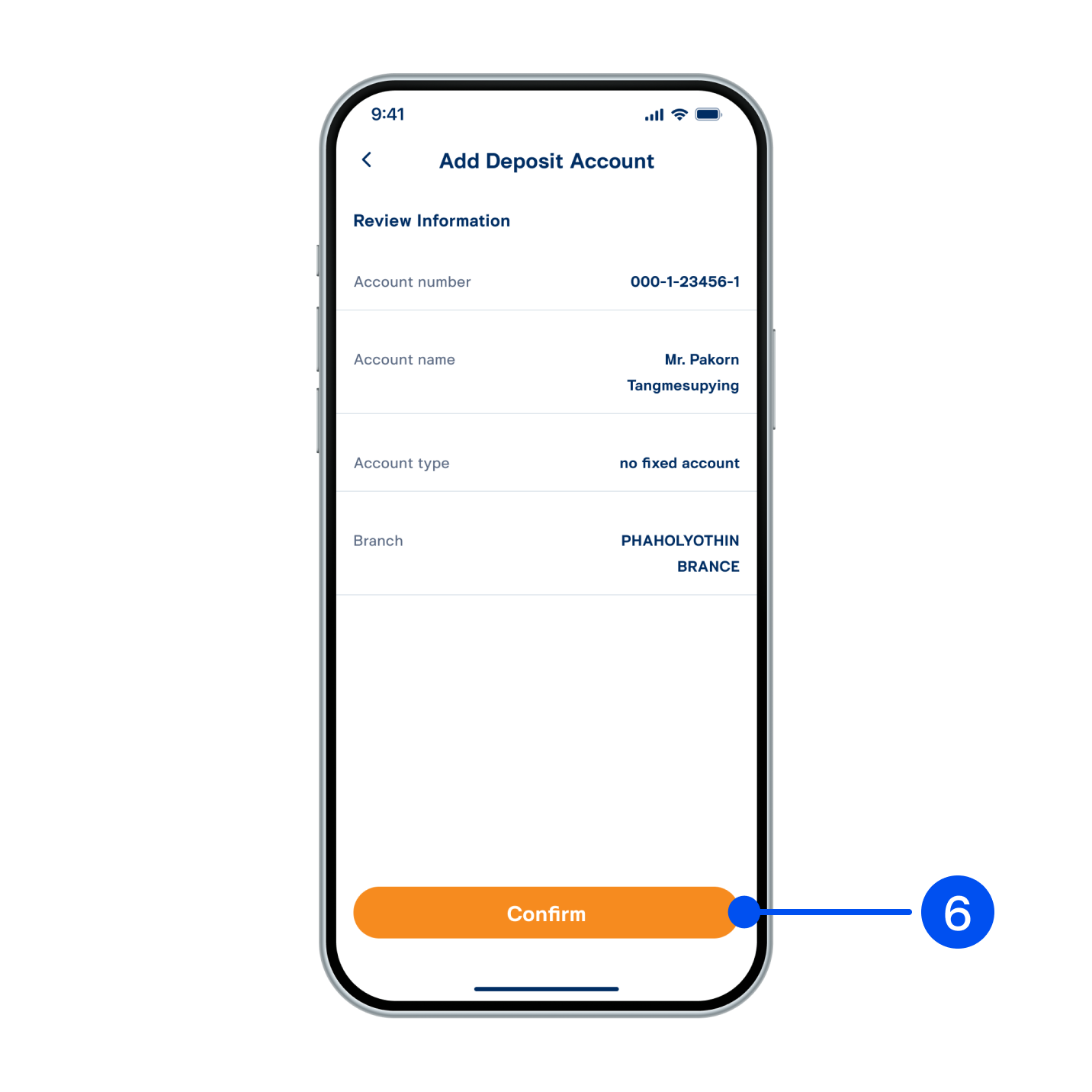
Review account information, then select “Confirm”.
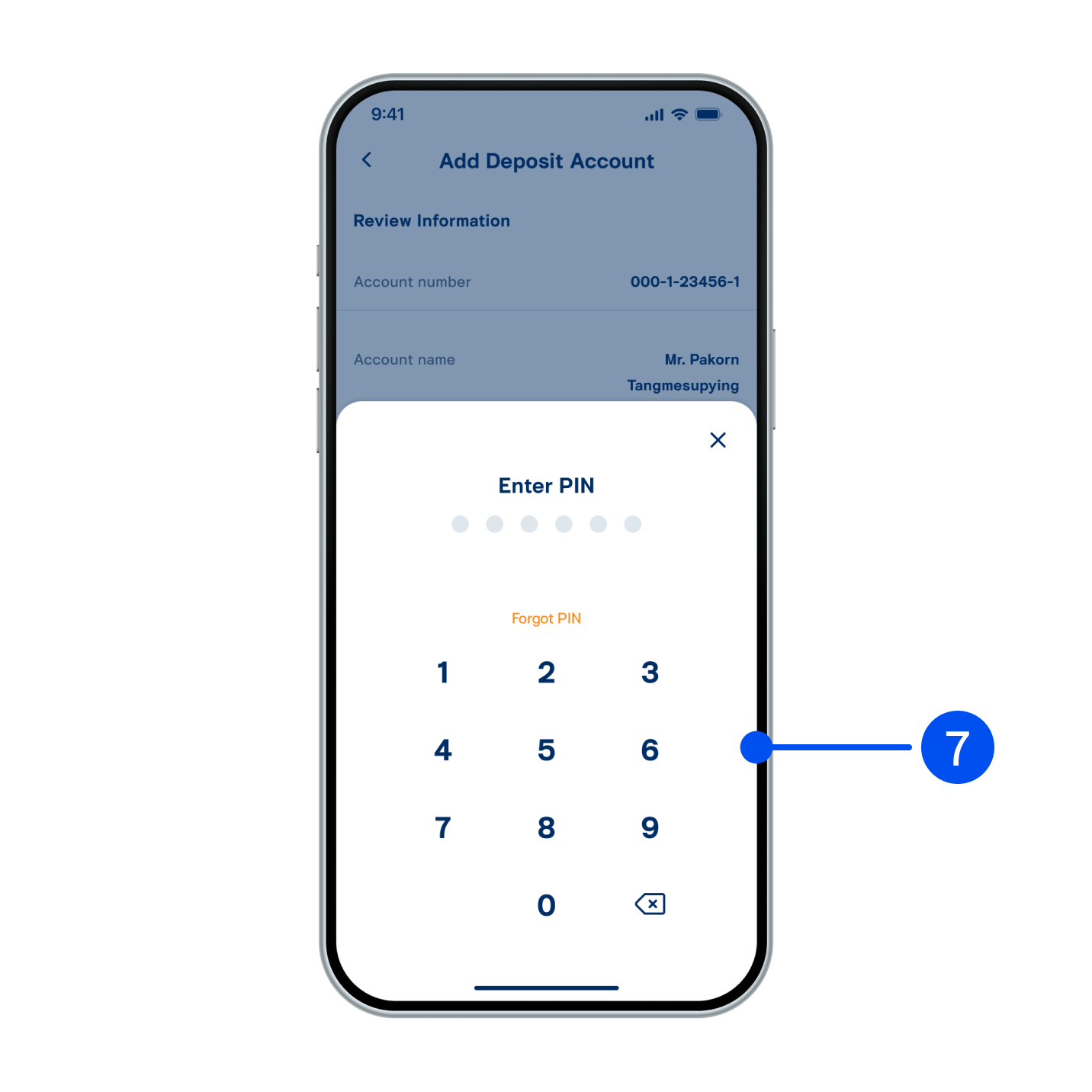
6. Review account information, then select “Confirm”.
Enter PIN to confirm.
7. Enter PIN to confirm.
Deposit account has been addd successfully.
8. Deposit account has been addd successfully.