

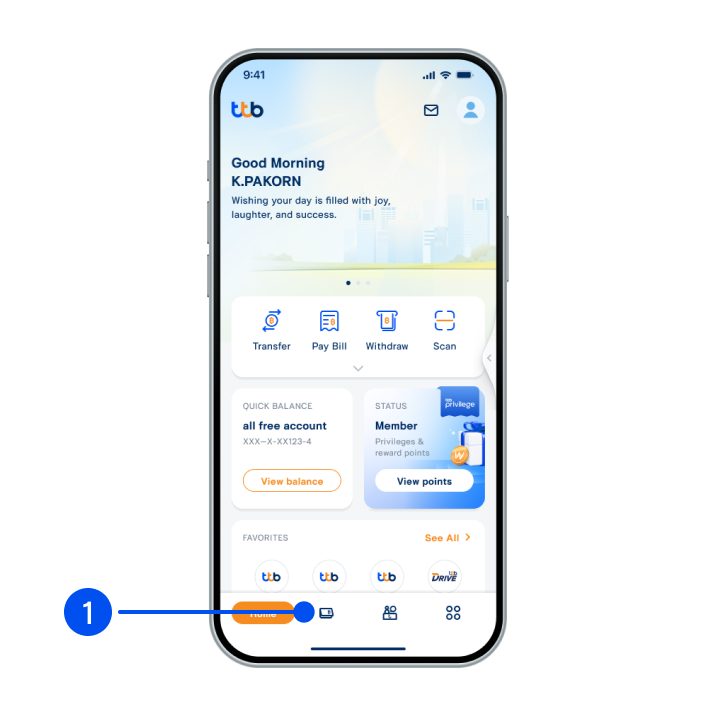
1. Select “Account”, the 2nd menu from the bottom.
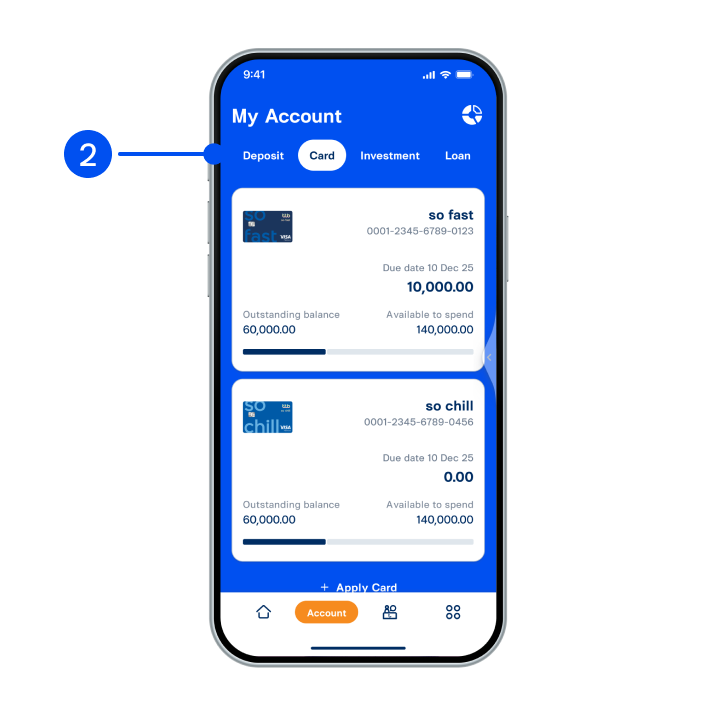
2. Select "Card" tab at the top, then select the card with a permanent credit limit increase offer.
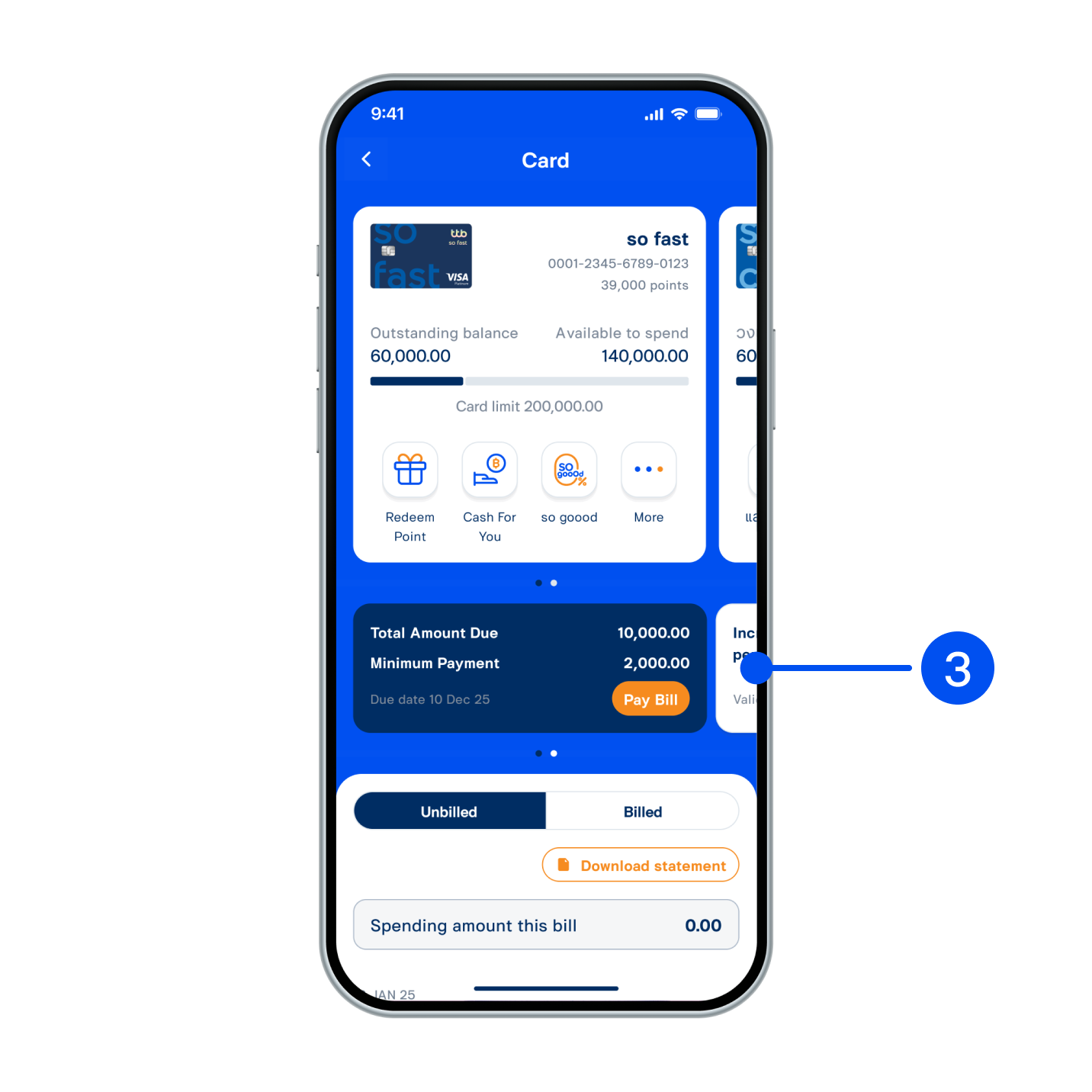
3. Swipe "Total amount due" card to the right.
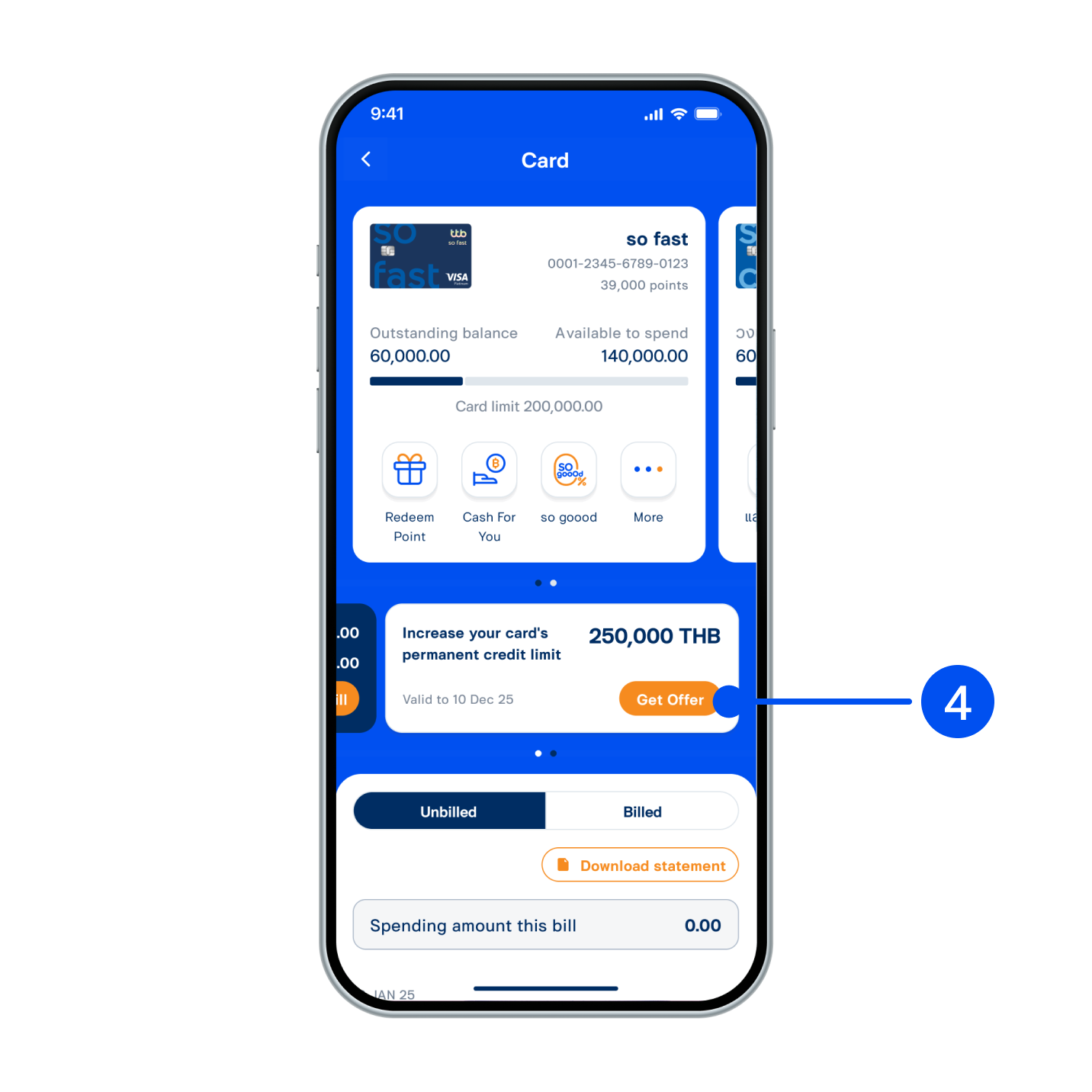
4. Select “Get offer”.
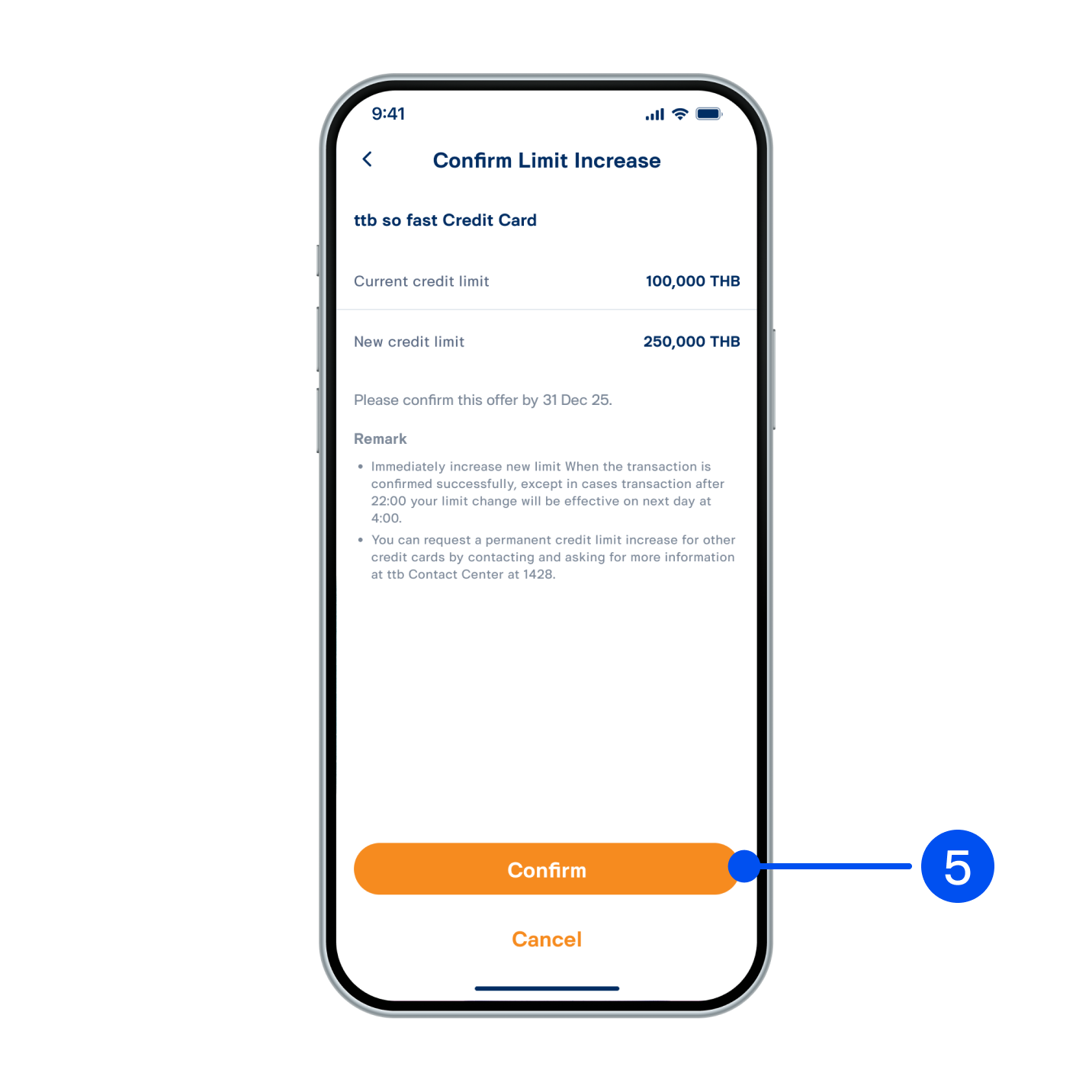
5. Check the details and select “Confirm” to proceed.
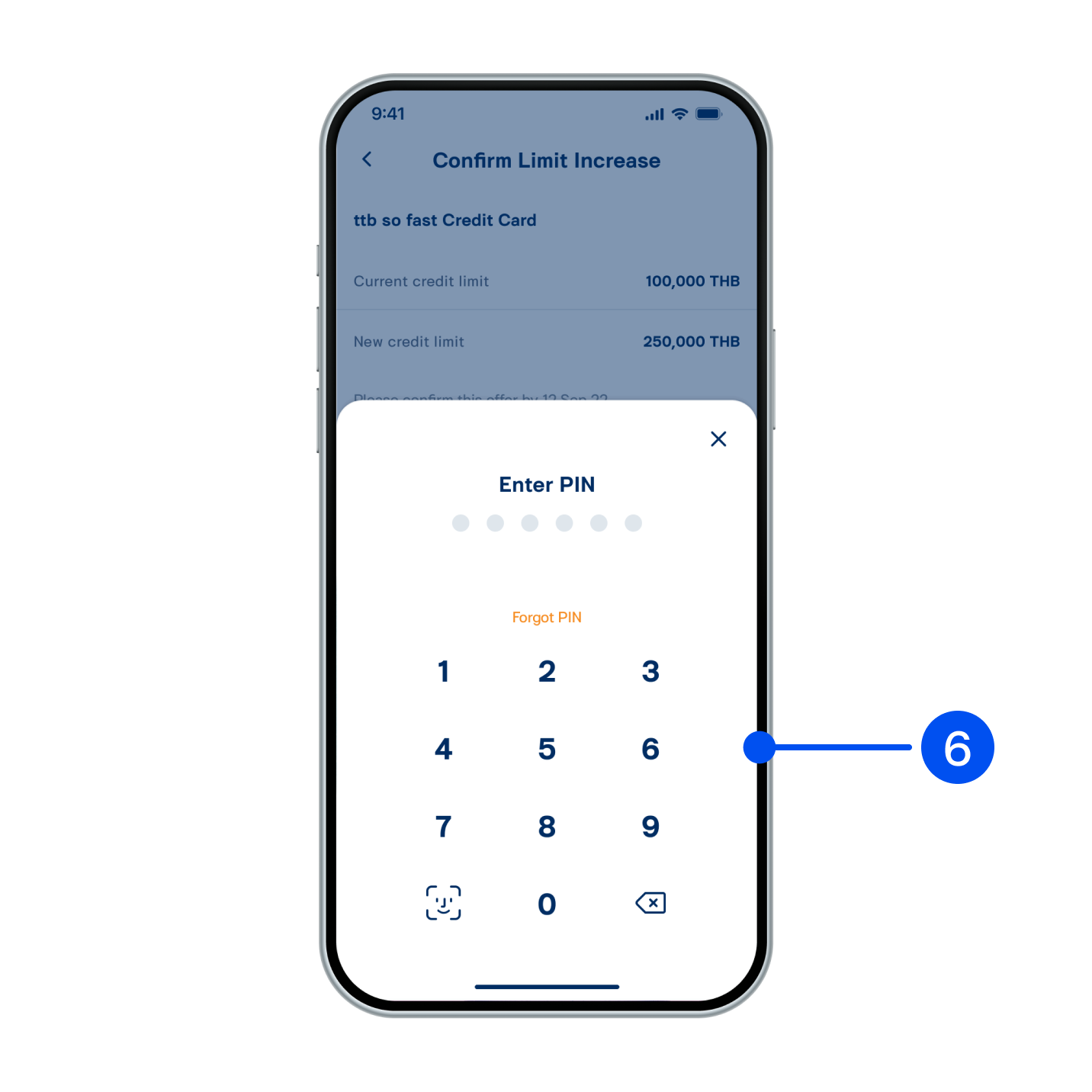
6. Enter PIN to confirm.
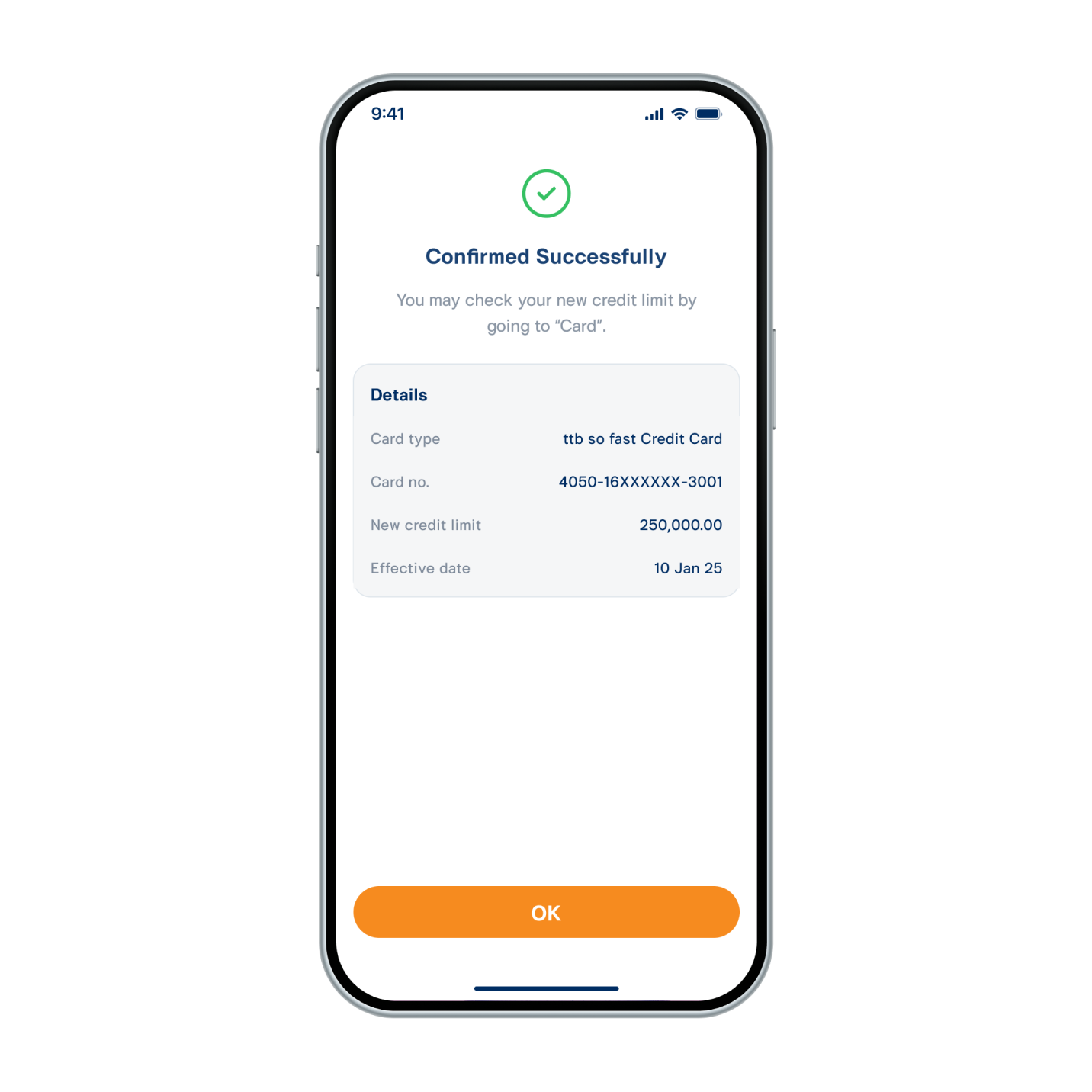
7. Permanent credit limit increased successfully.