

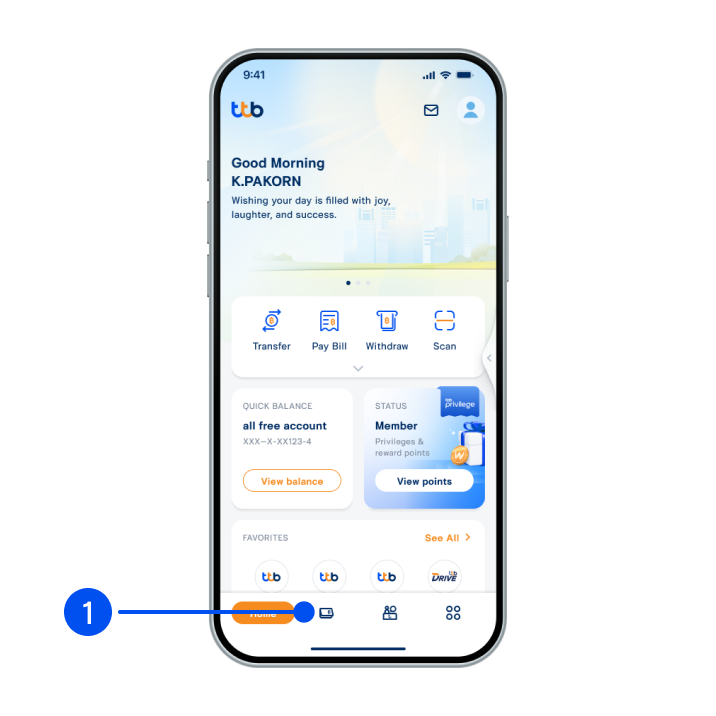
1. Select “Account”, the 2nd menu from the bottom.
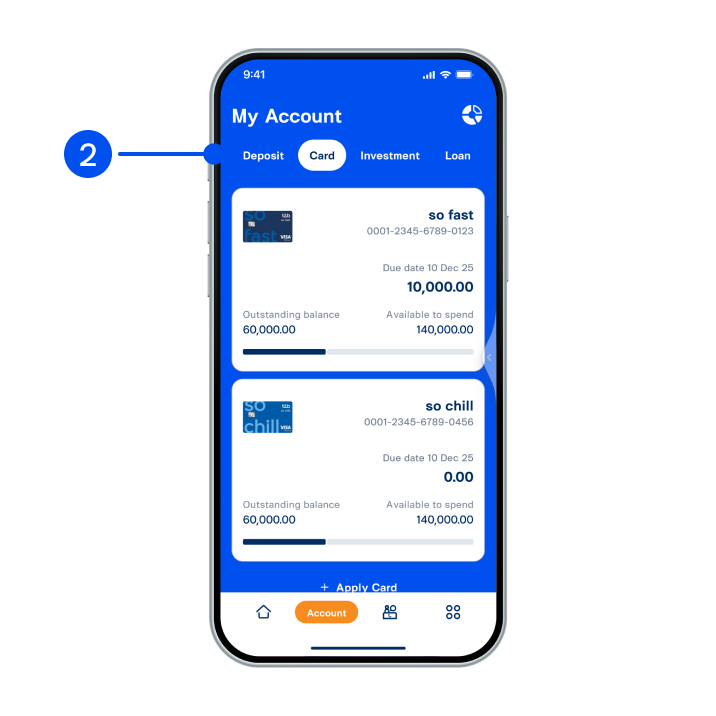
2. Select “Card” tab at the top, then select the card you wish to adjust credit limit.
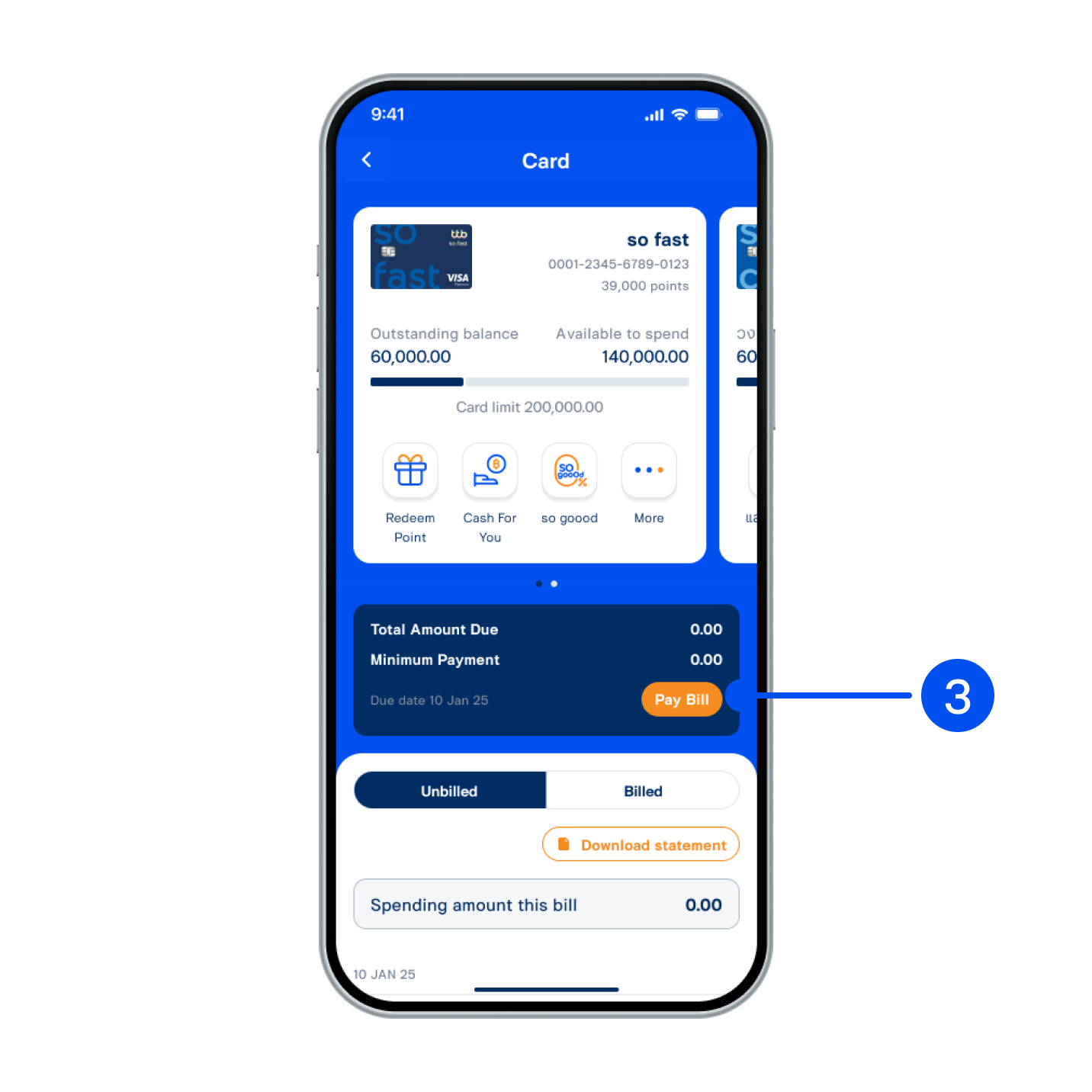
3. Select “Pay bill”.
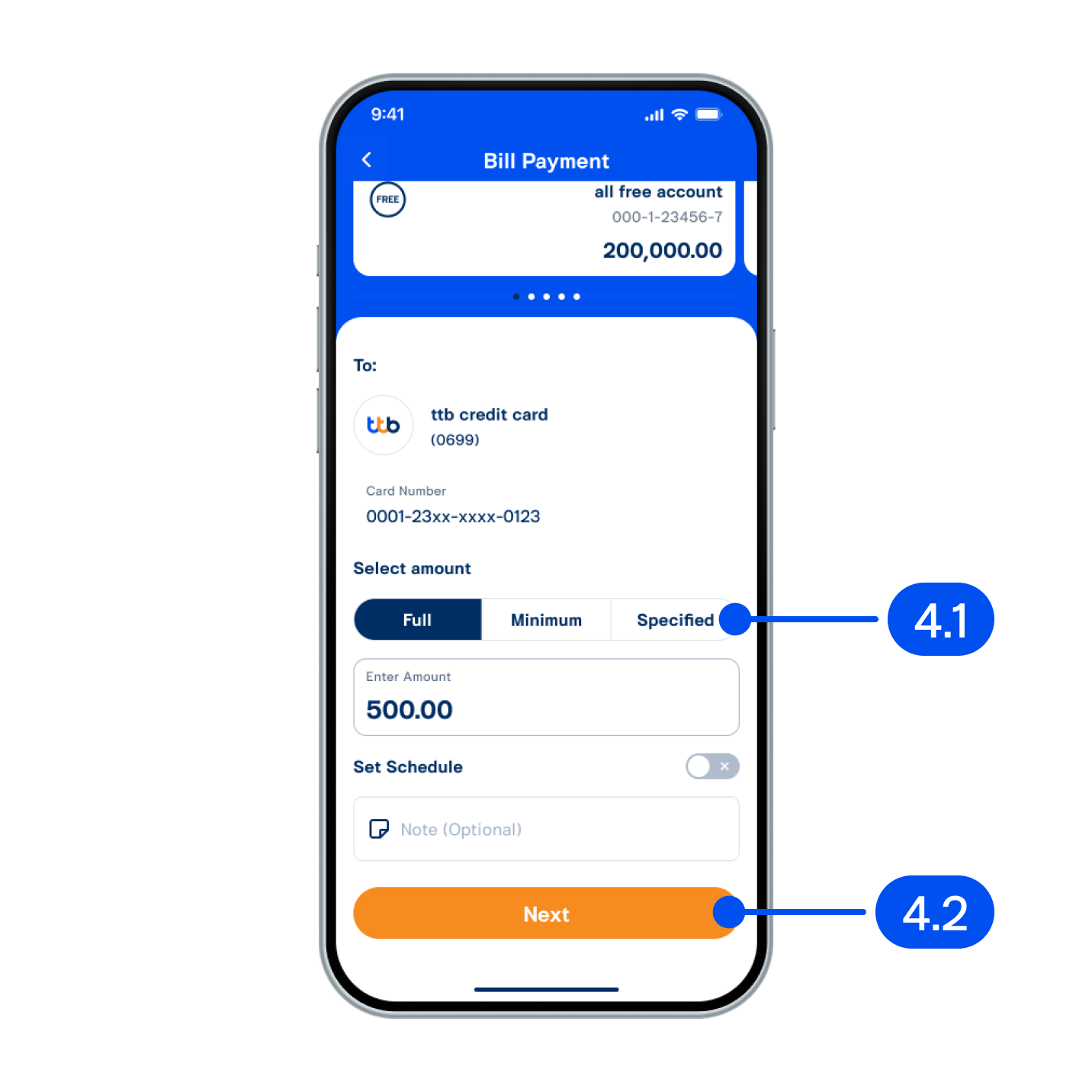
4. From “Bill payment” page,
4.1) Select payment option. If you
select "Specified," enter the
amount you wish to pay.
4.2) Select "Next"
4.1) Select payment option. If you
select "Specified," enter the
amount you wish to pay.
4.2) Select "Next"
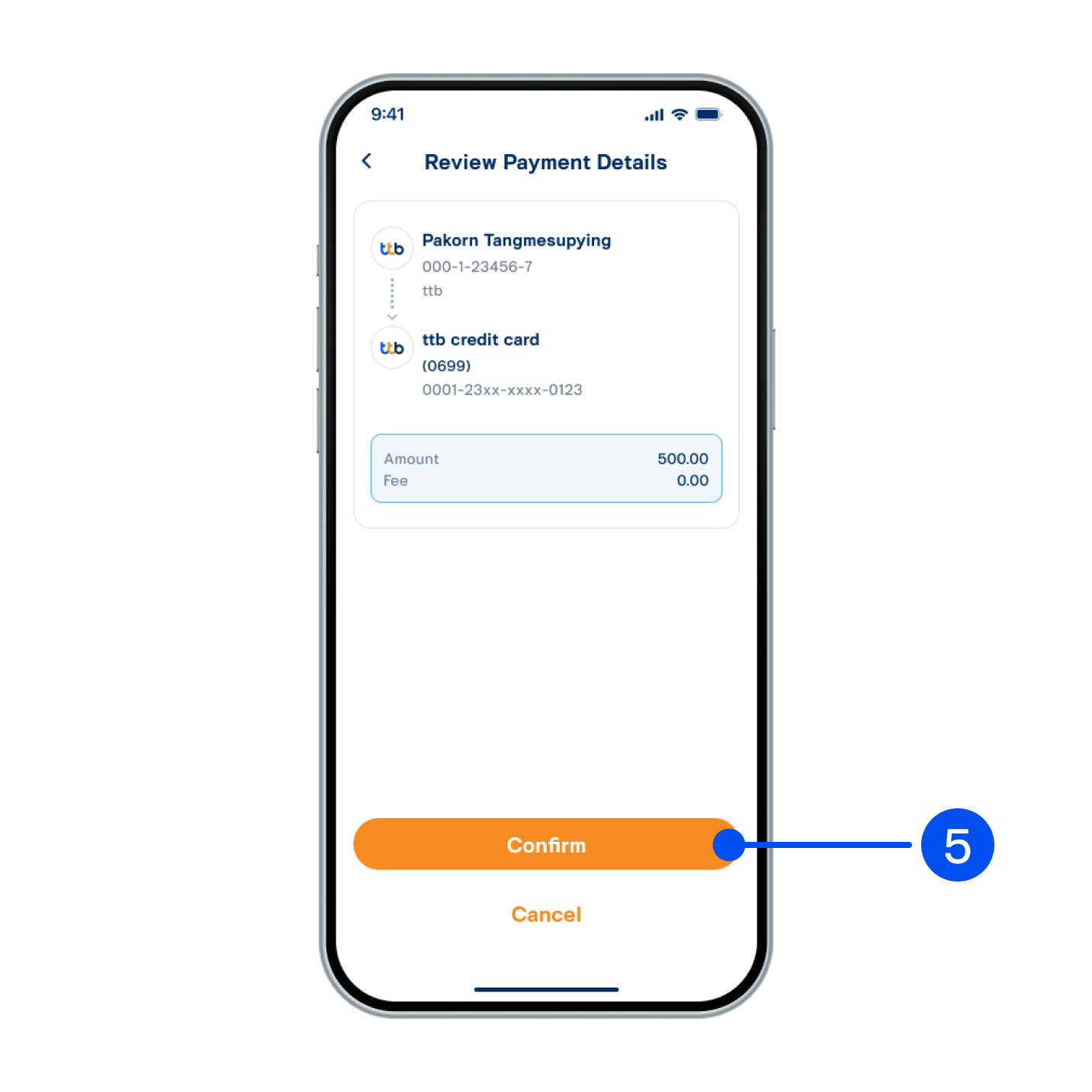
5. Select “Confirm”.
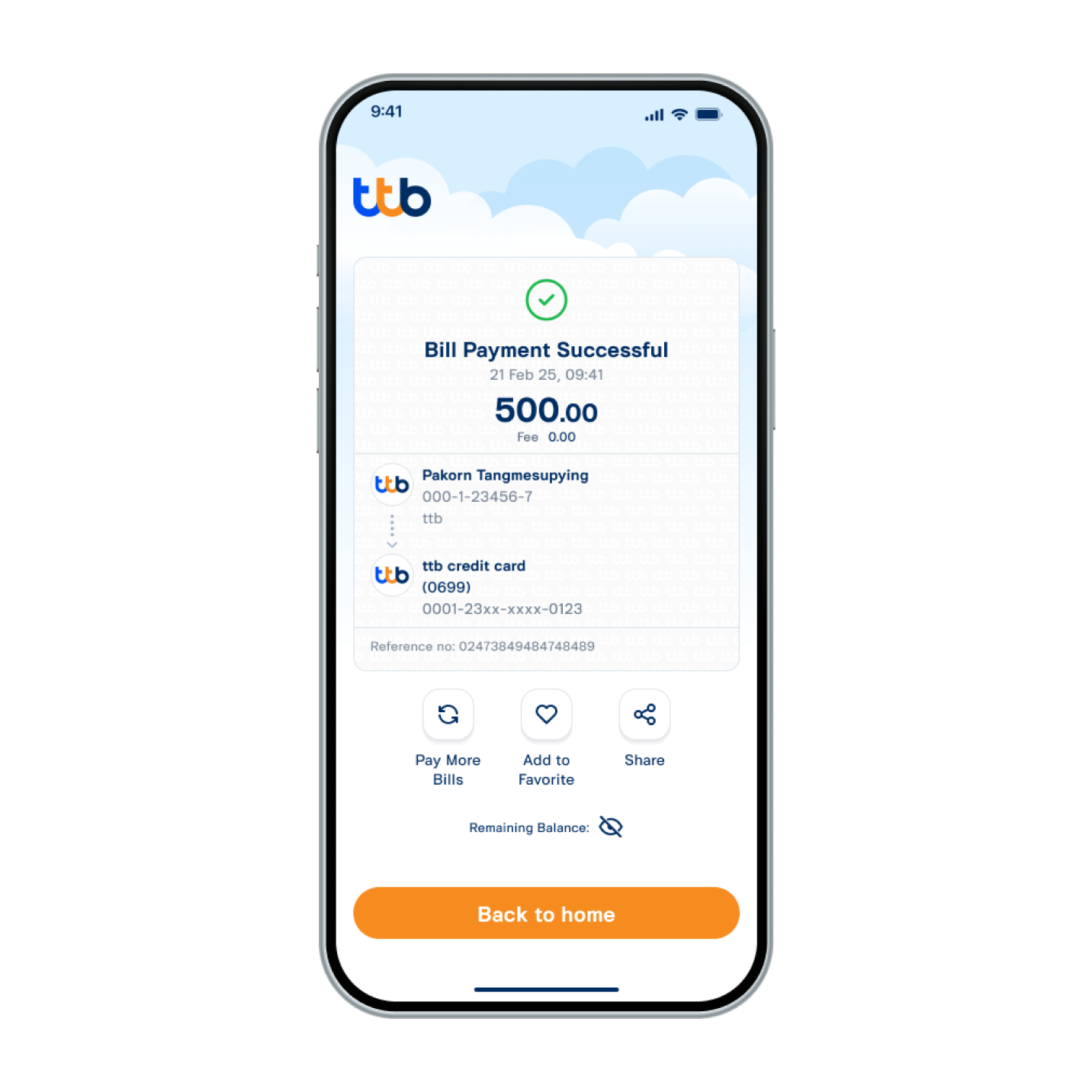
6. Paid successfully.