external-popup-close

You are being redirected to

https://www.ttbbank.com/

Proceed

Add Tax Allowance Information (Update Existing Entry)

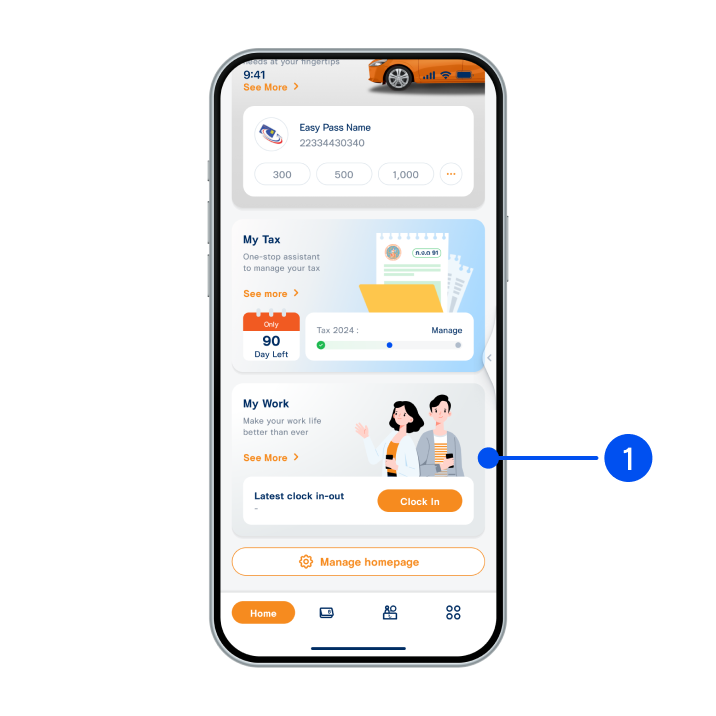
Scroll down to select “My Work”.
1. Scroll down to select “My Work”.
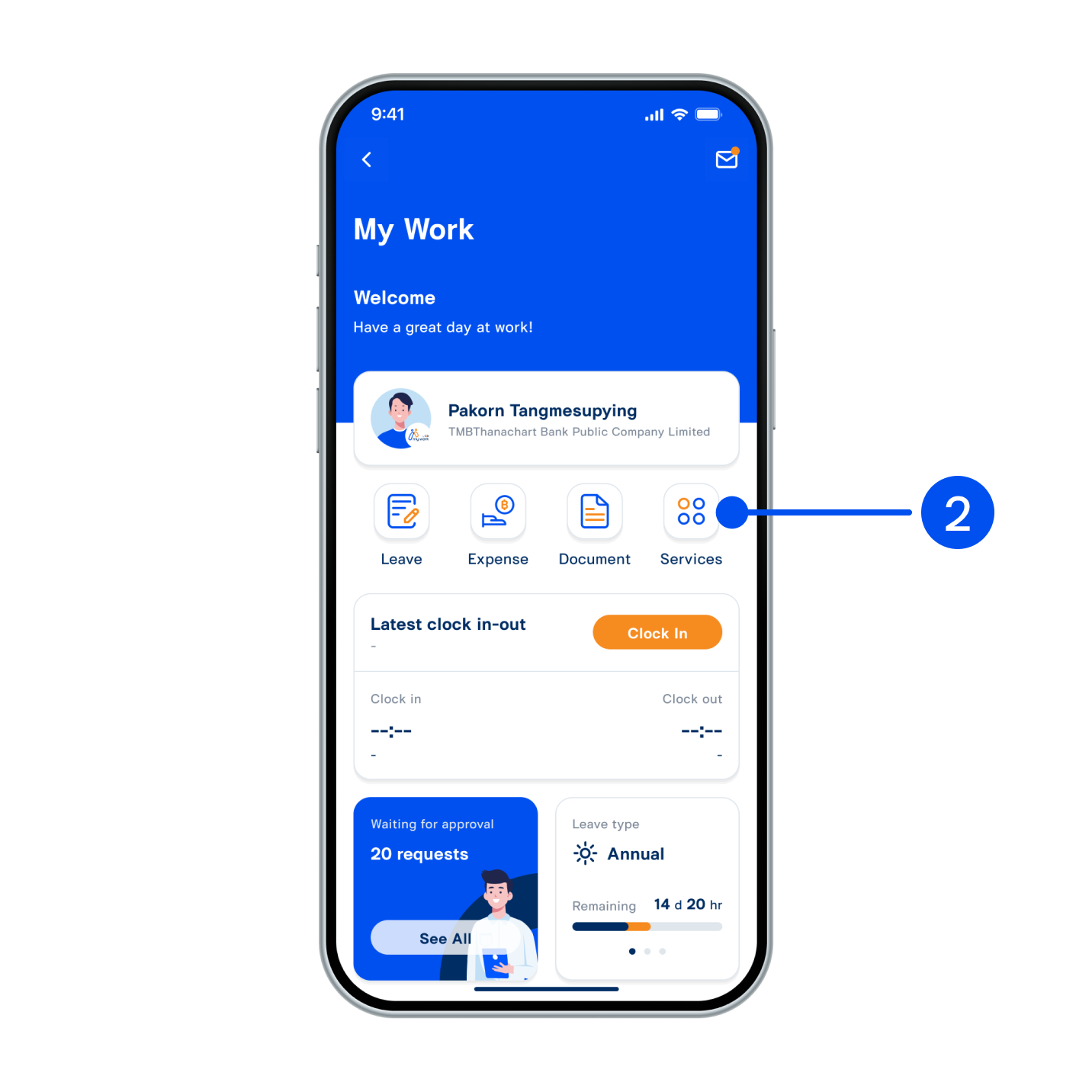
Select “Services”.
2. Select “Services”.
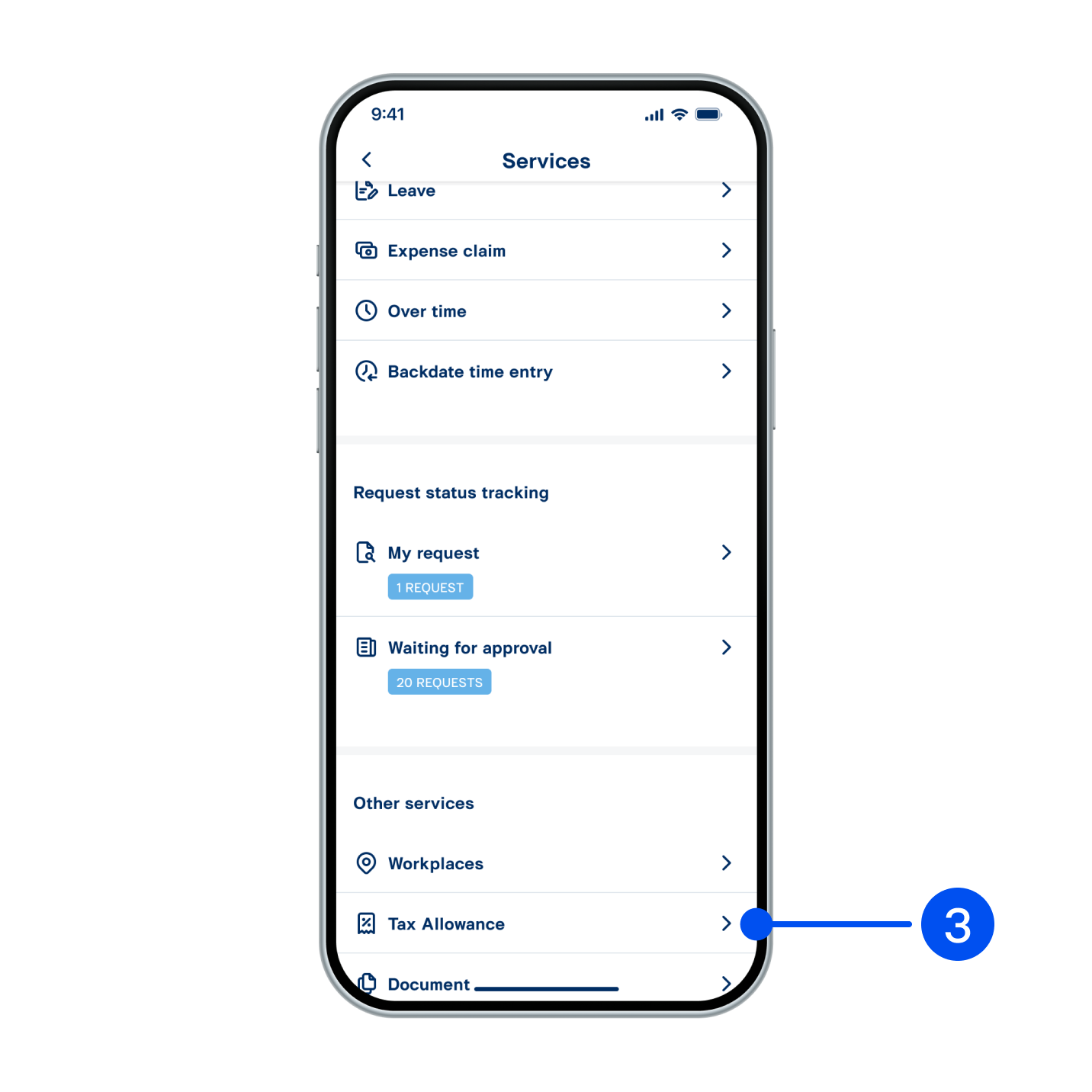
Select “Tax allowance”.
3. Select “Tax allowance”.
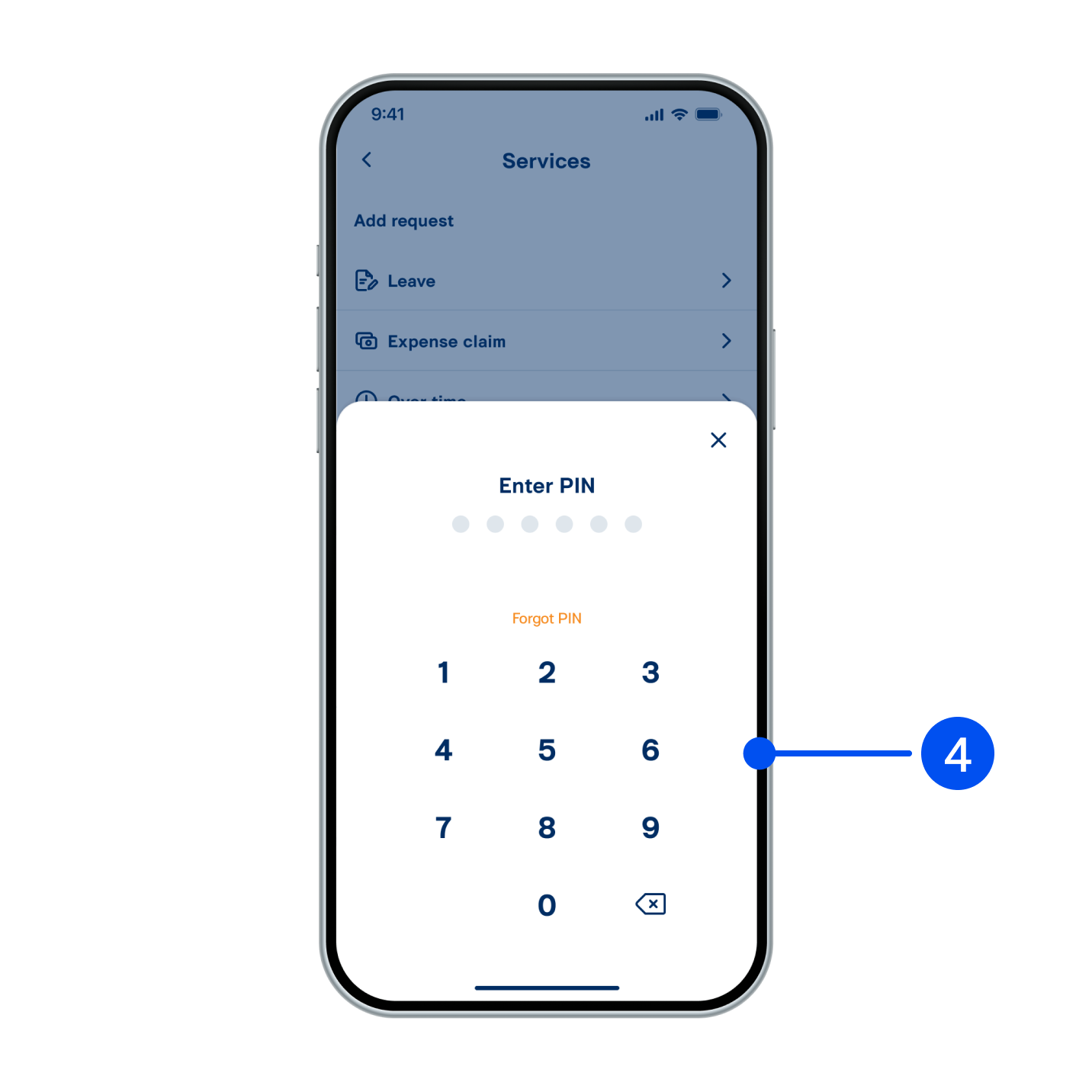
Enter PIN to confirm.
4. Enter PIN to confirm.
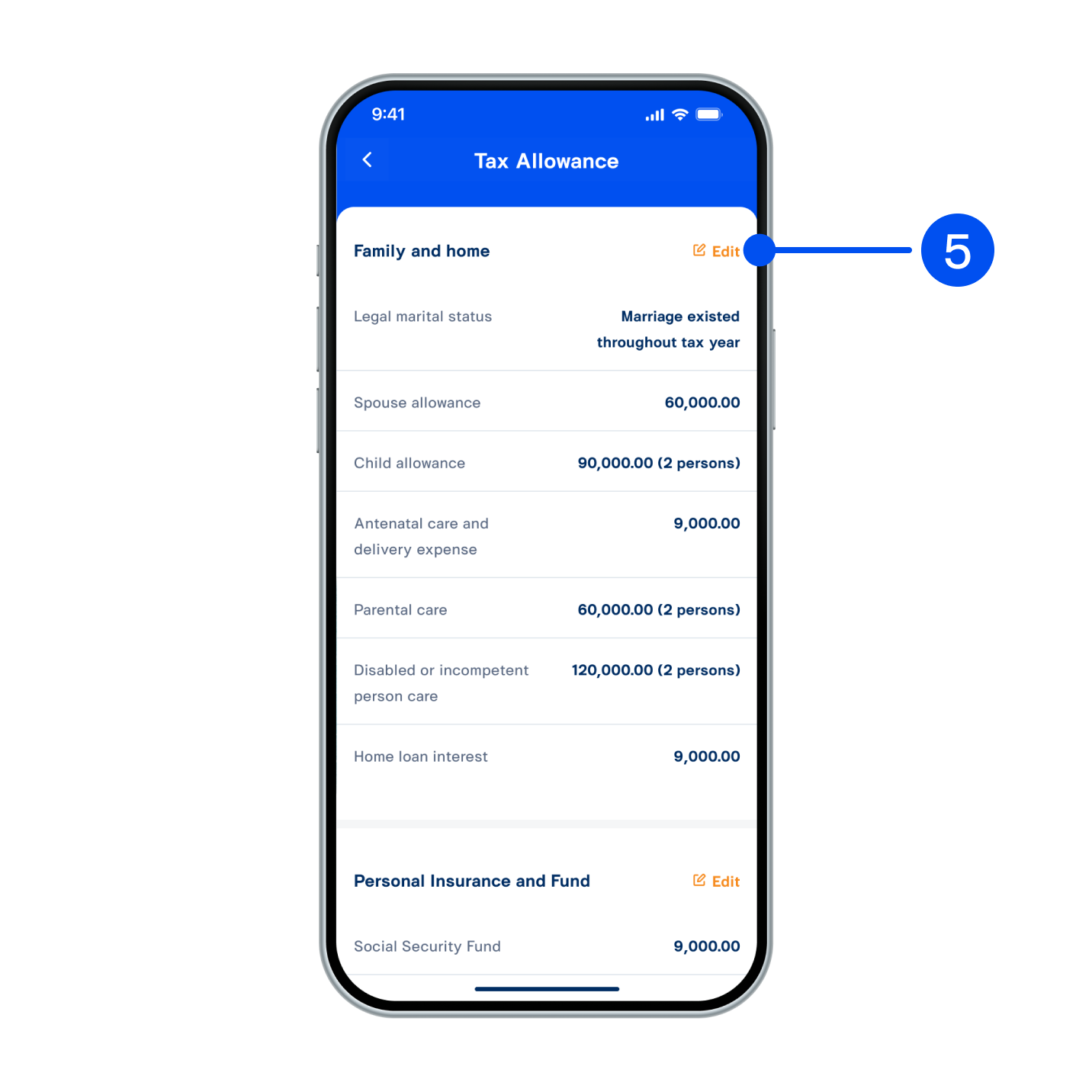
Review tax allowance information. Select “Edit” to edit information.
5. Review tax allowance information. Select “Edit” to edit information.
Edit information, then select “SAVE”.
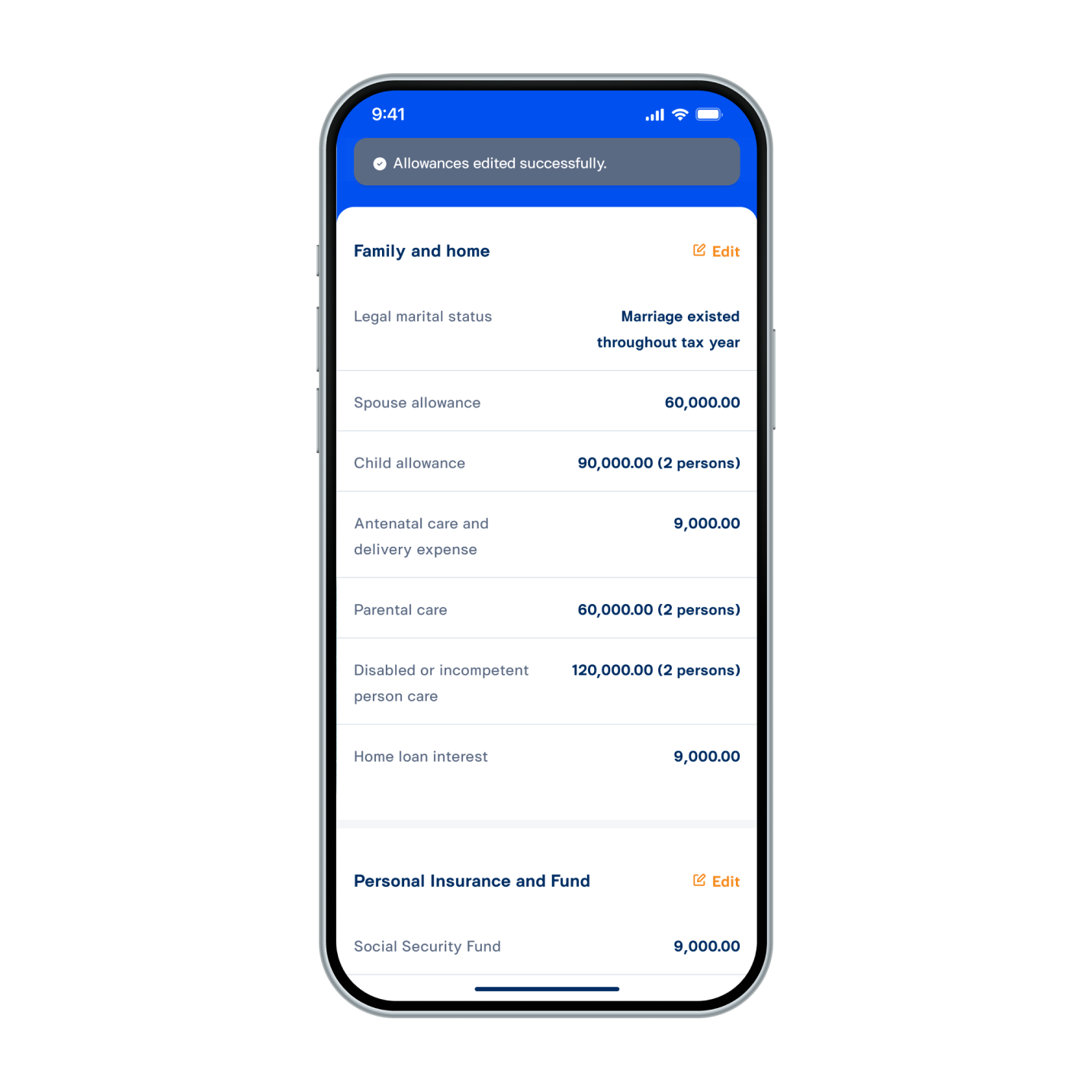
6. Edit information, then select “SAVE”.
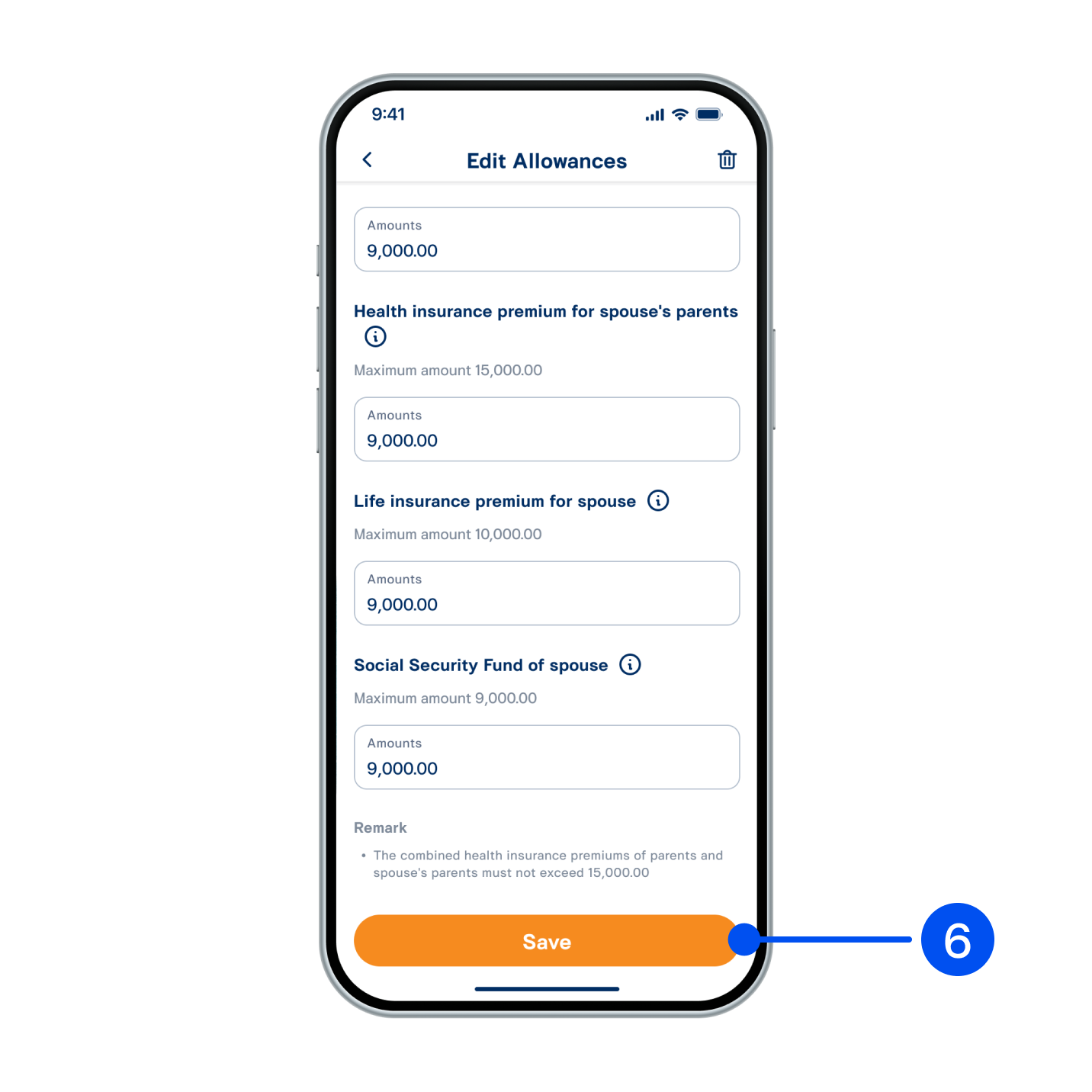
Tax allowance has been edited successfully.
7. Tax allowance has been edited successfully.