

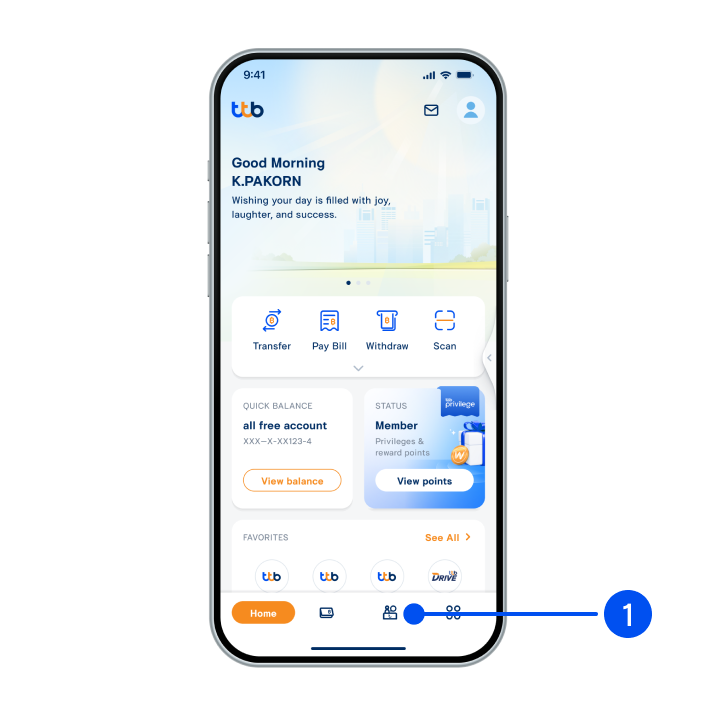
1. Select “Service”, the 3rd menu from the bottom.
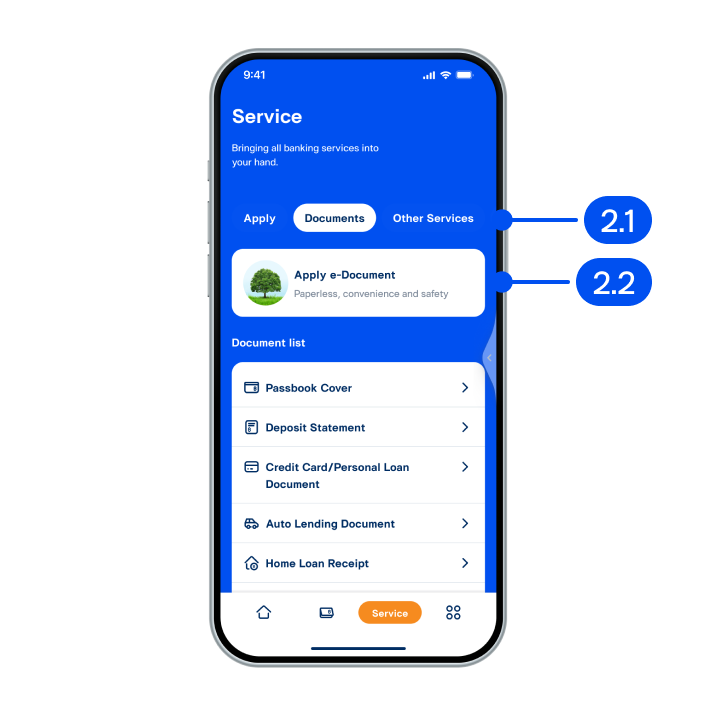
2. From “Service” page,
2.1) Select “Documents”
2.2) Select “Apply e-Document”
2.1) Select “Documents”
2.2) Select “Apply e-Document”
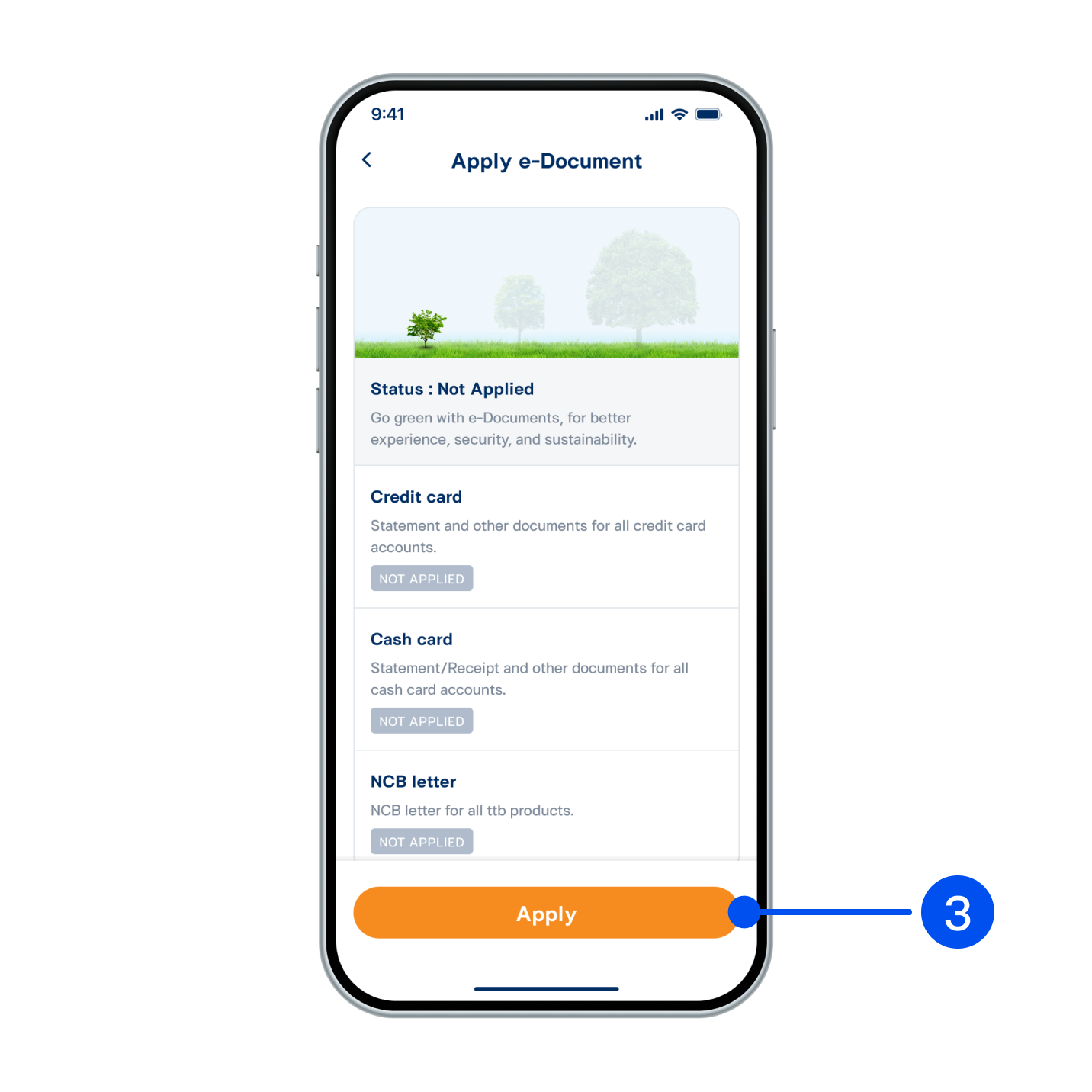
3. The system will display list and status of e-Document application of cash card, personal loan, home loan, and NCB letter. Select “Apply” to proceed.
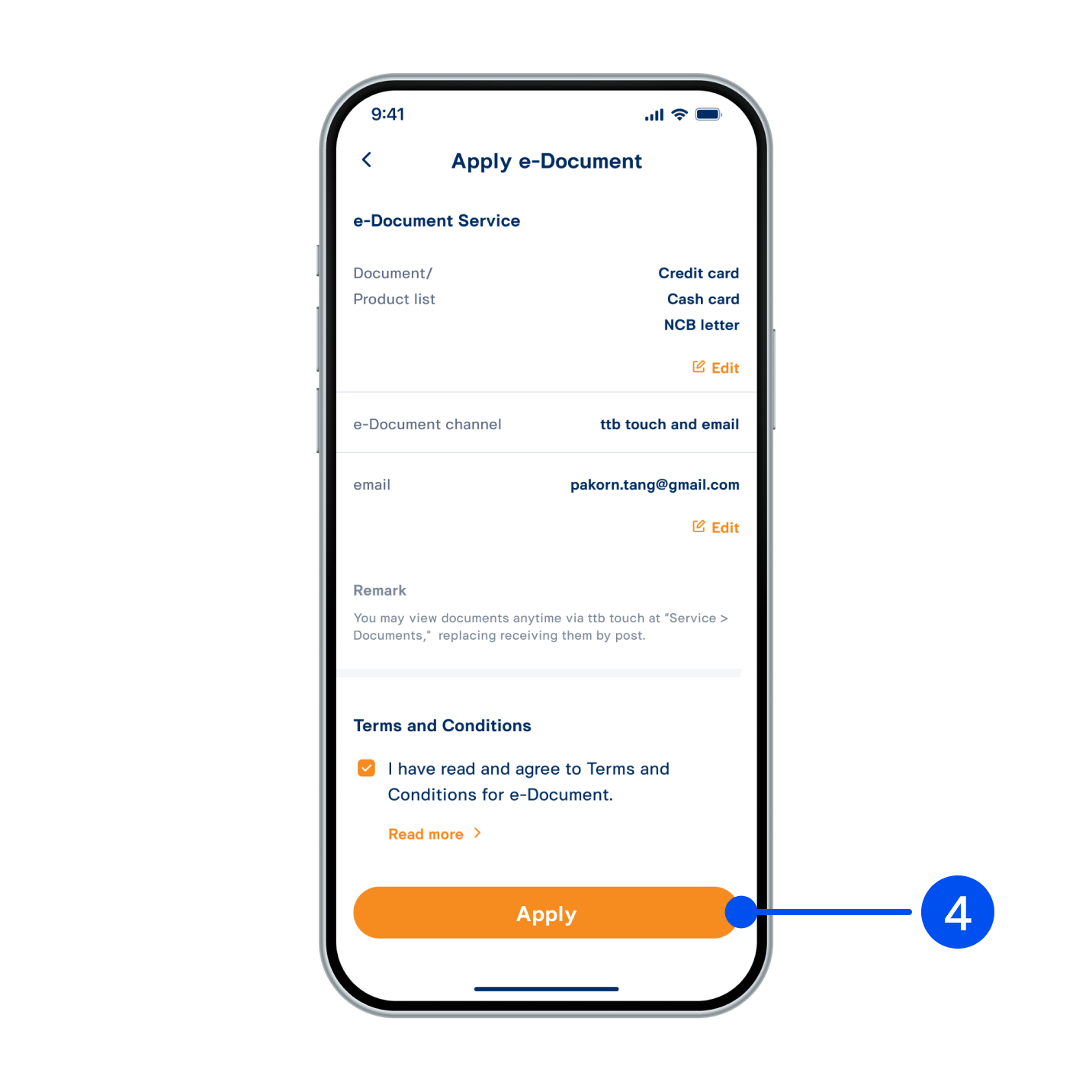
4. Read service details and accept Terms and Conditions, then select “Apply” to proceed.
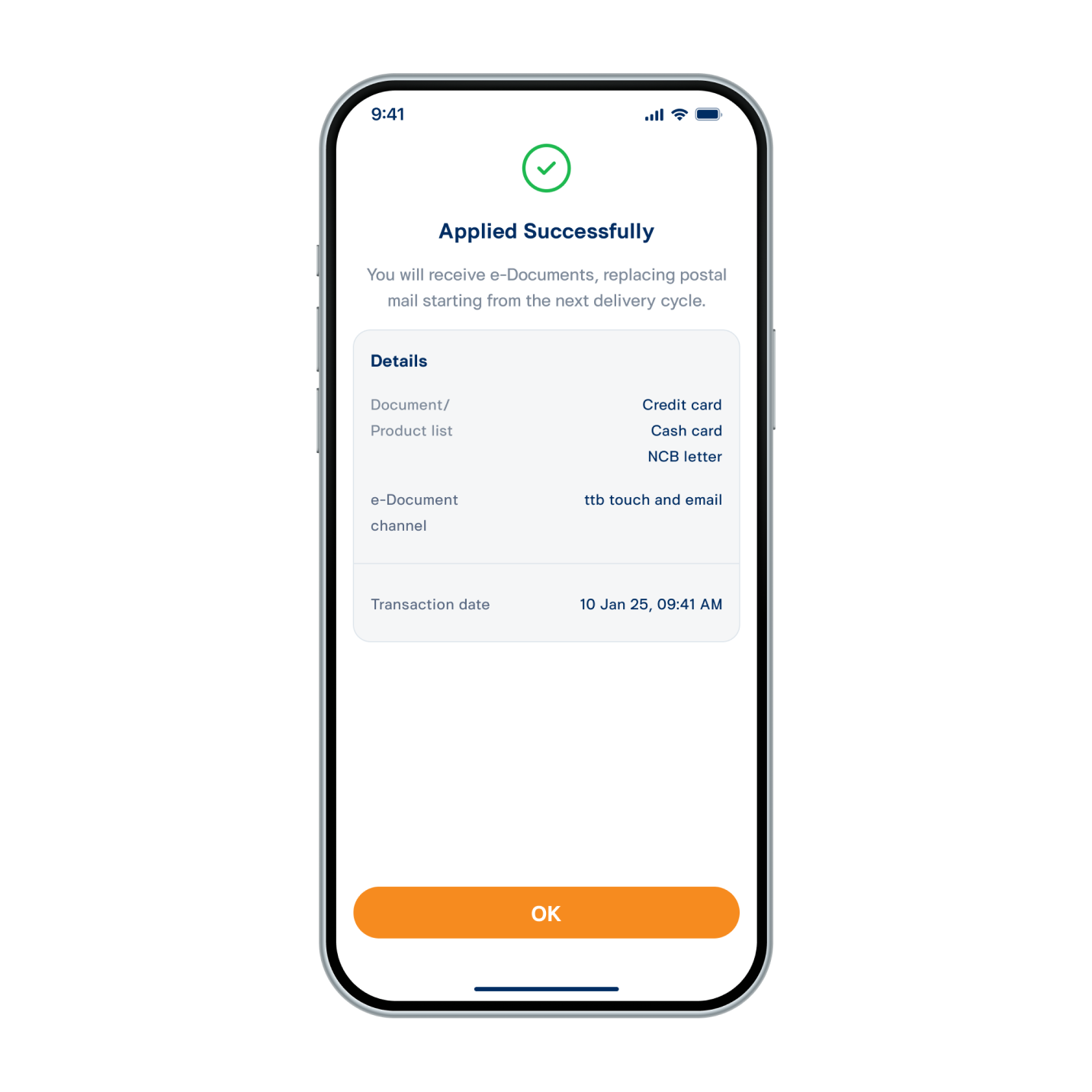
5. e-Document has been applied successfully. The system will send the document to selected electronic channel by delivery cycle instead of postal mail.
eDocument can be viewed by selecting “Service” and “Documents”.
eDocument can be viewed by selecting “Service” and “Documents”.