

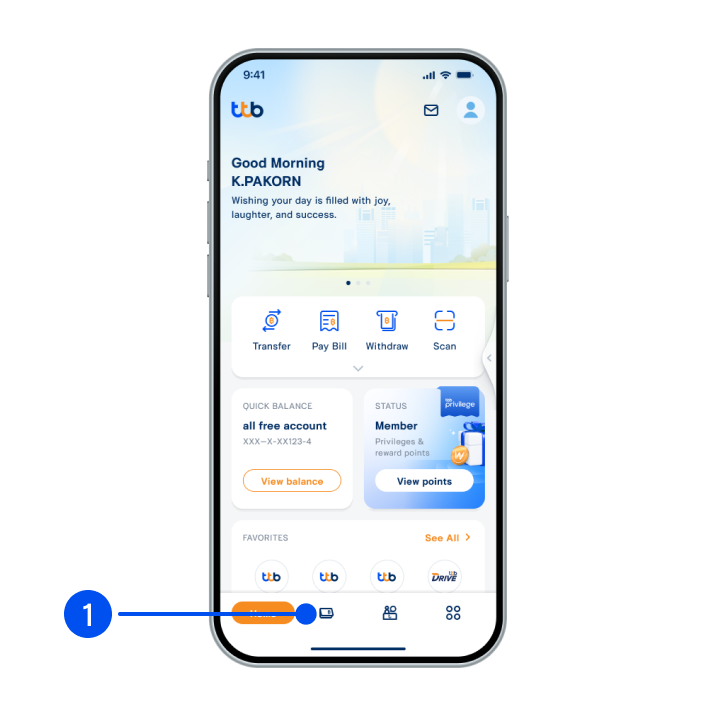
1. Select “Account”, the 2nd menu from the bottom.
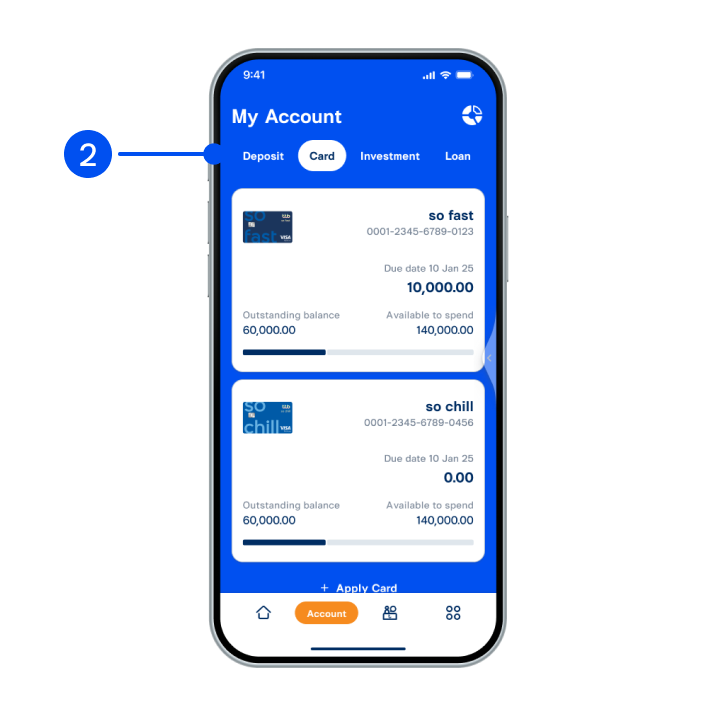
2. Select “Card” tab at the top, then select the card you wish to transfer credit limit.
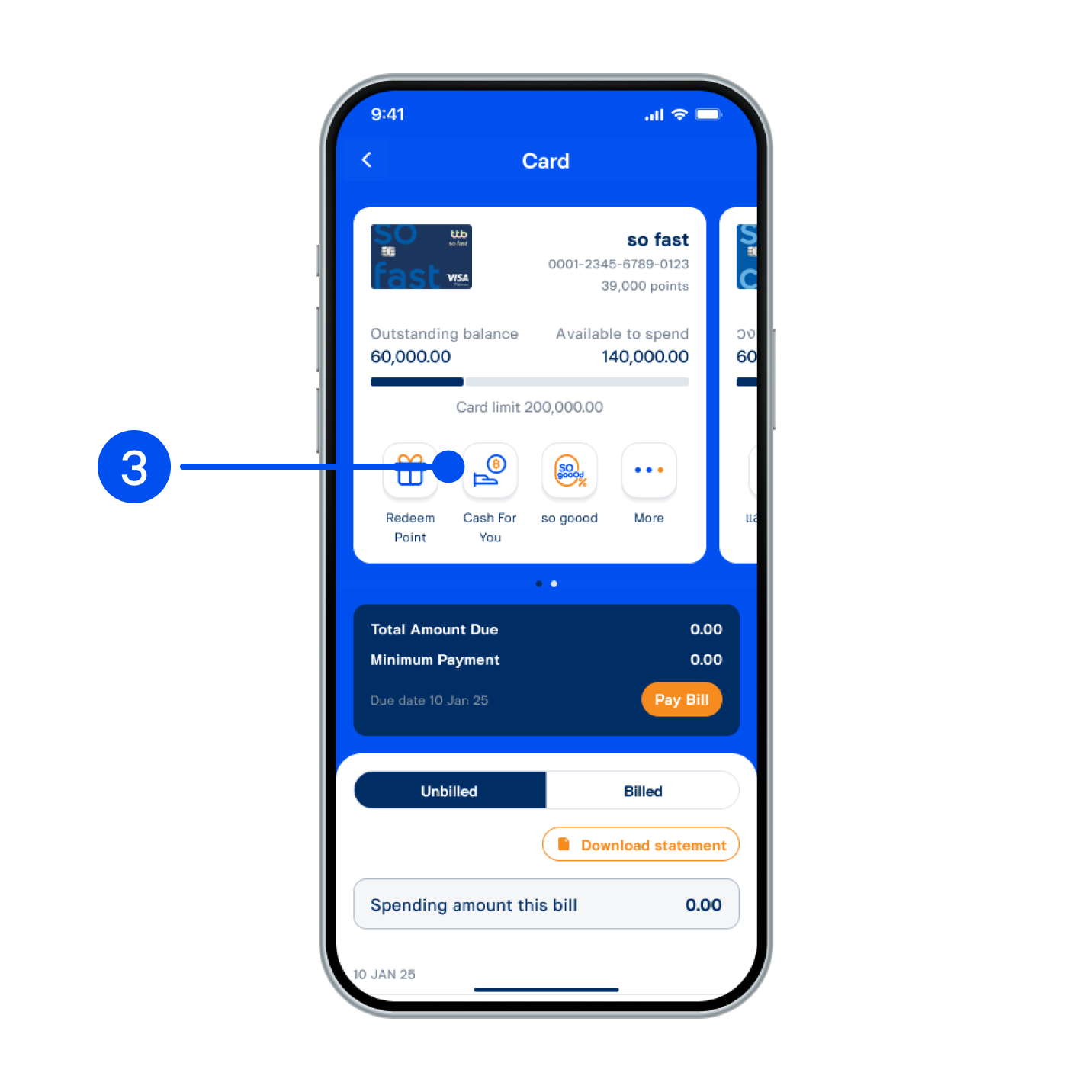
3. Select “Cash For You”.
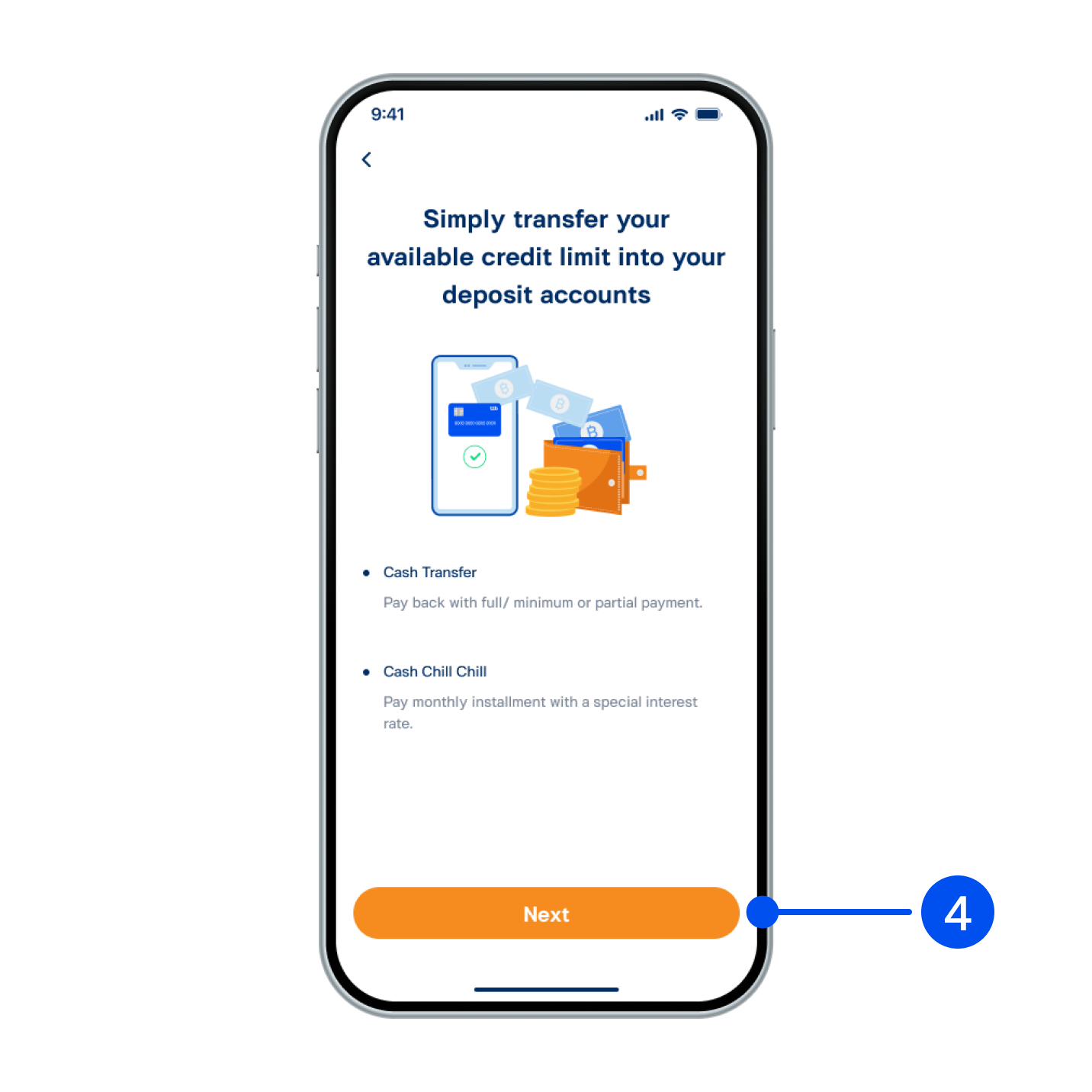
4. Read service details and select “Next”.
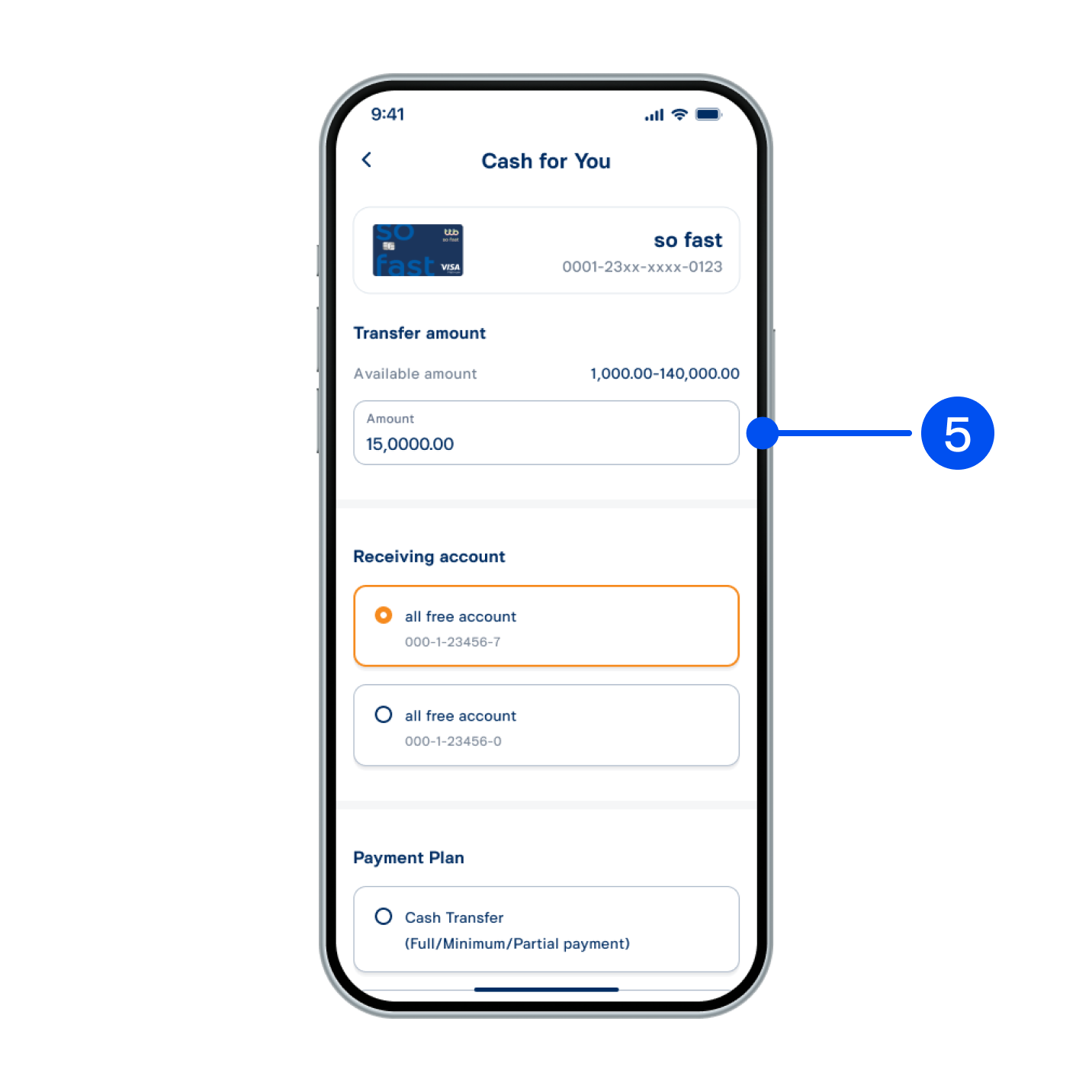
5. Enter the amount you wish to transfer and select the receiving account.
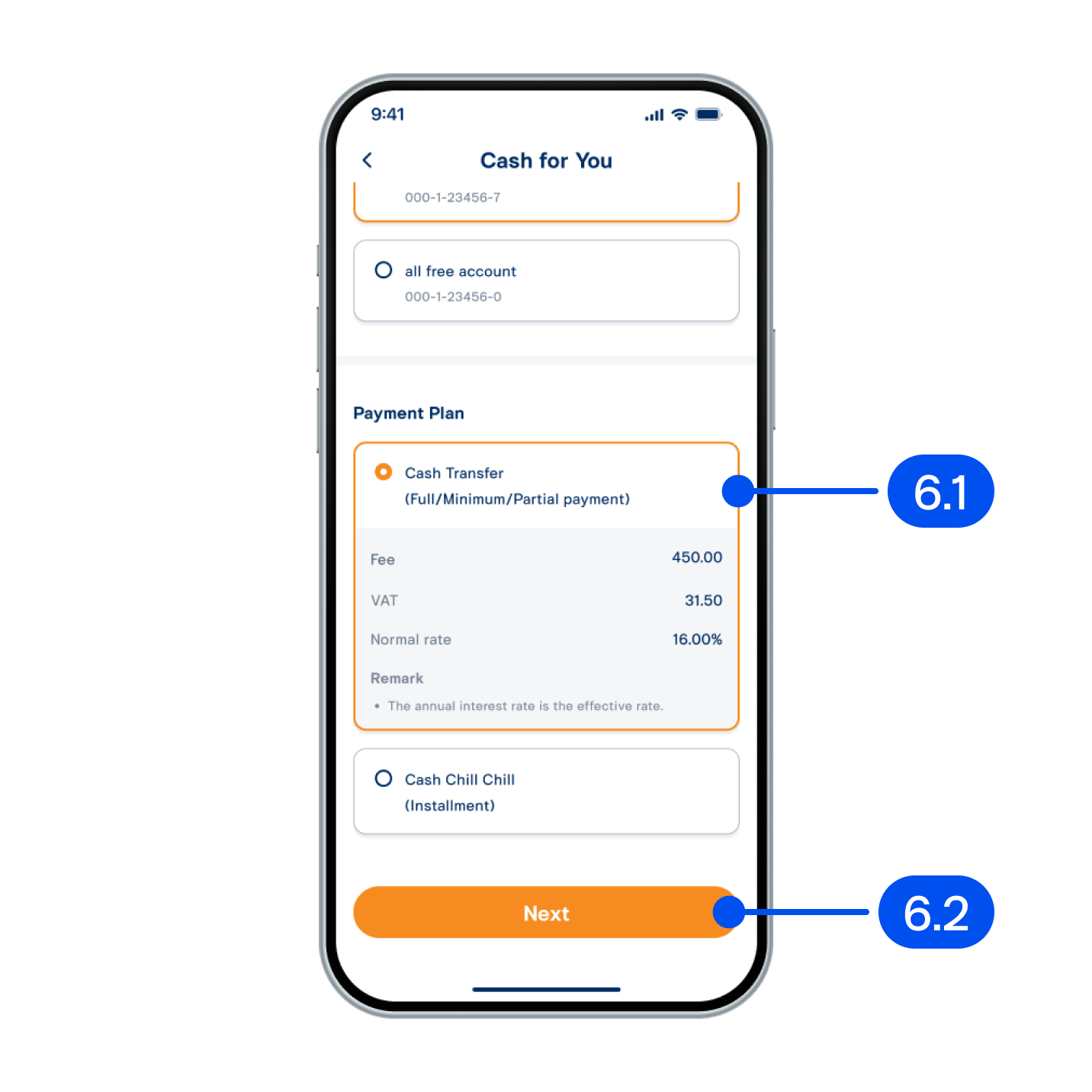
6. From "Cash for You" page:
6.1 Select payment plan of "Cash transfer" type
6.2 Select "Next."
6.1 Select payment plan of "Cash transfer" type
6.2 Select "Next."
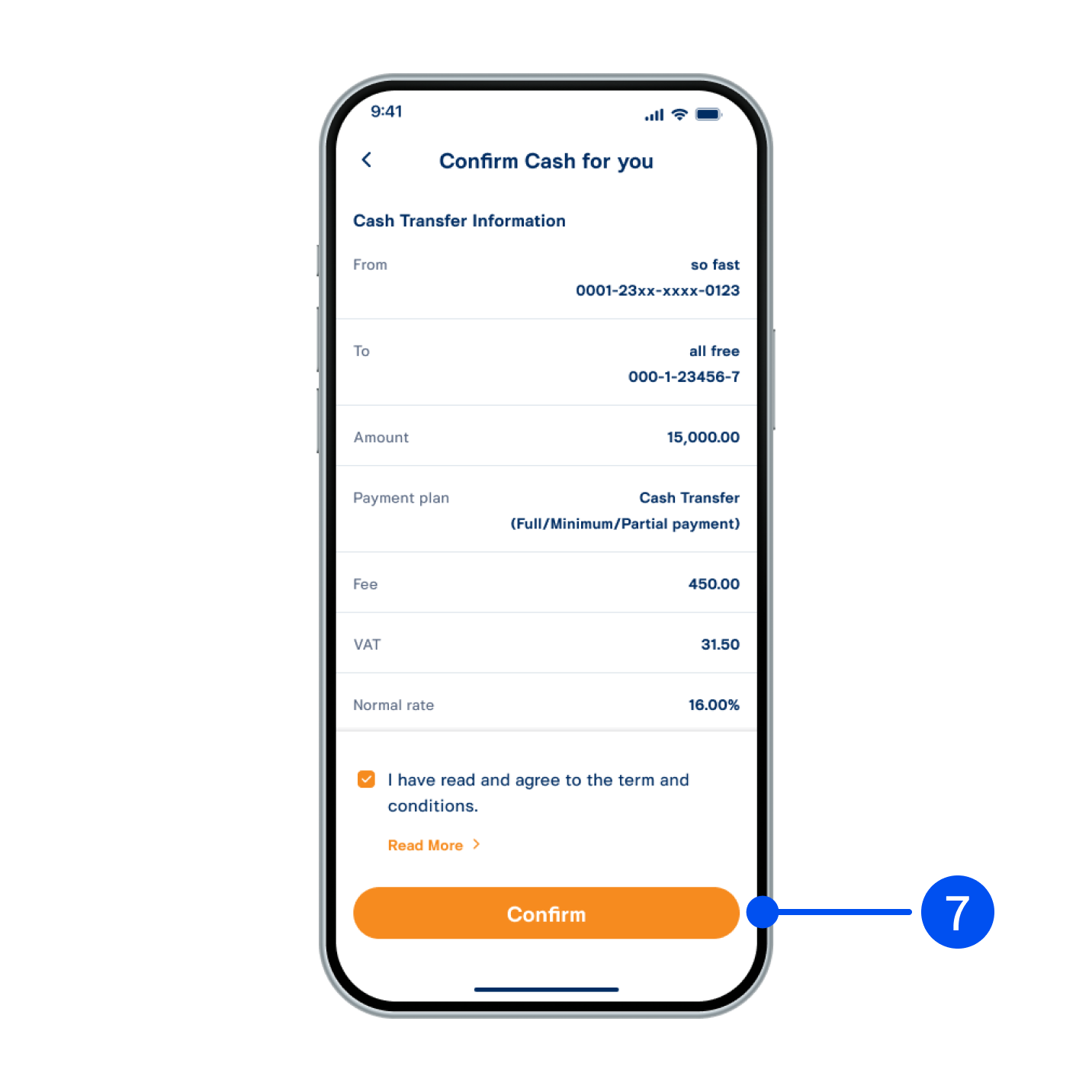
7. Check service details and accept Terms and Conditions, then select "Confirm" to proceed.
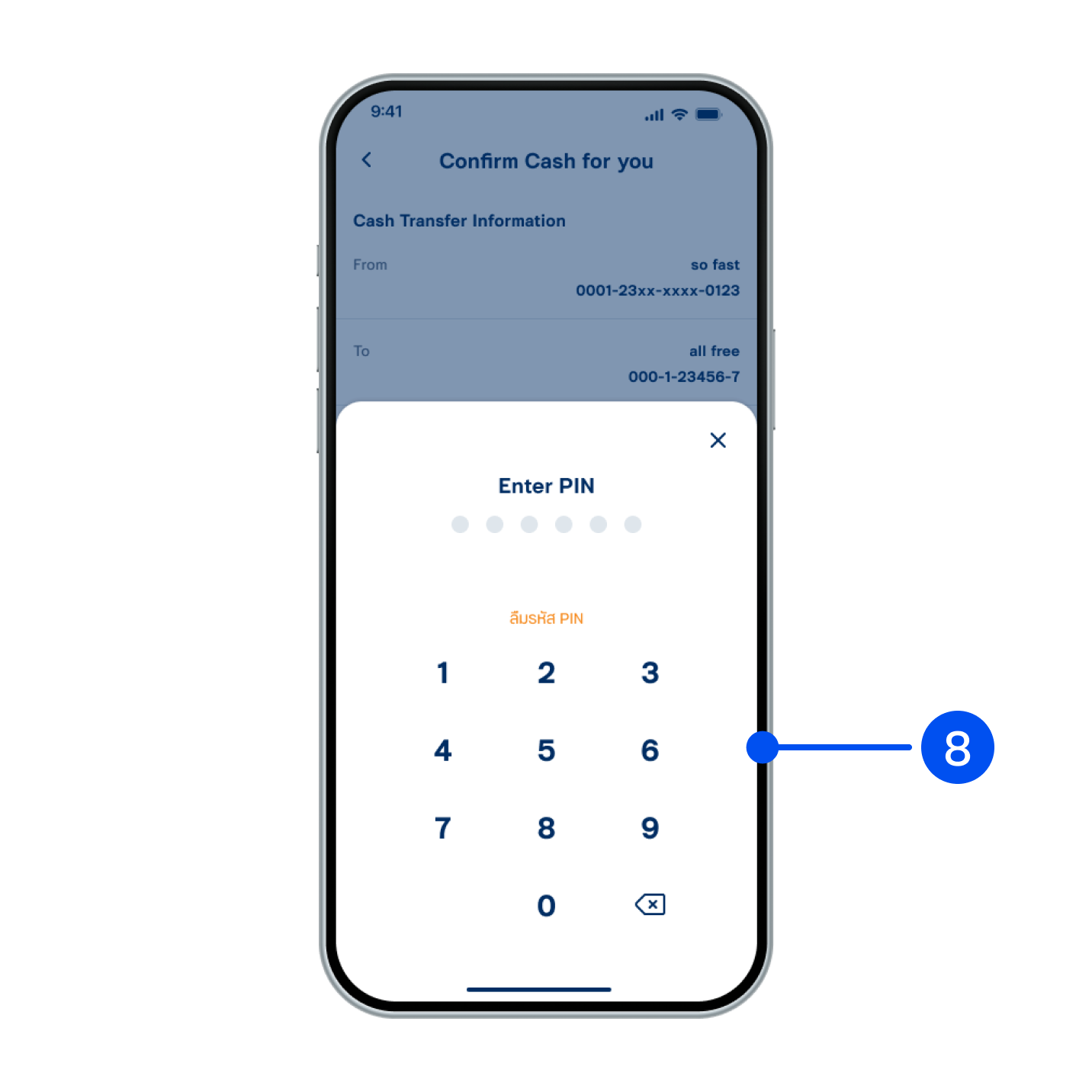
8. Enter PIN to confirm.
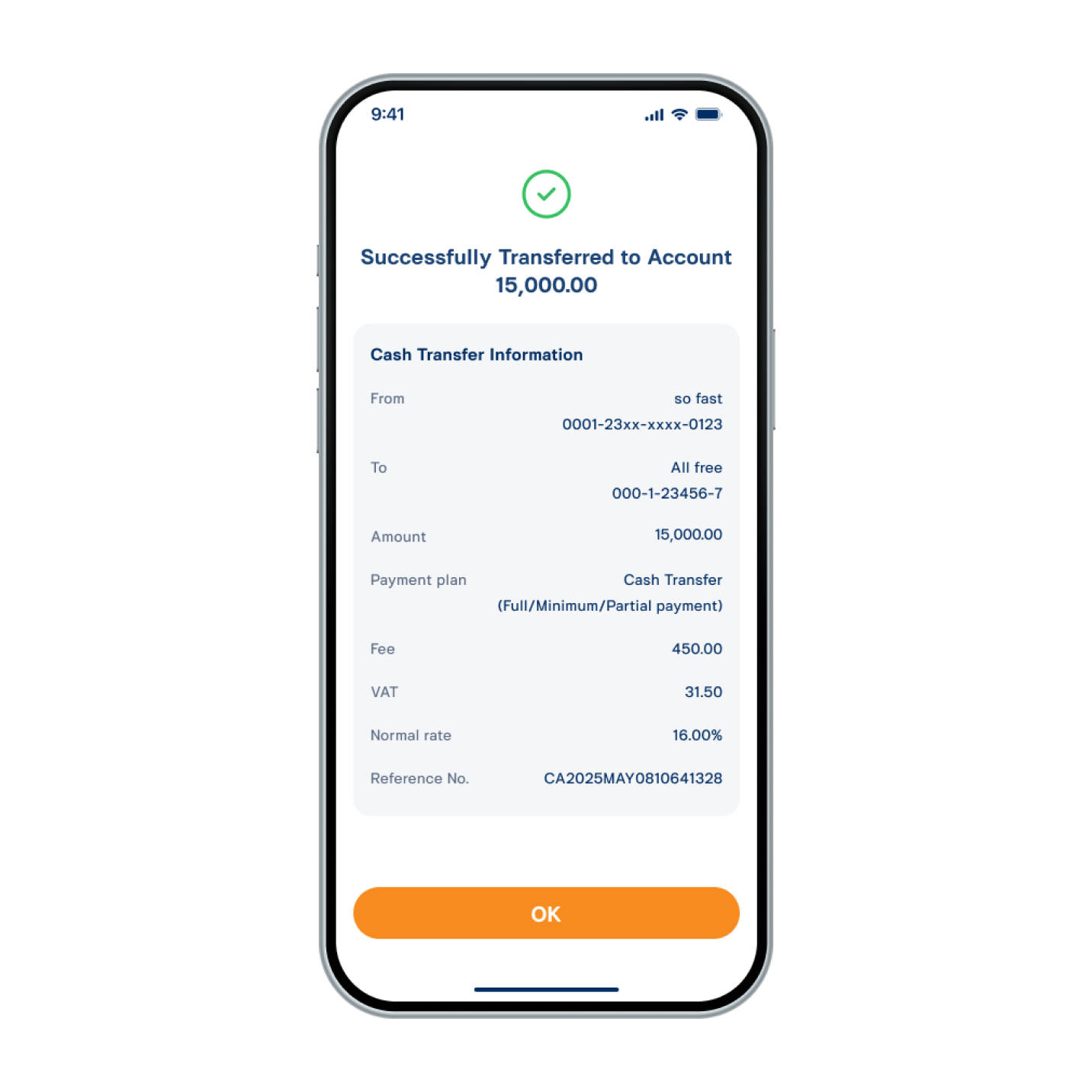
9. Amount transferred successfully.