

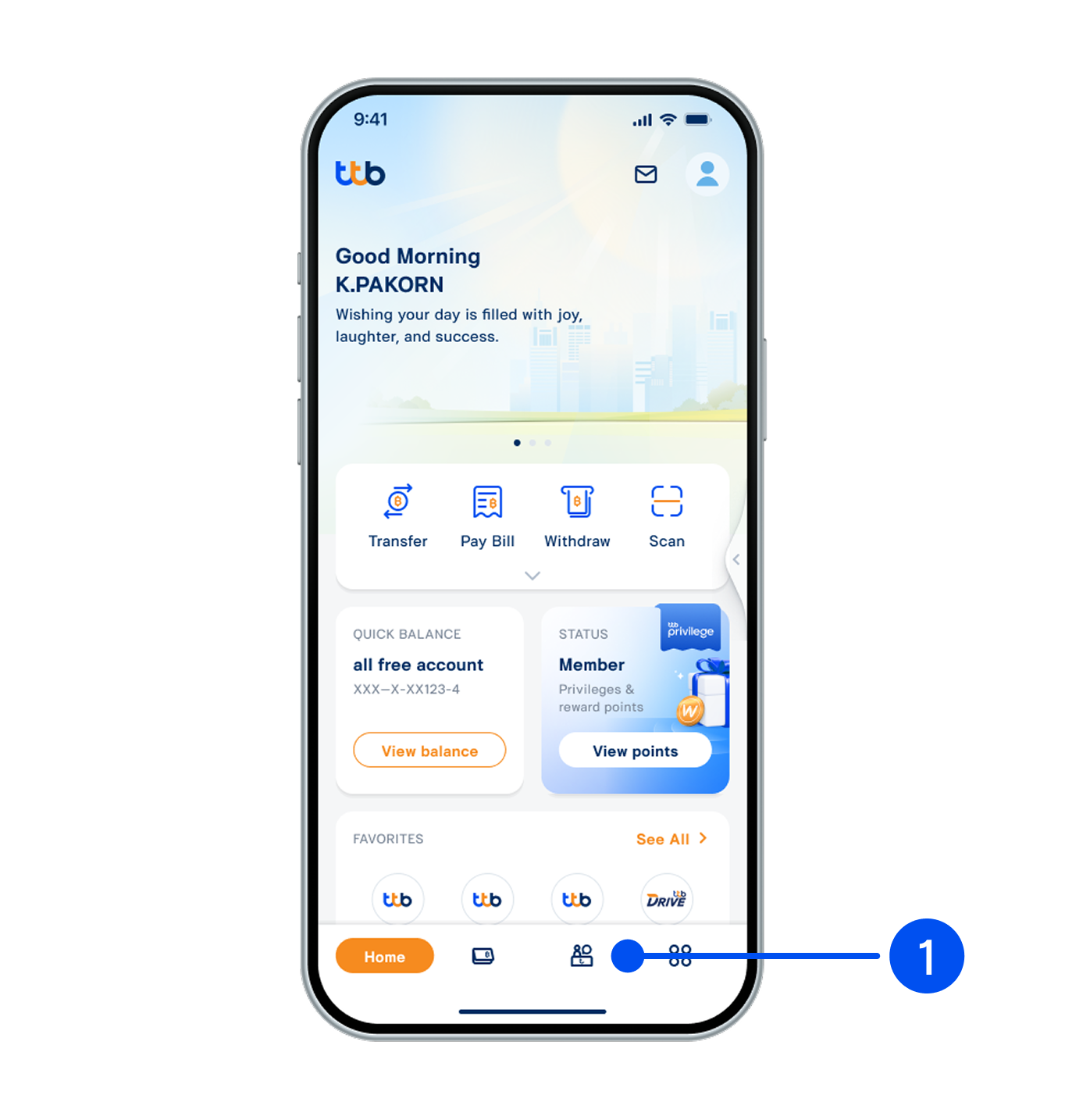
1. Select “Service”, the 3nd menu from the bottom.
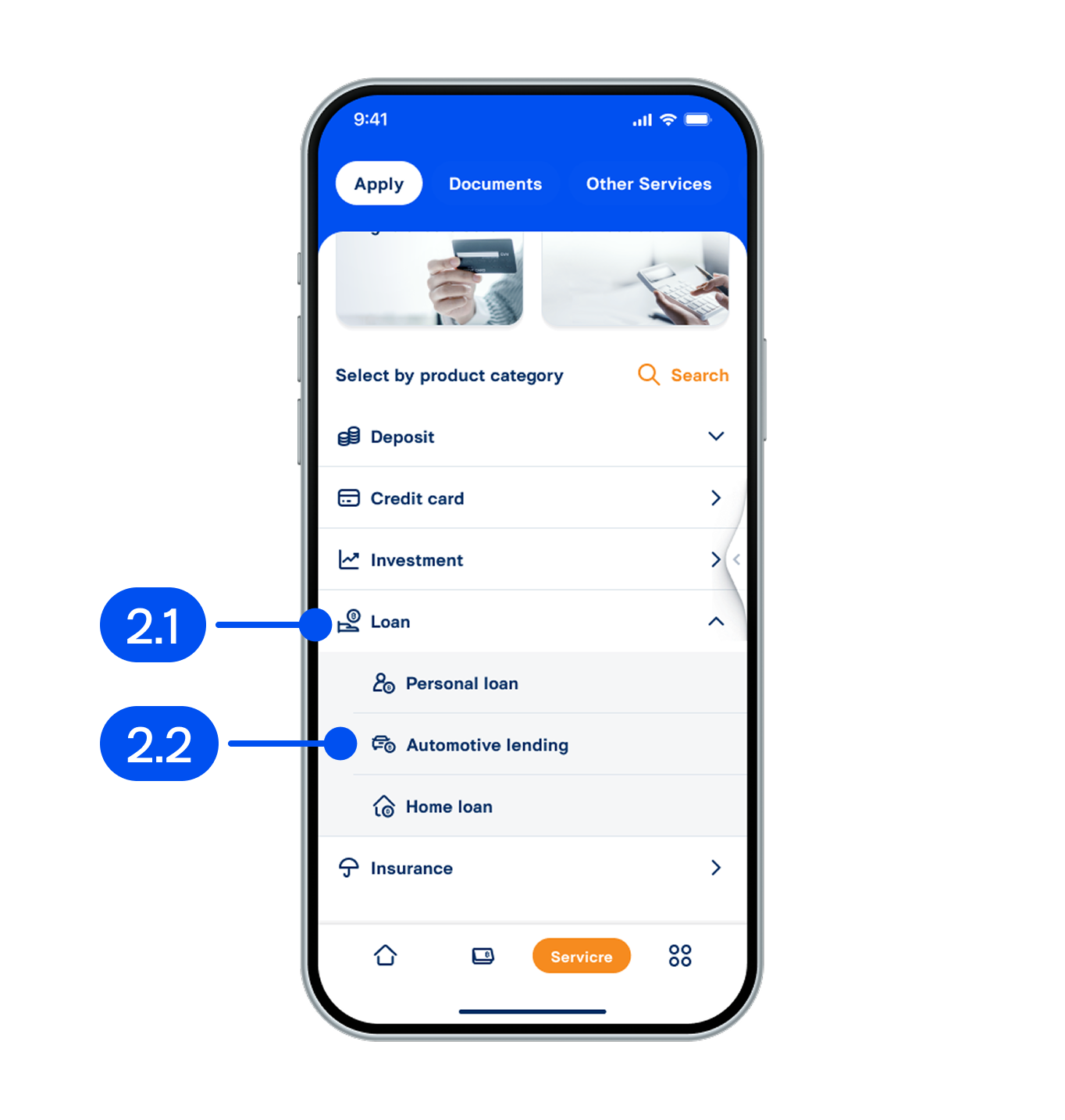
2. From Loan menu, select “Automotive lending”.
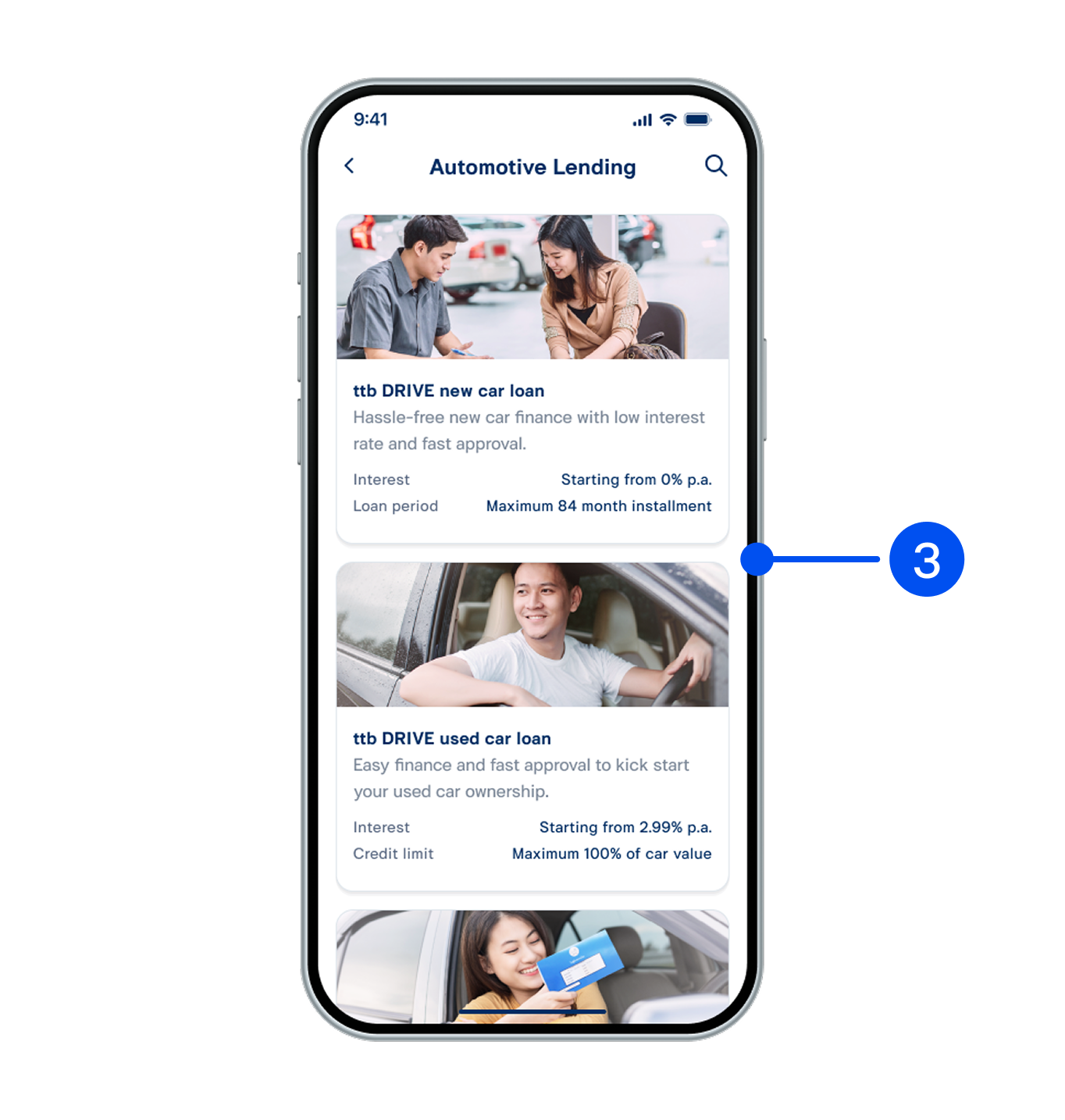
3. Select ttb DRIVE cash your book that you wish to open.
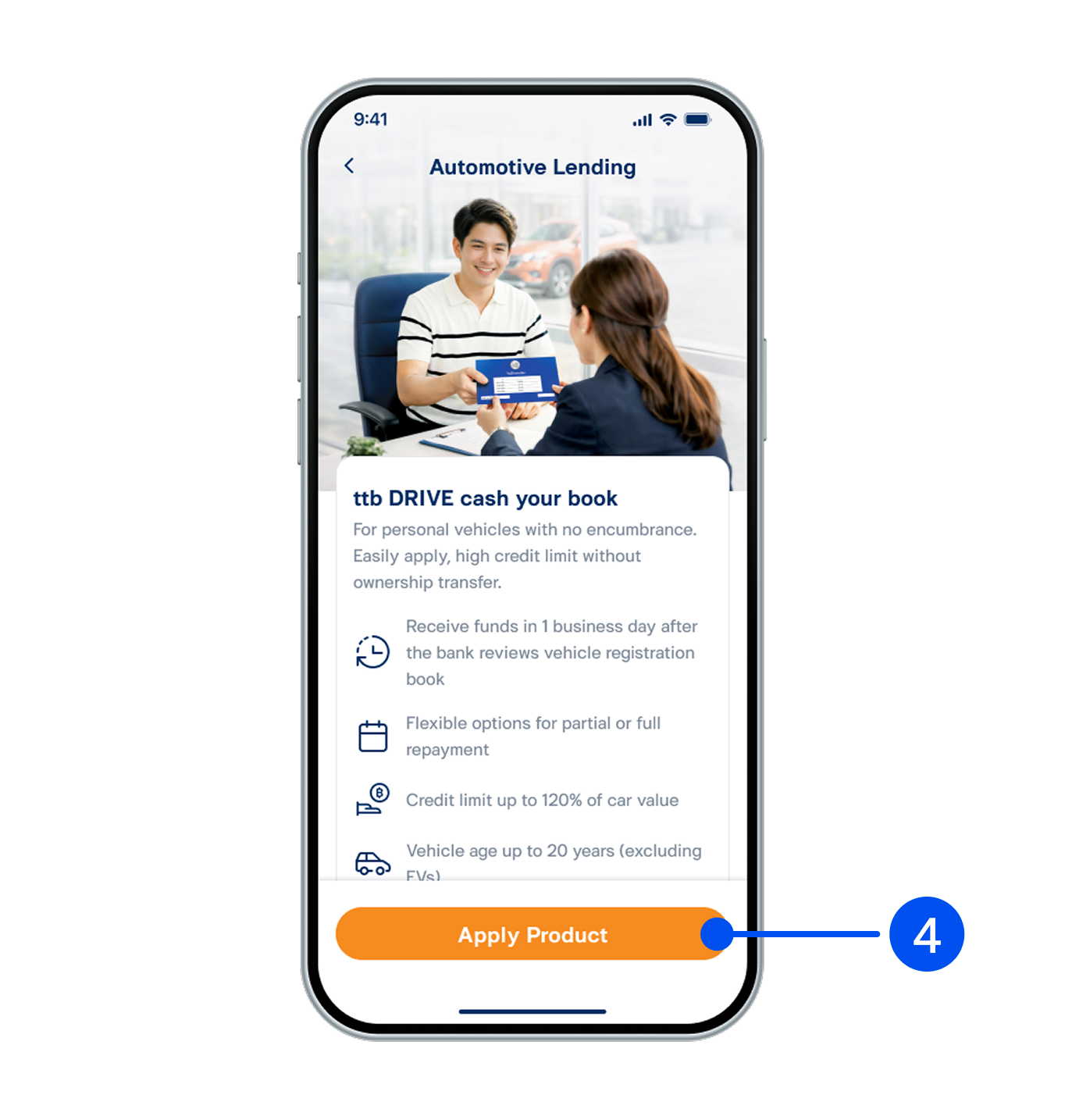
4. Read the product details, then select "Apply Product".
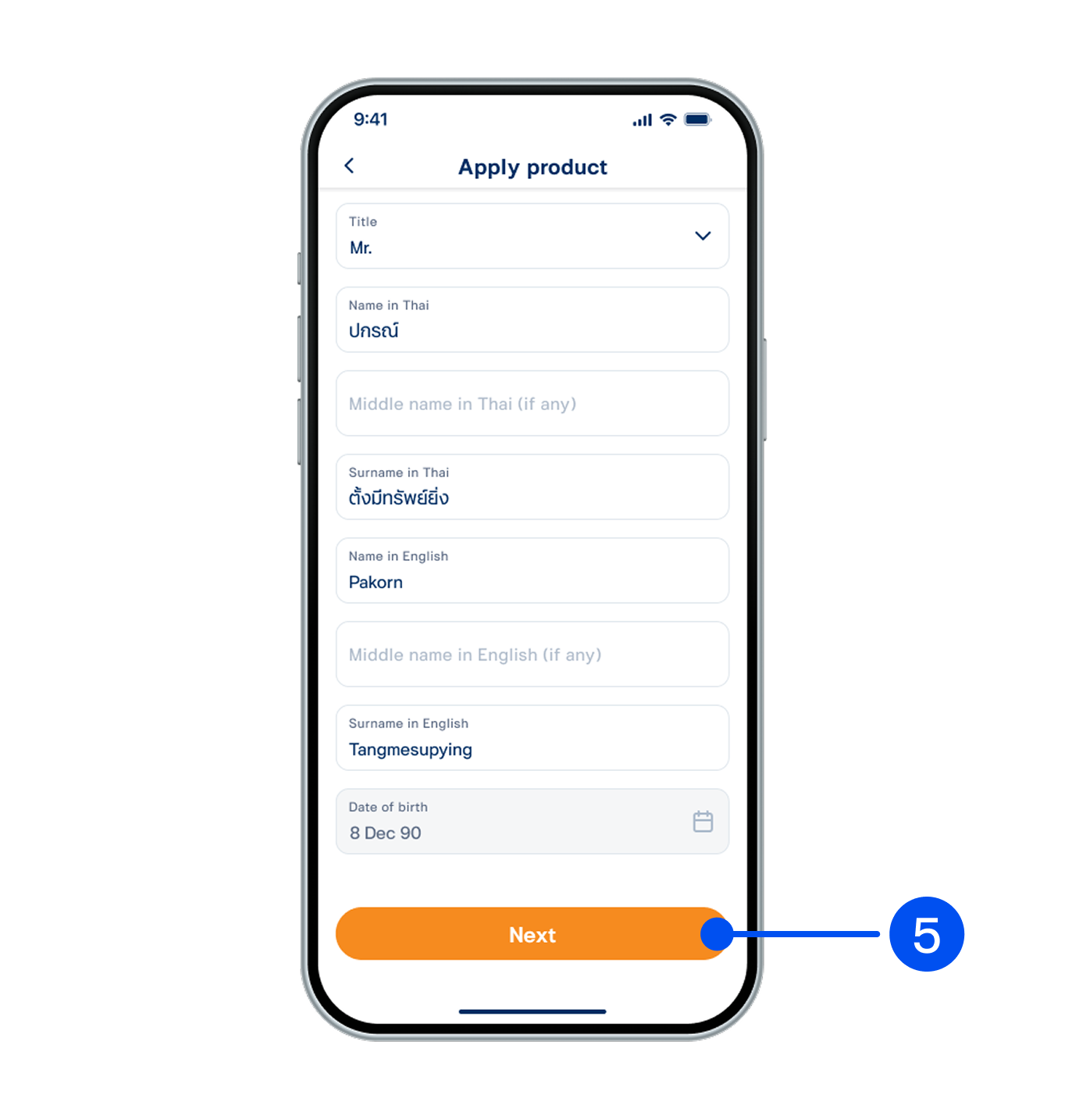
5. Enter your personal information, then scroll down to select "Next".
6. Review your personal information, then select “Next”.
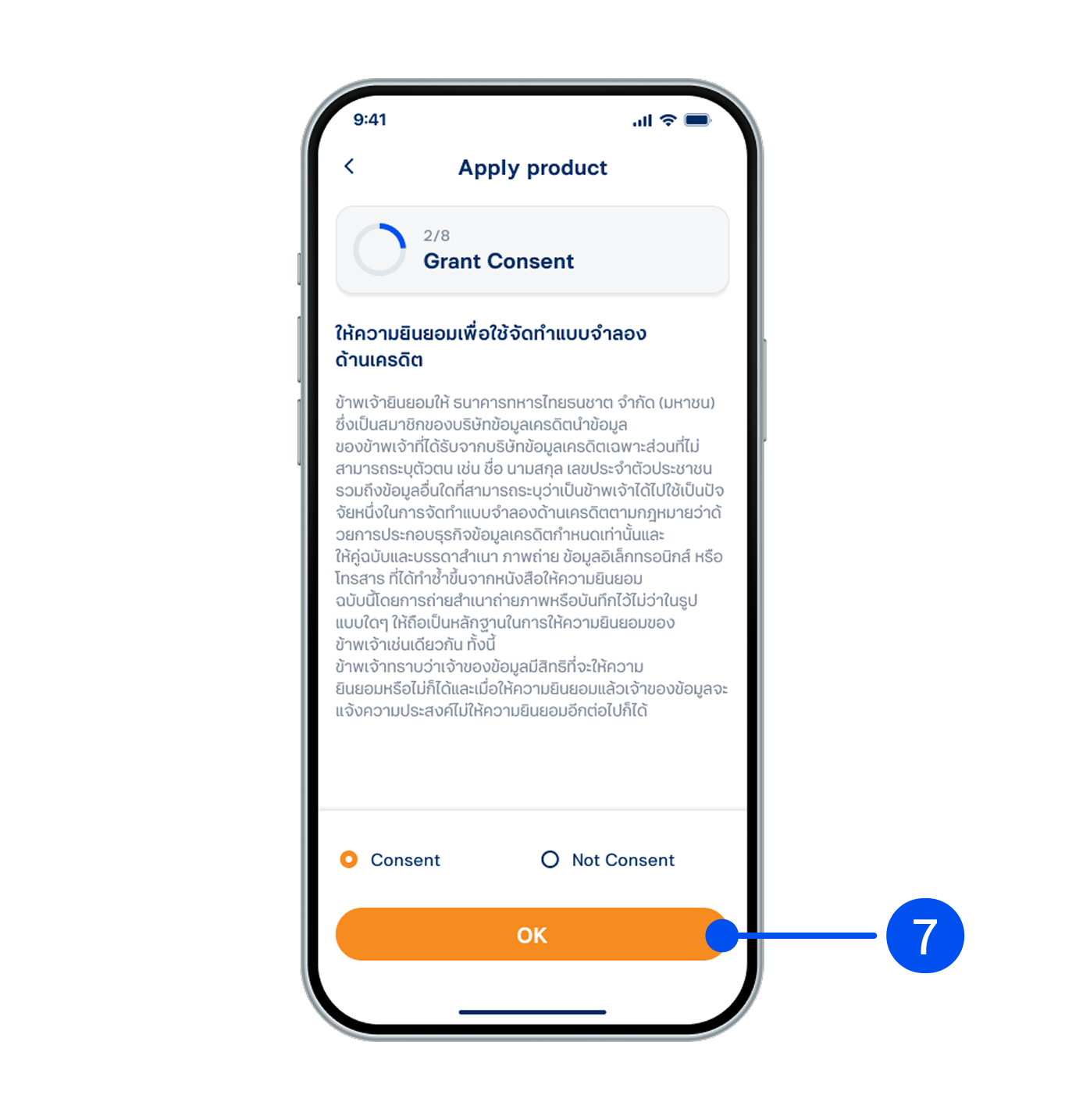
7. Grant your consent for credit modeling, then select "OK”.
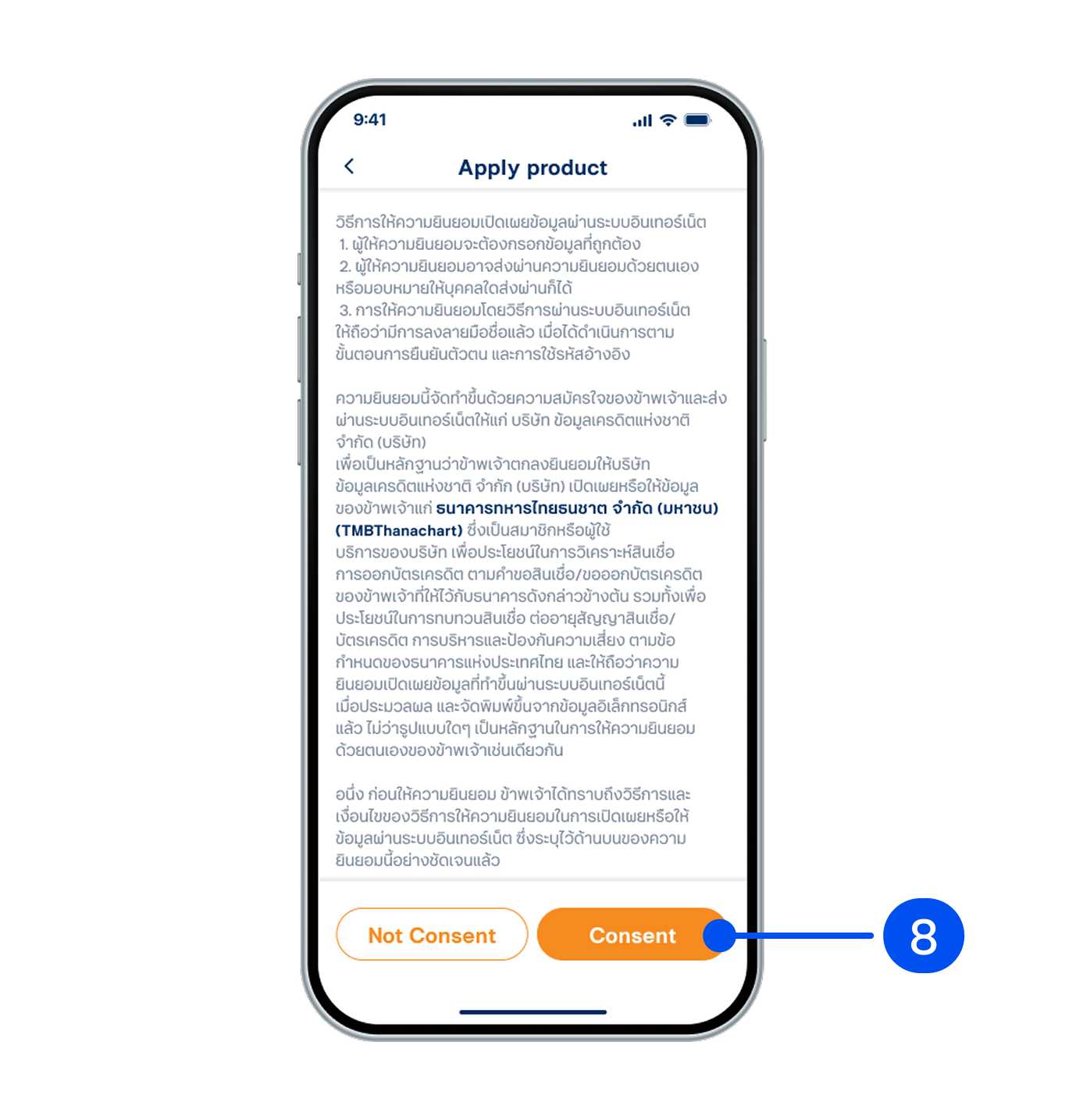
8. Read the consent details for information disclosure, then select "Consent”.
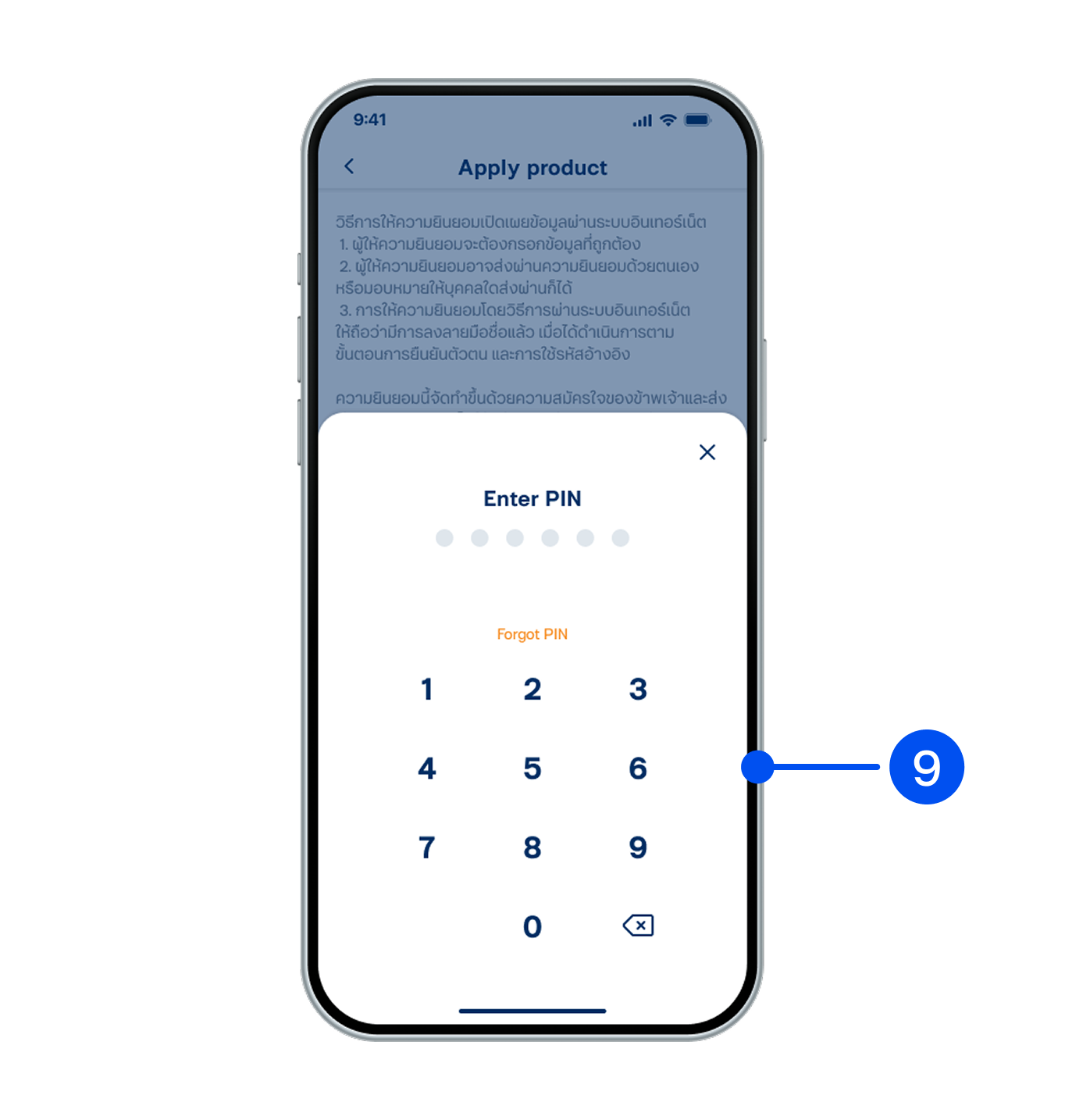
9. Enter PIN to confirm.
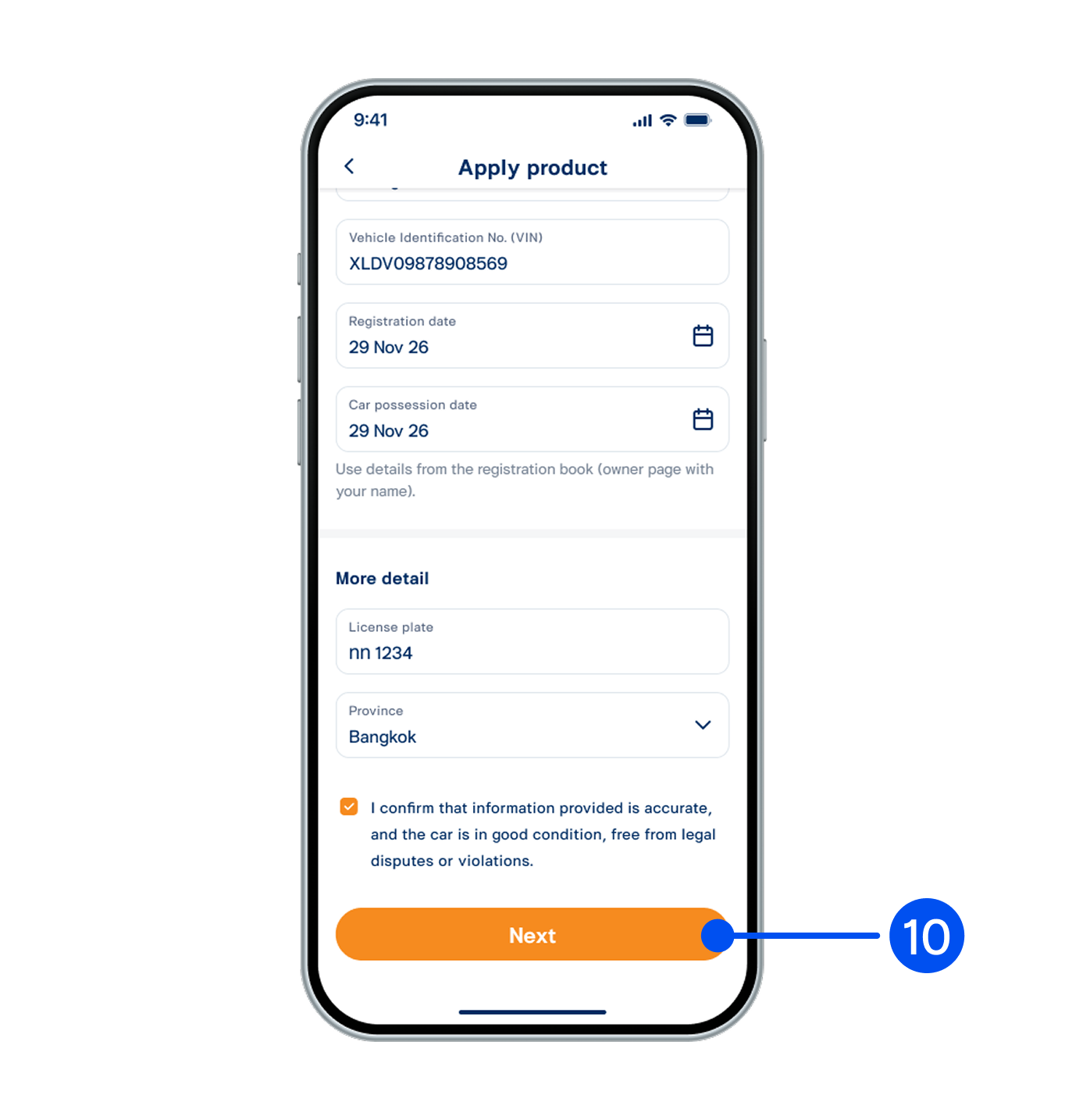
10. Enter the vehicle information, then read the terms and conditions, and select “Next.”
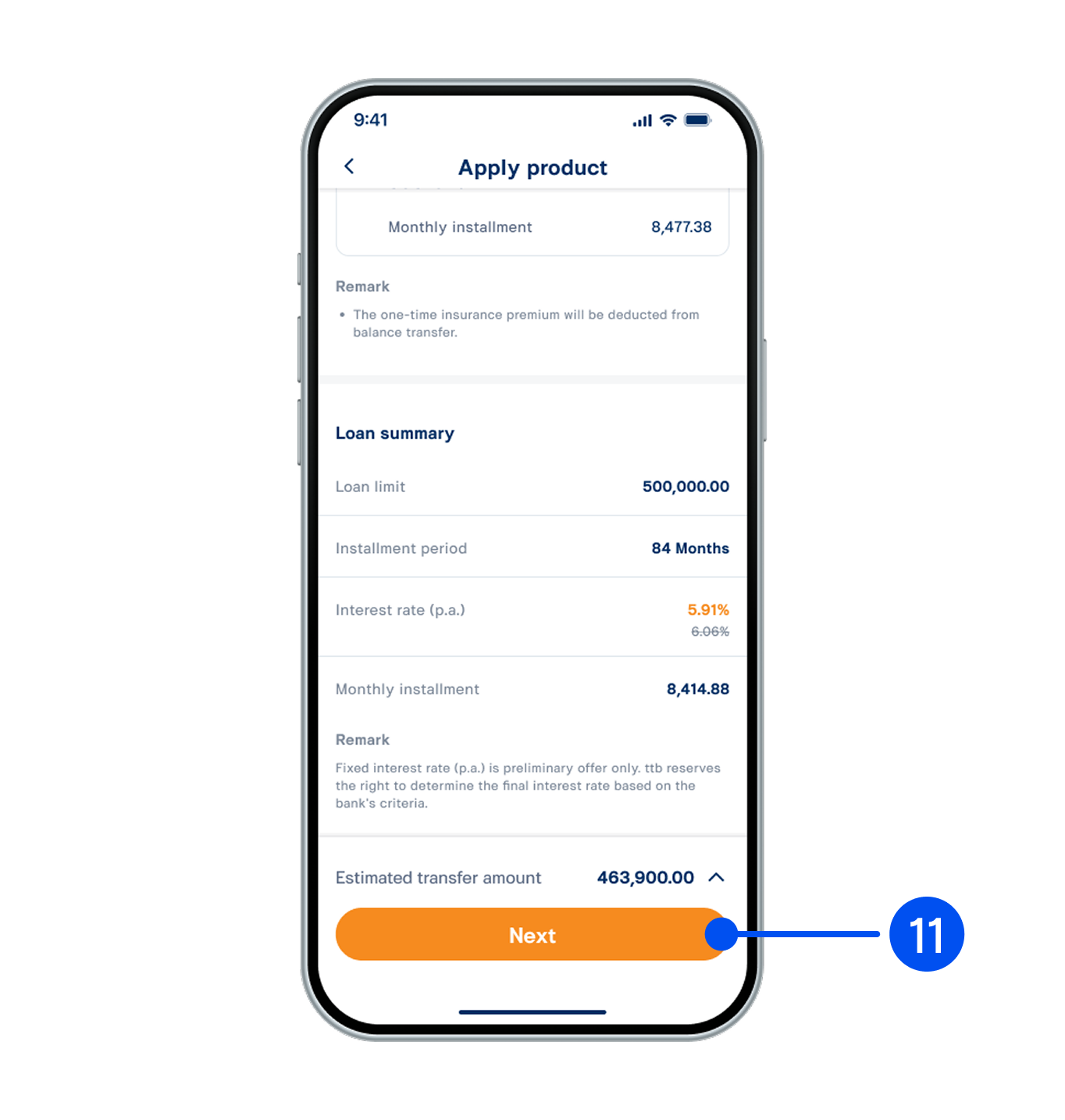
11. Select the loan amount and repayment period, then select “Next”.
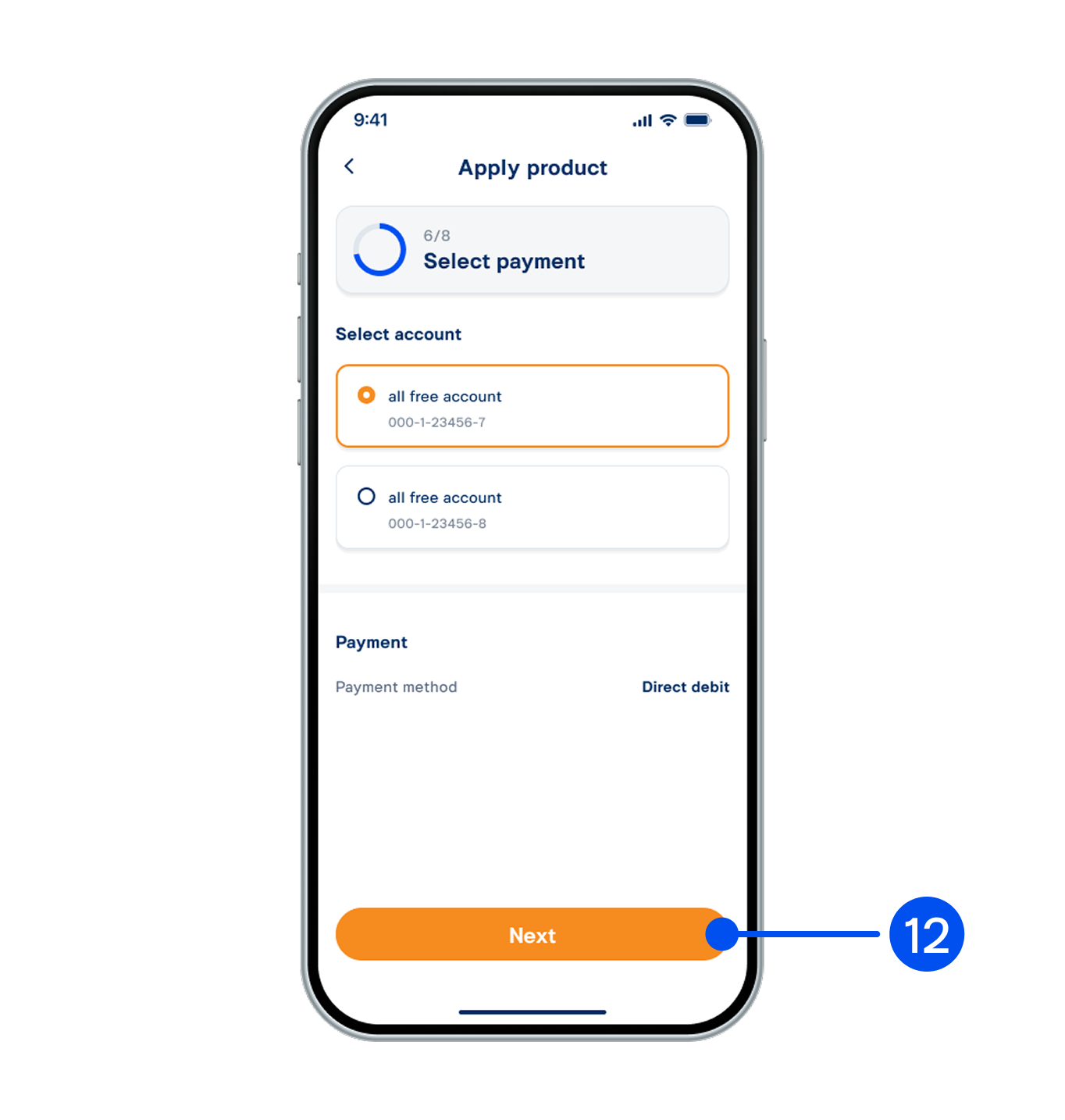
12. Select the account for receiving and repaying funds, then select “Next”.
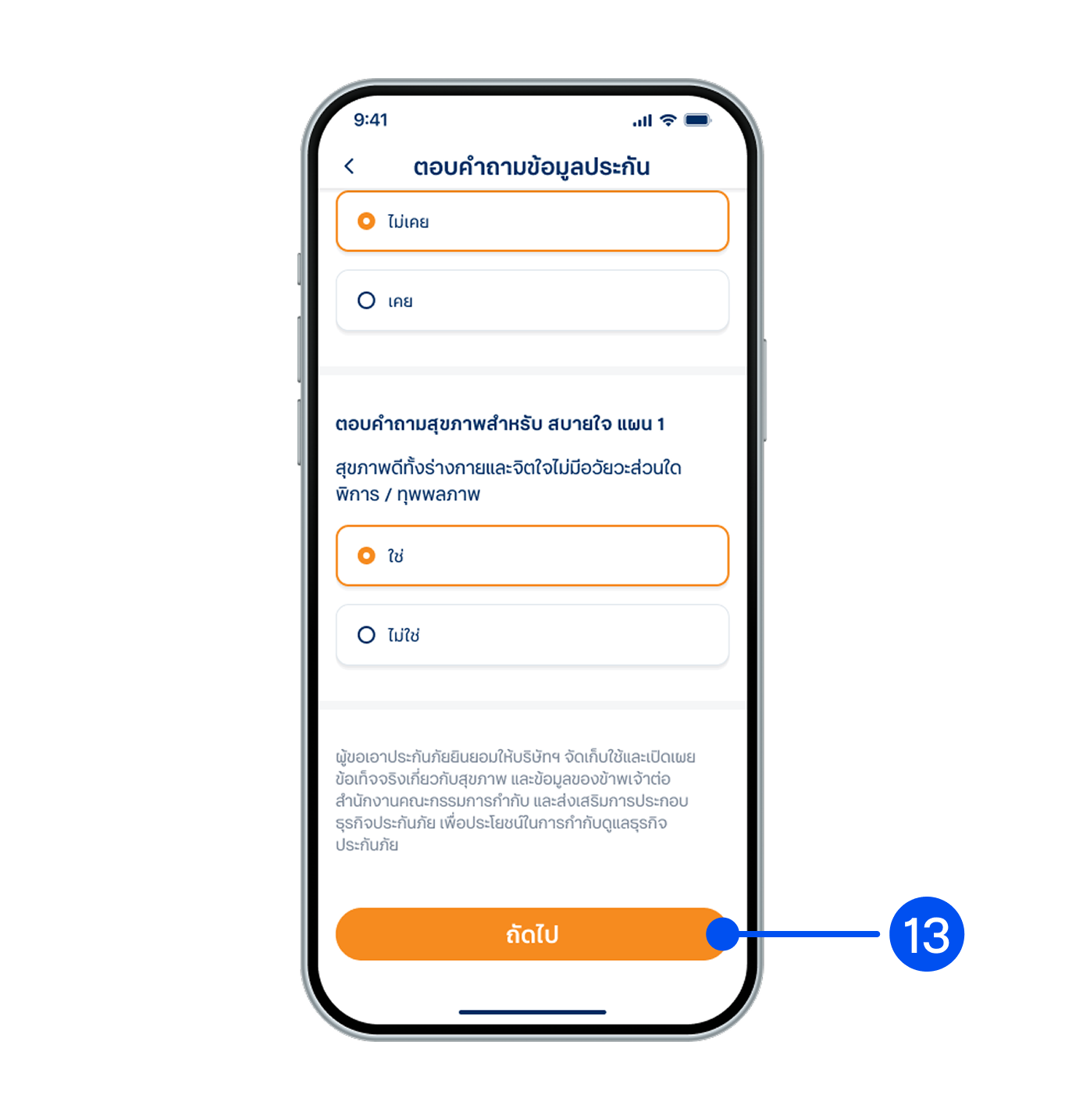
13. Answer the insurance information questions, then select "Next”.
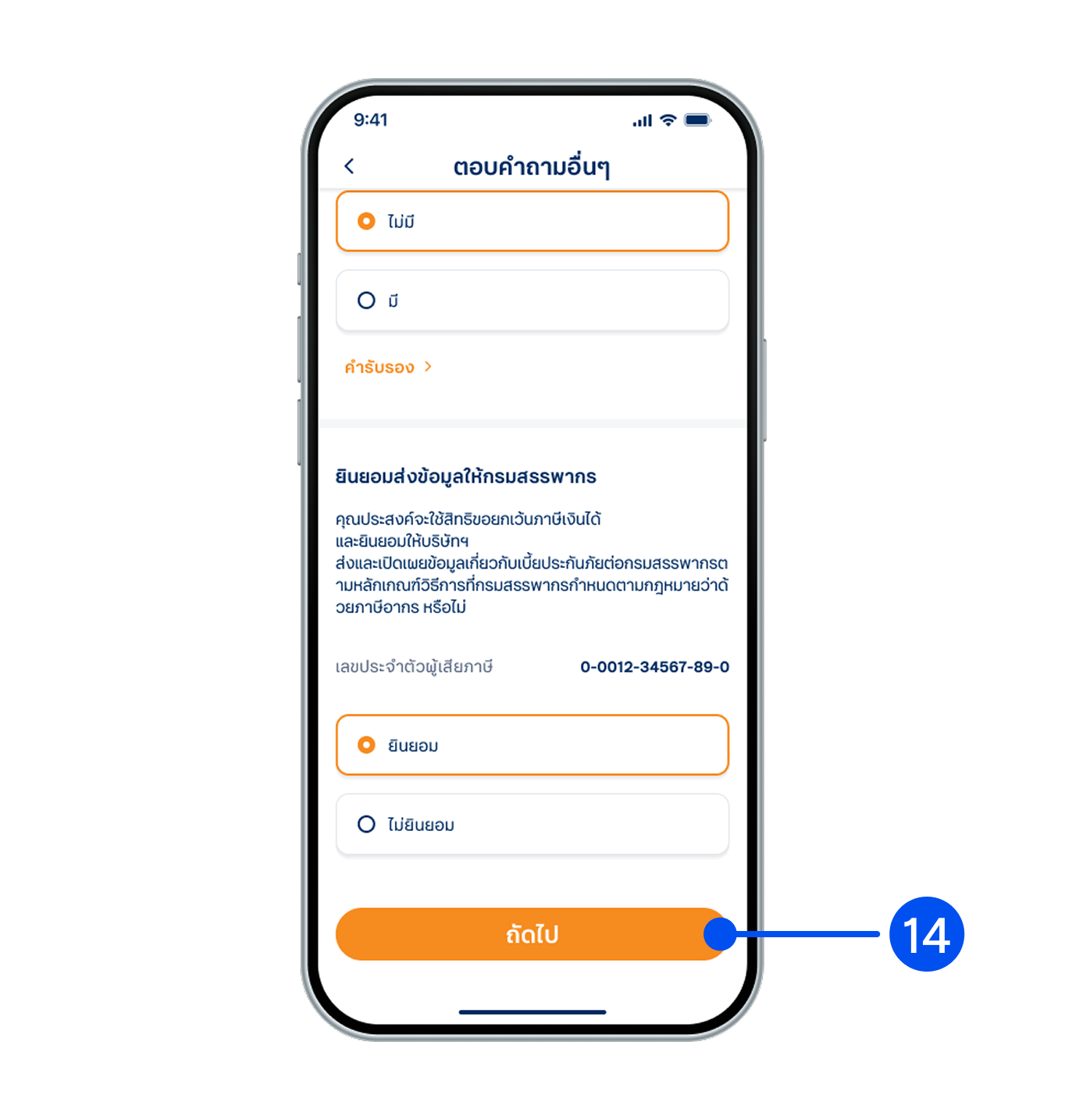
14. Answer the additional questions and provide consent to share your information with the Revenue Department, then select "Next”.
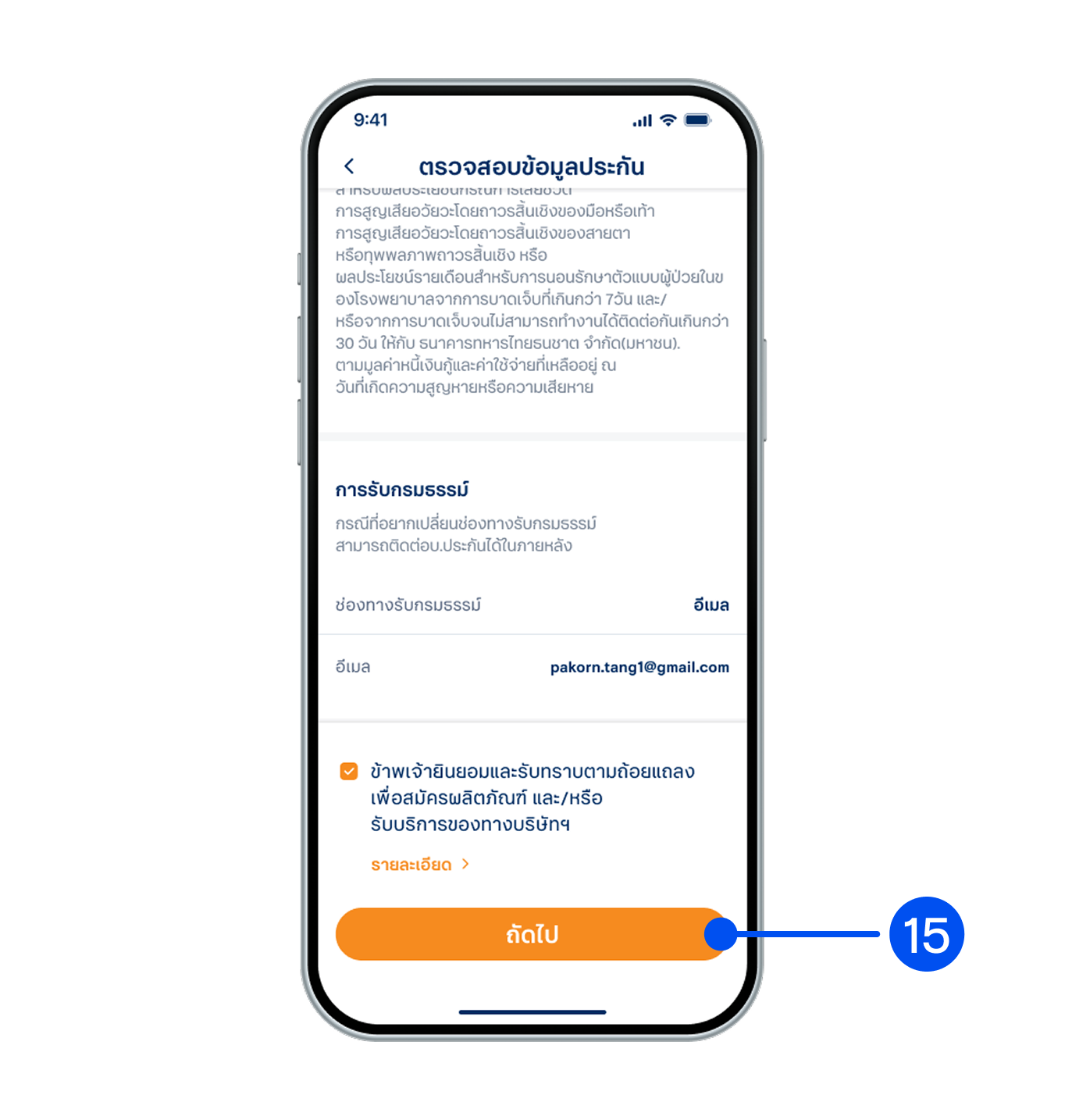
15. Review the information, read the terms and conditions, then select “Next”.
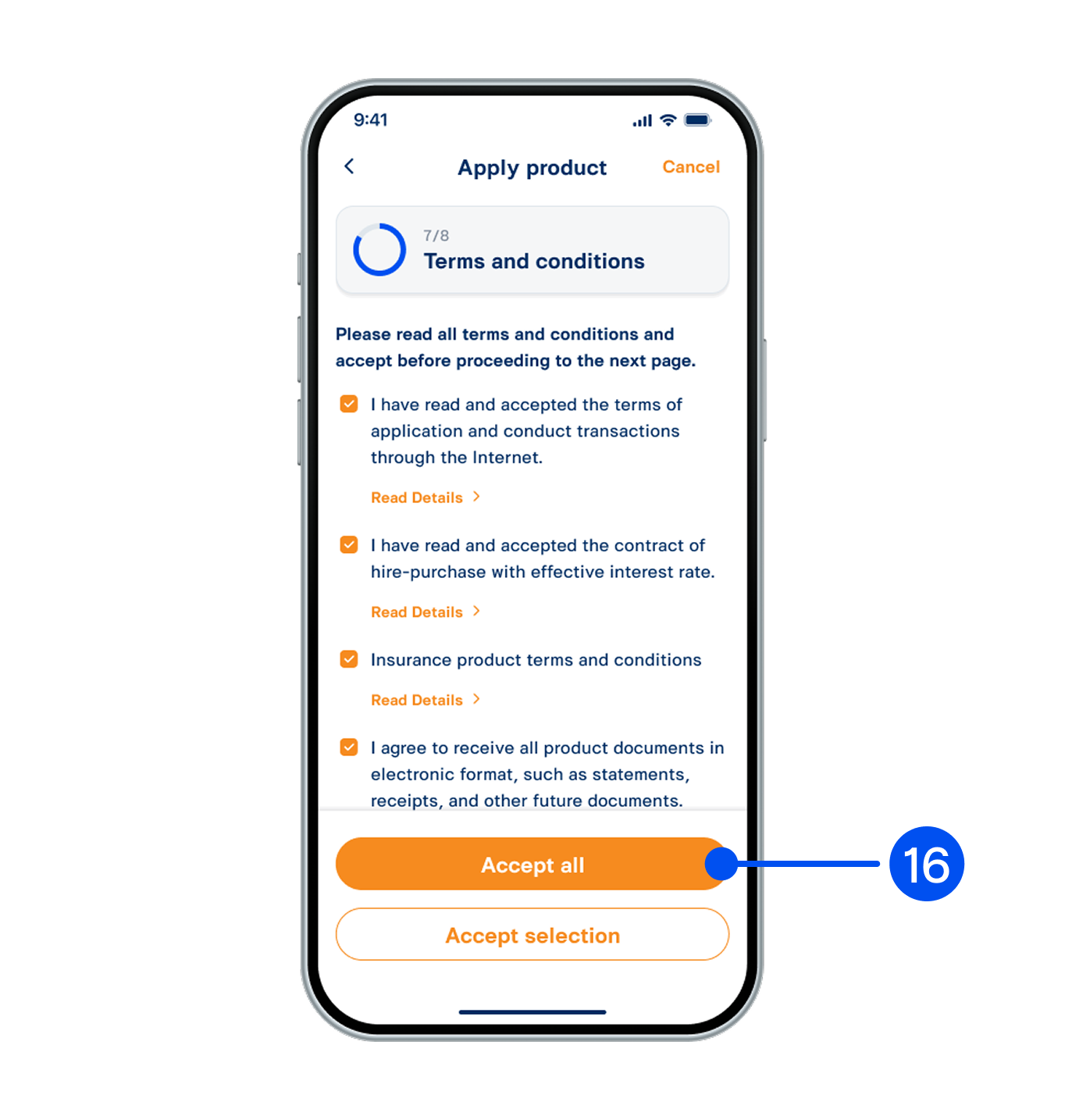
16. Read and accept terms and conditions, then select “Accept all” or “Accept selected".
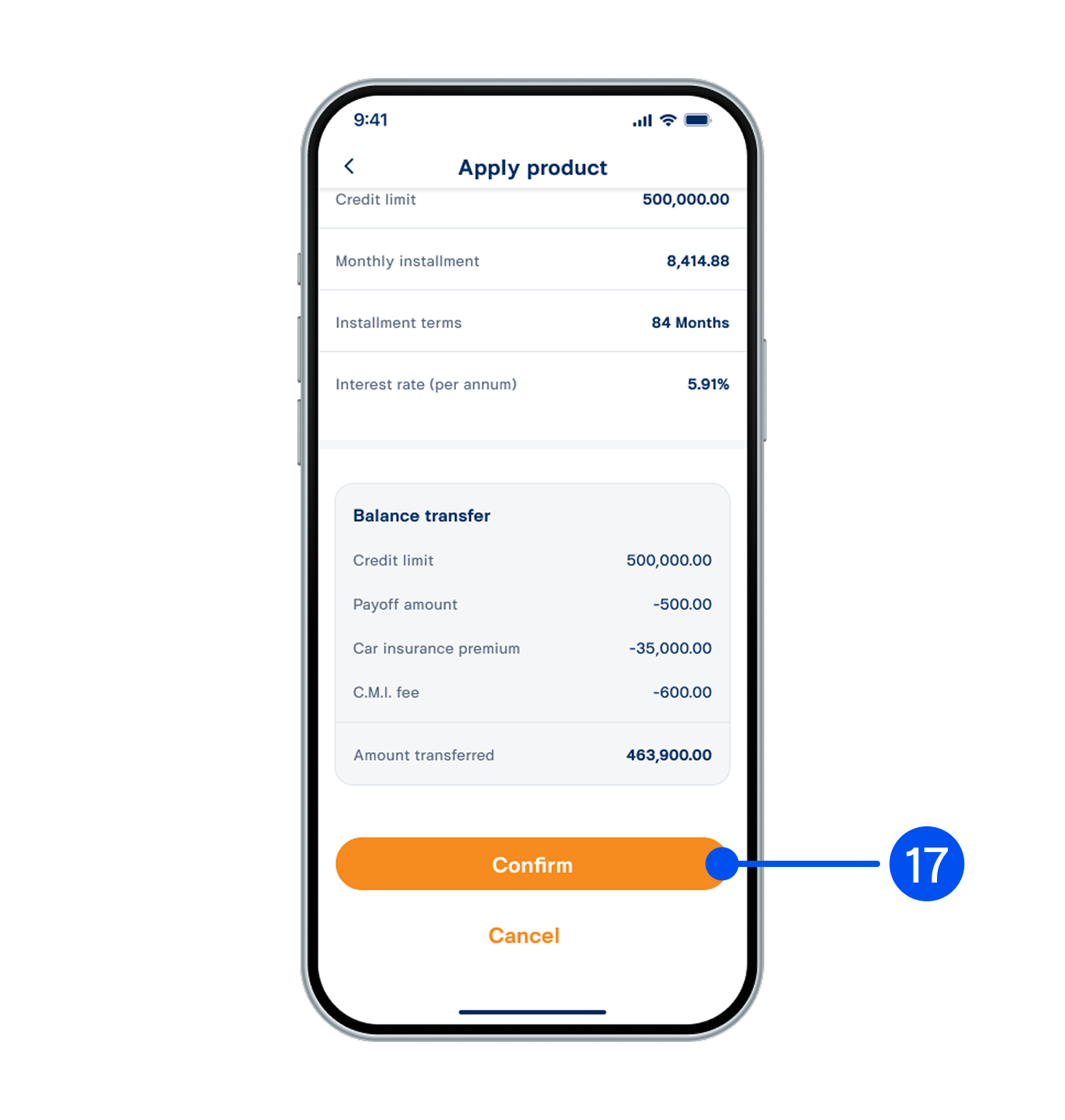
17. Review your application, then select "Confirm".
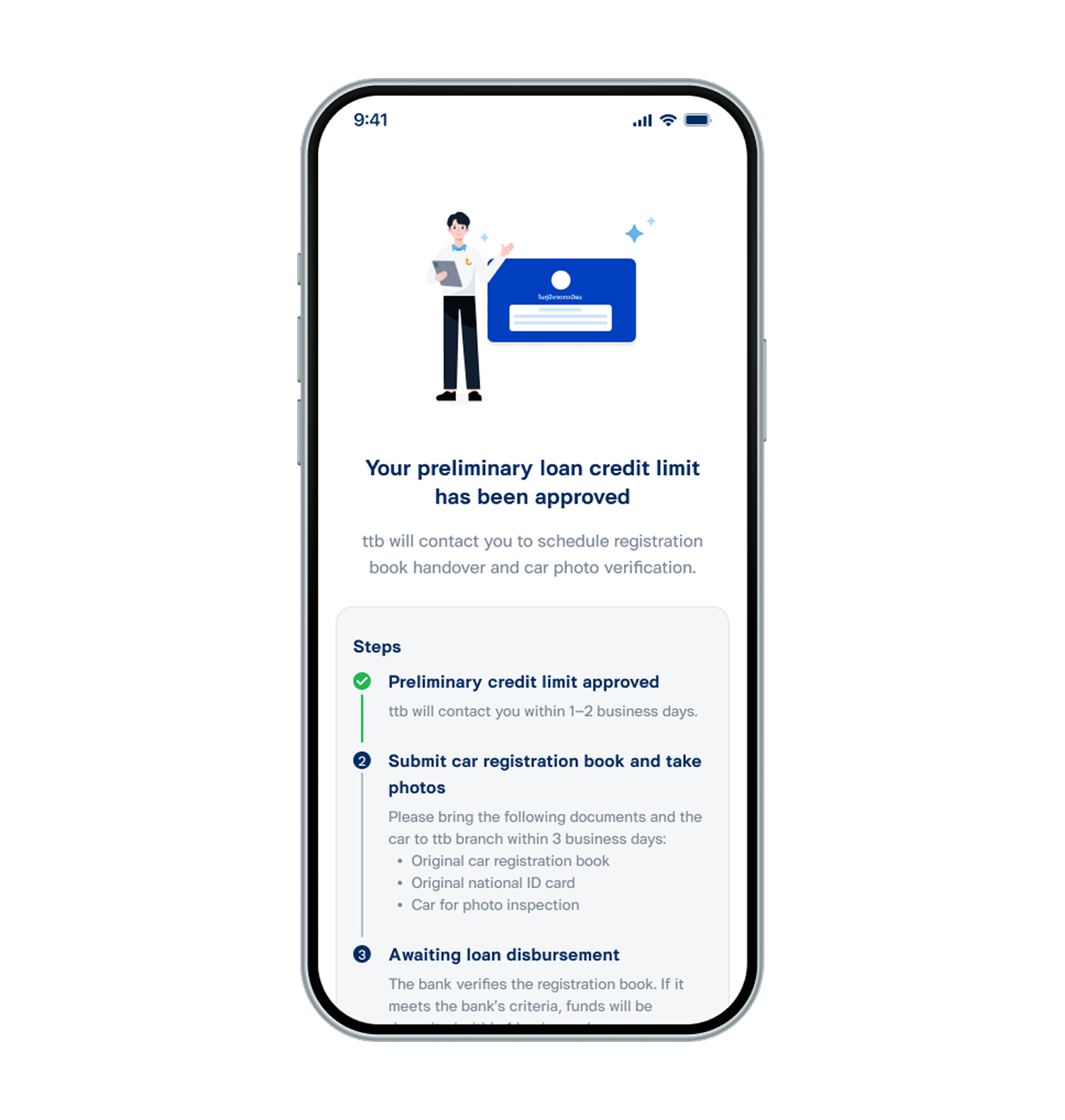
18. Applied for ttb DRIVE cash your book successfully.