

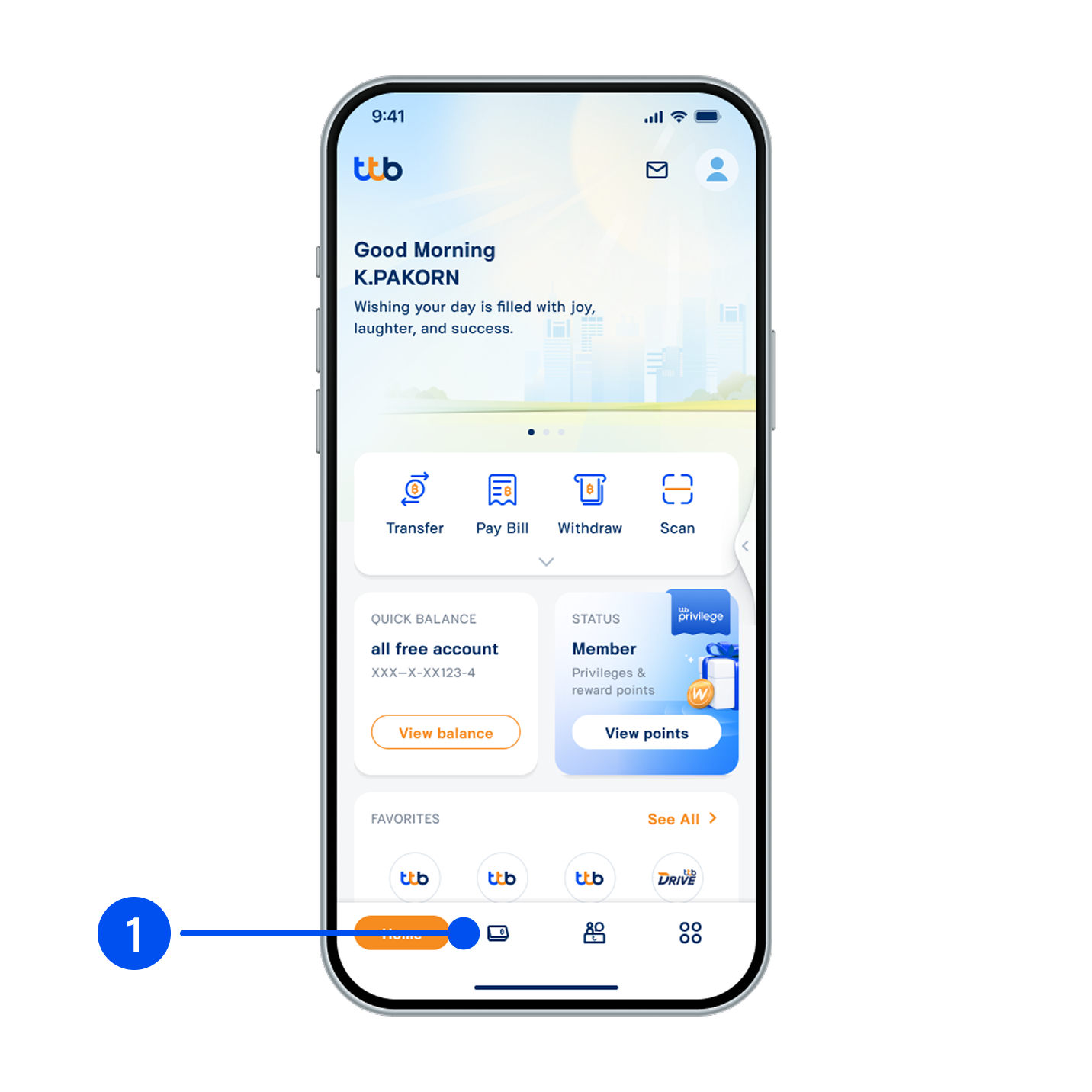
1. Select “Account”, the 2nd menu from the bottom.
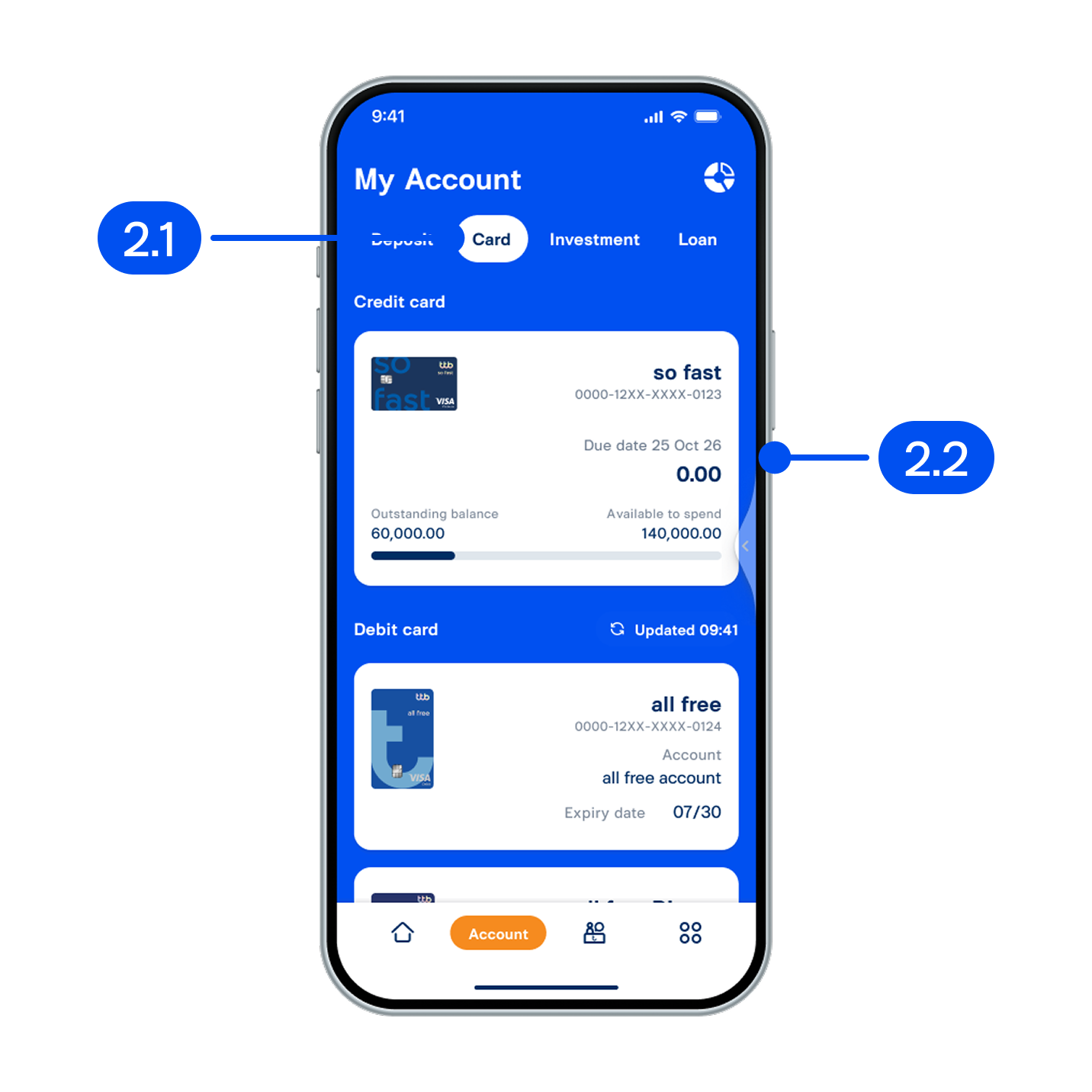
2. On My account page,
2.1 Select “Card”.
2.2 Select the credit card you want to increase the limit for.
2.1 Select “Card”.
2.2 Select the credit card you want to increase the limit for.
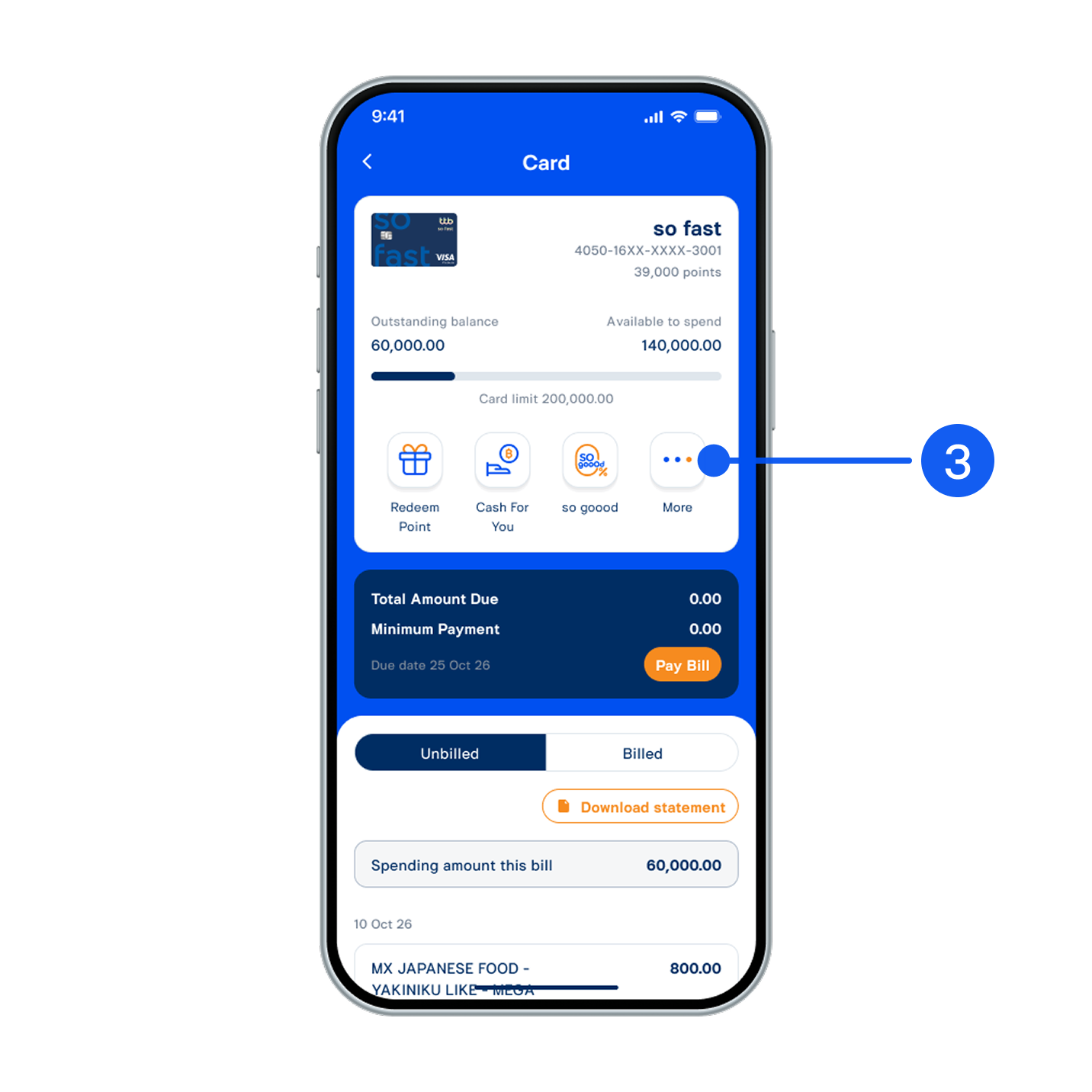
3. Select “More”.
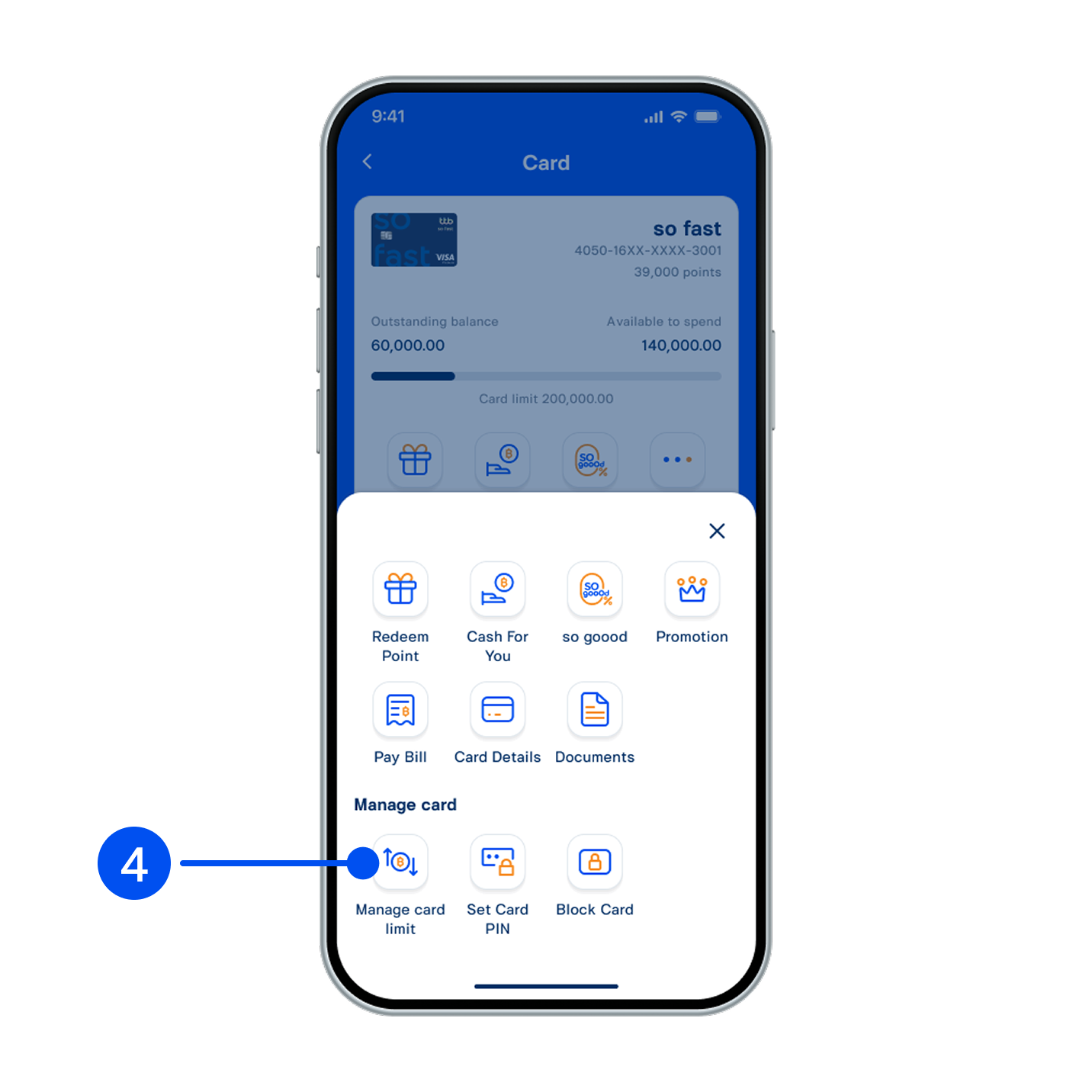
4. Select “Manage card limit”.
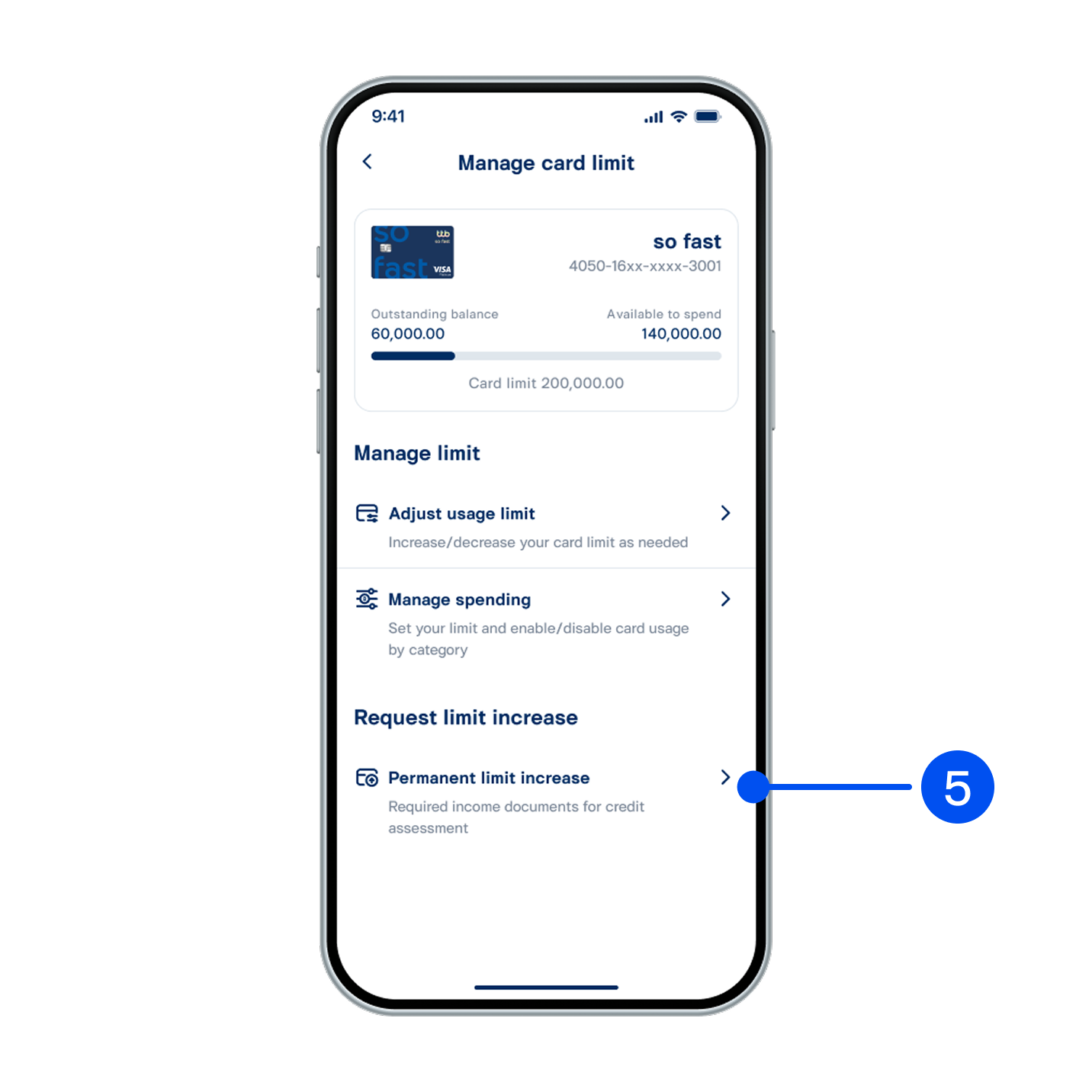
5. Select “Permanent limit increase”.
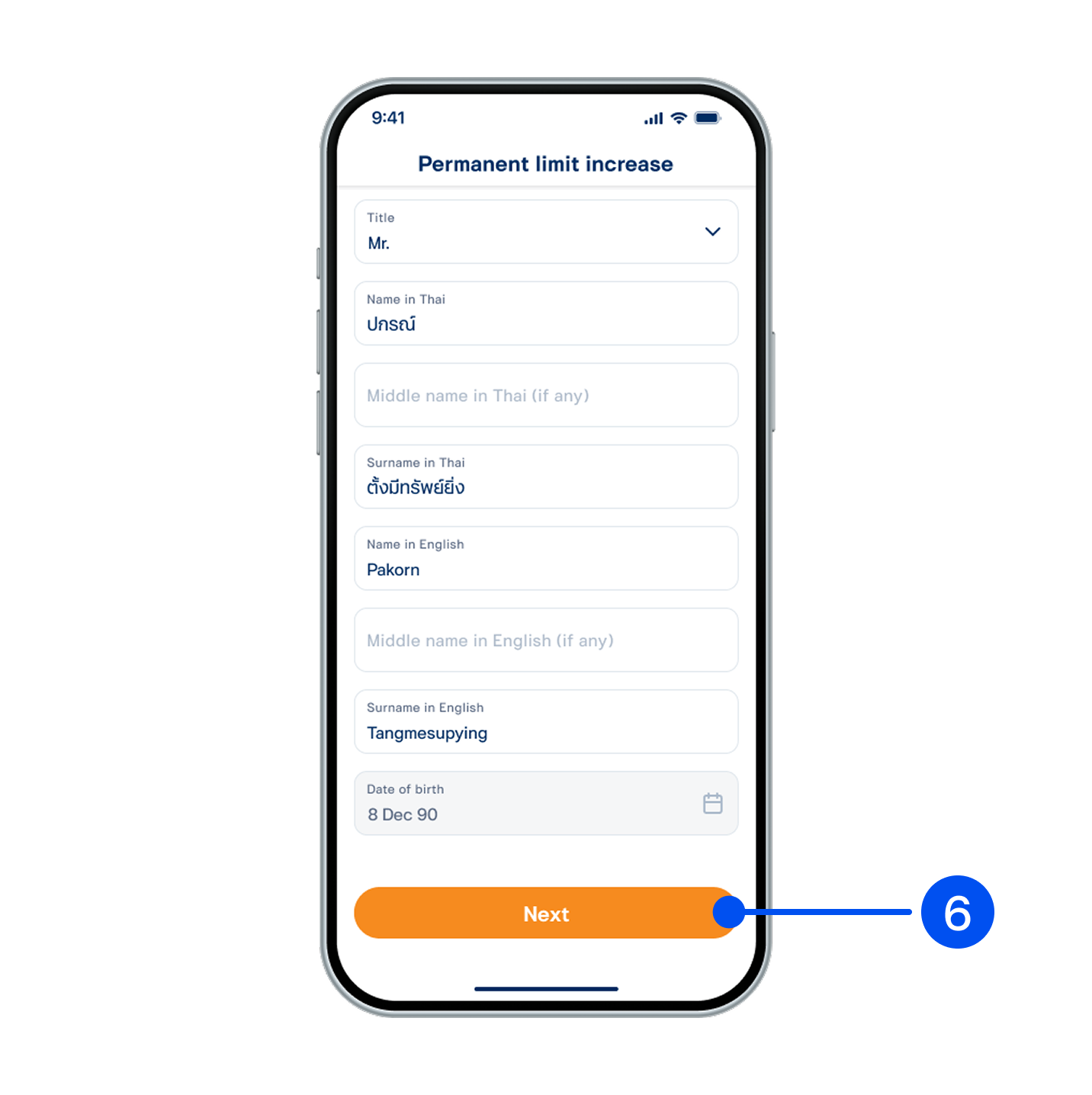
6. Enter your personal information, then select “Next”.
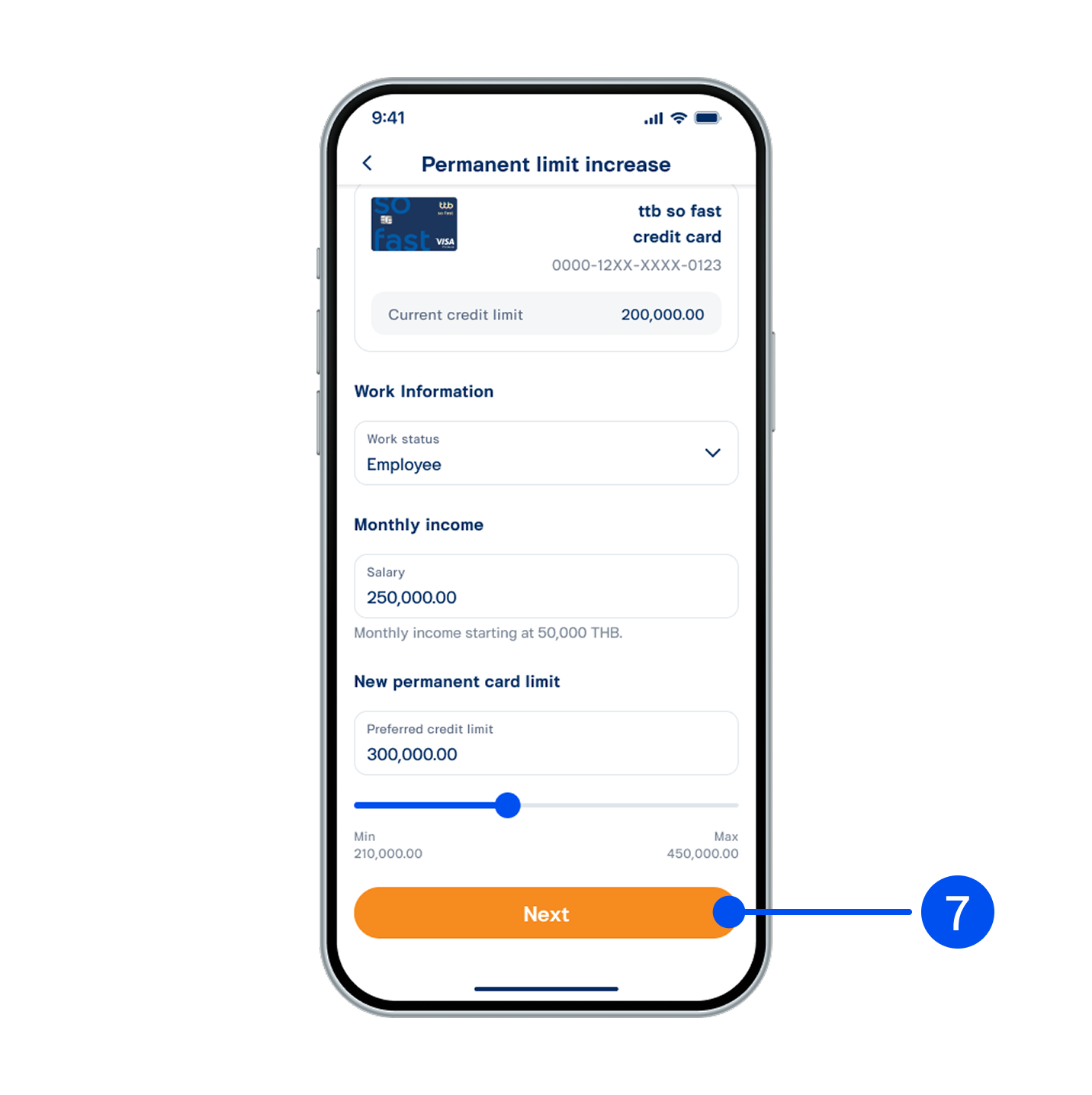
7. Enter your work information, monthly income, and new preferred credit limit, then select “Next”.
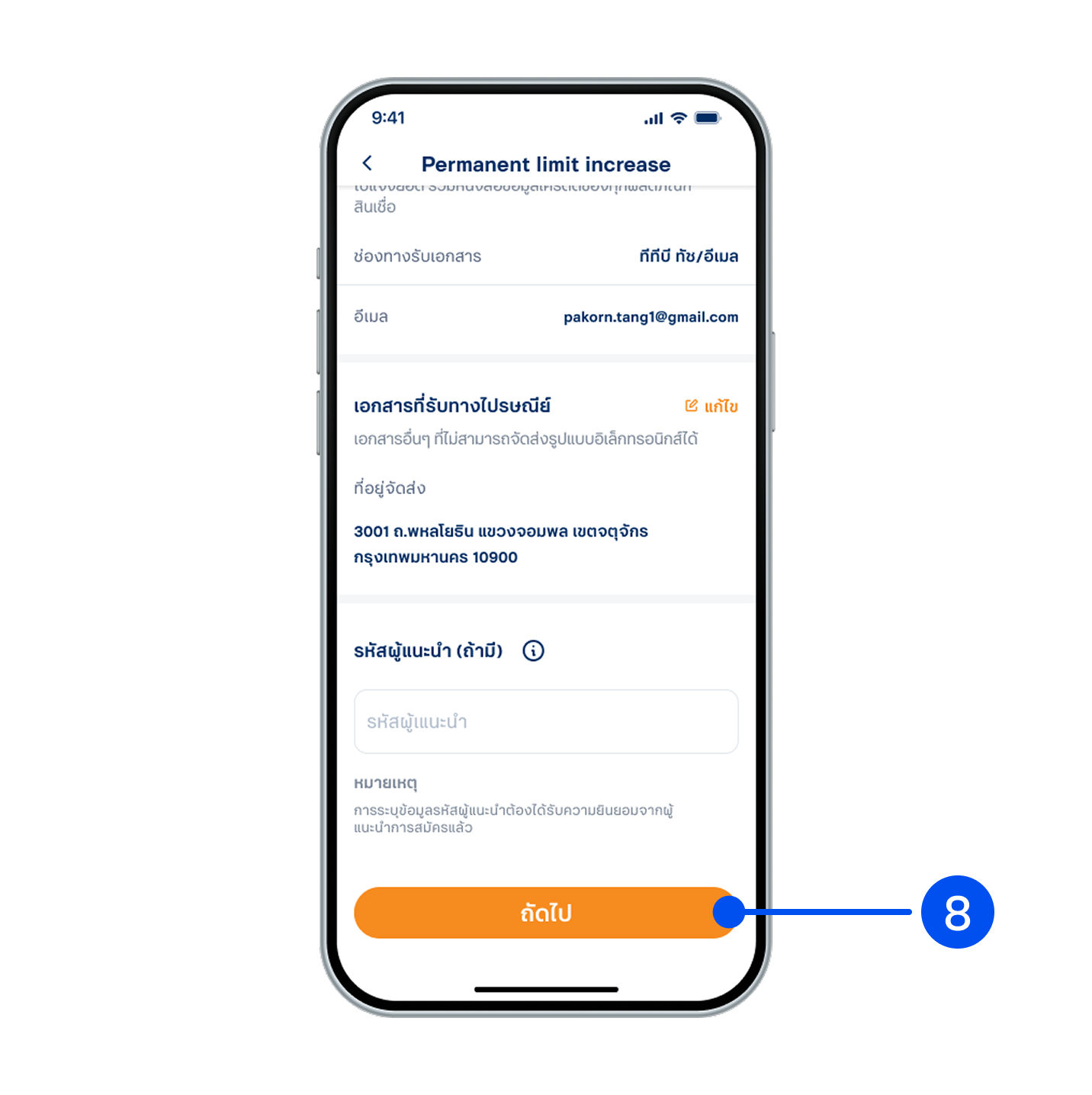
8. Review your information, then select “Next”.
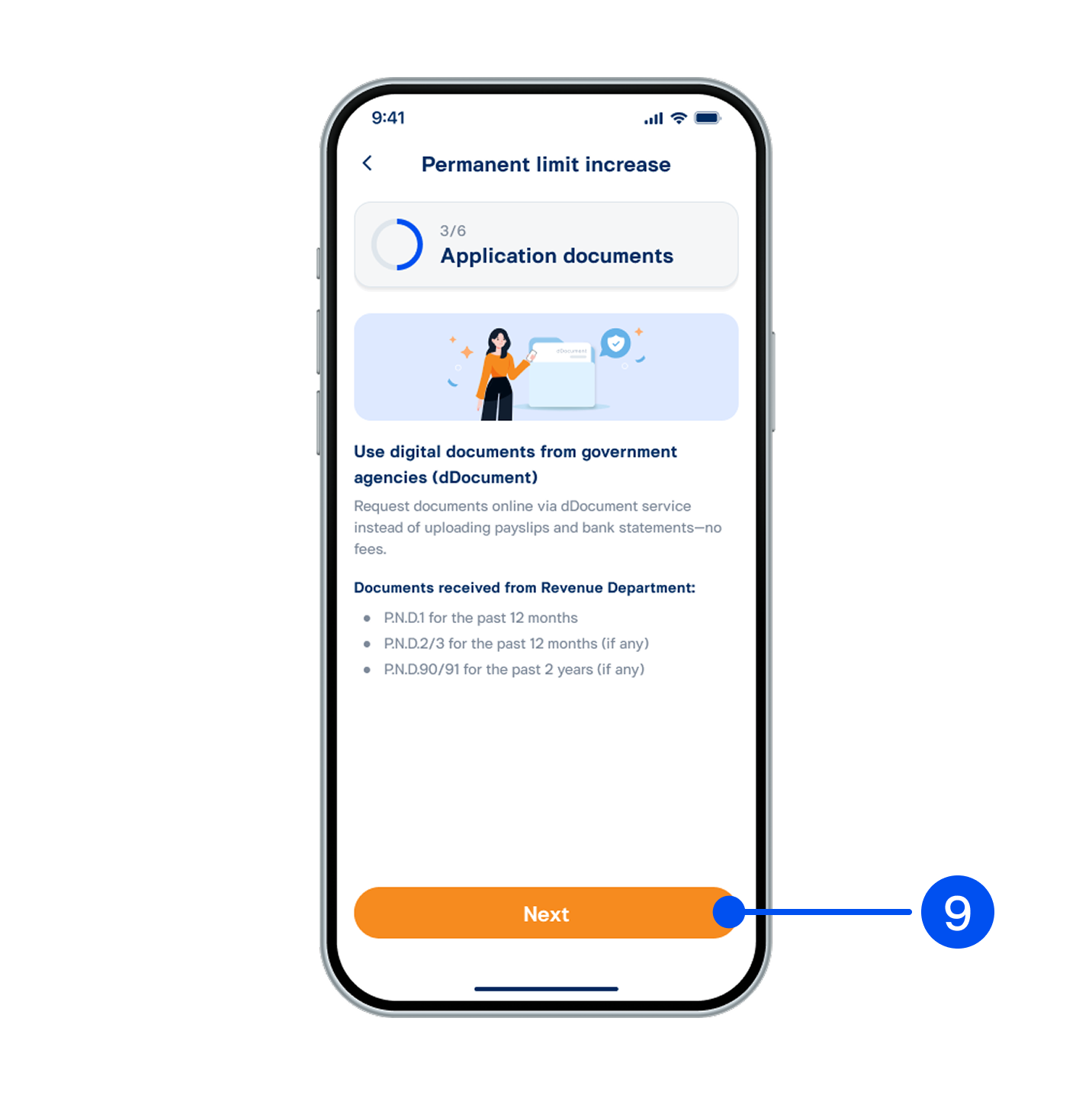
9. Read the dDocument information and select “Next.”
10. Enter PIN to continue.
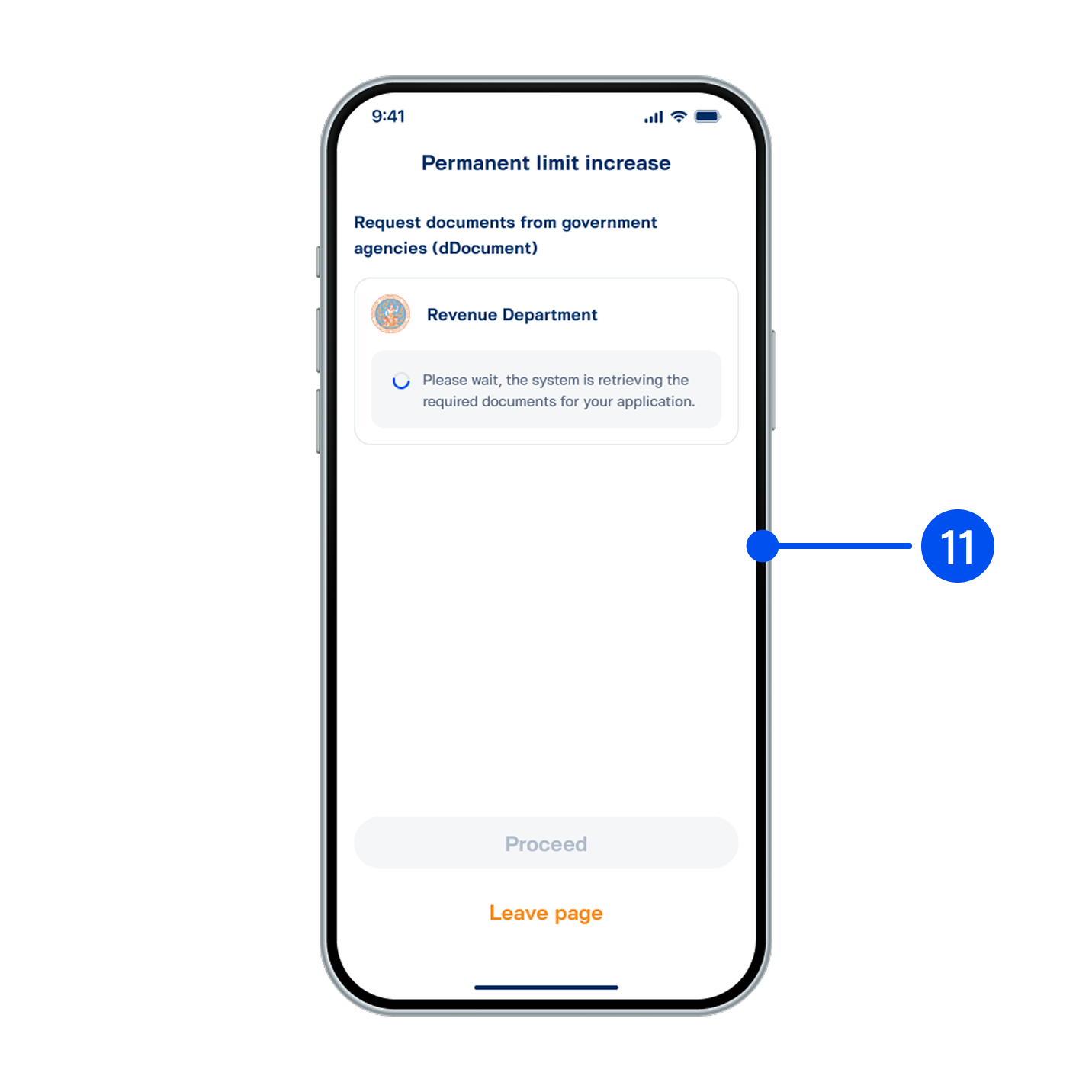
11. Please stay on this page, requesting your documents from government agencies are processing.
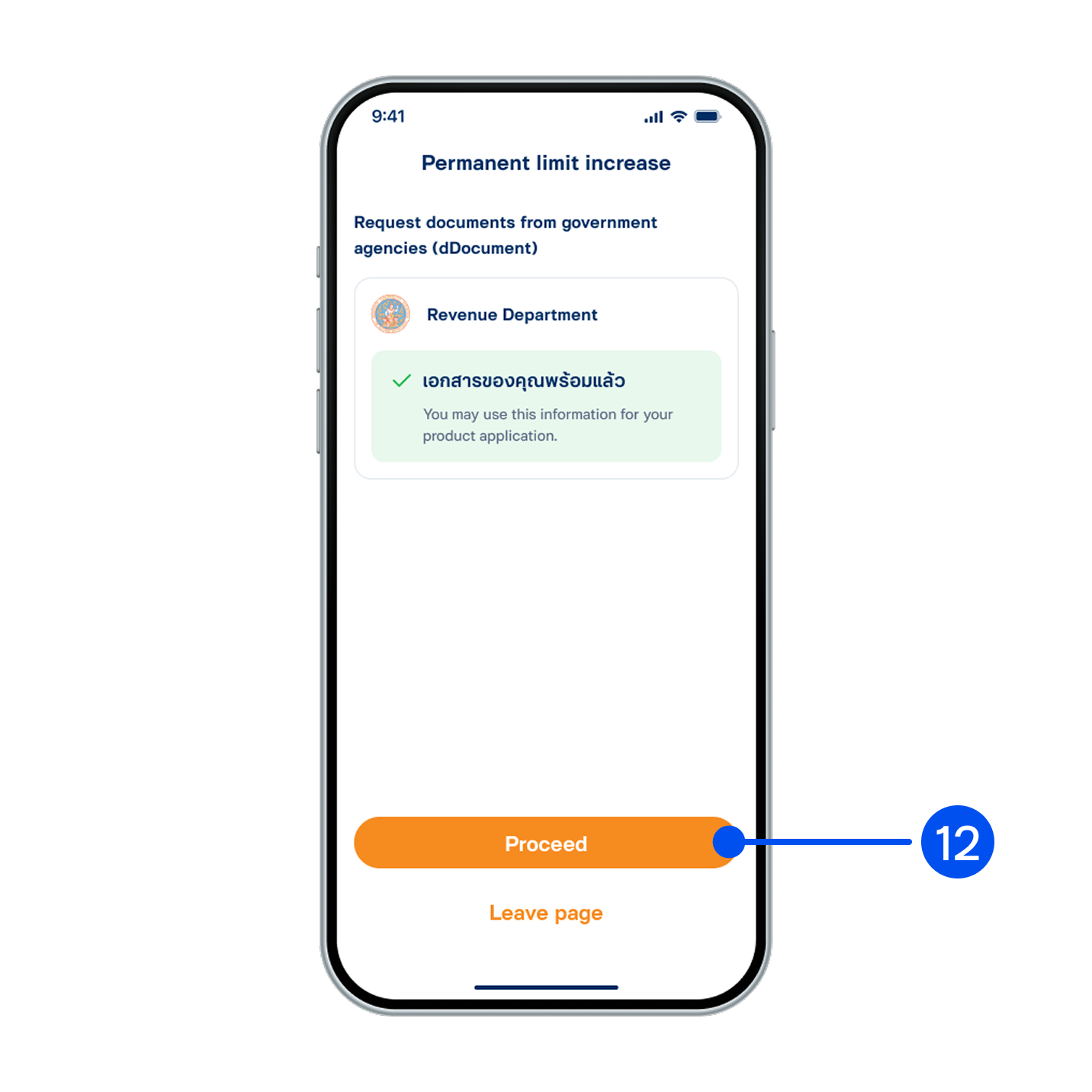
12. Requesting your documents from government agencies are successful, then select “Proceed”.
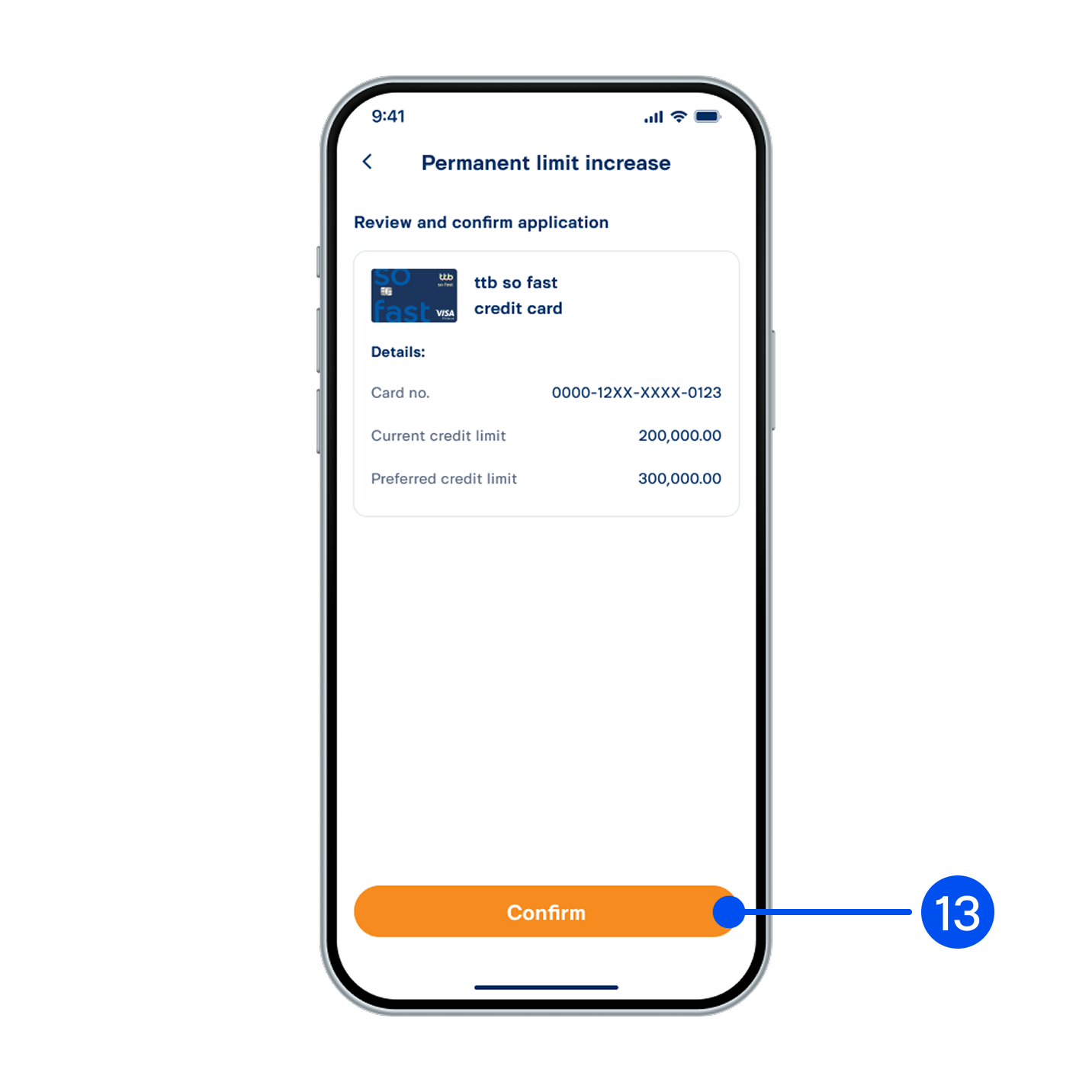
13. Review and confirm the application, then select “Confirm”.
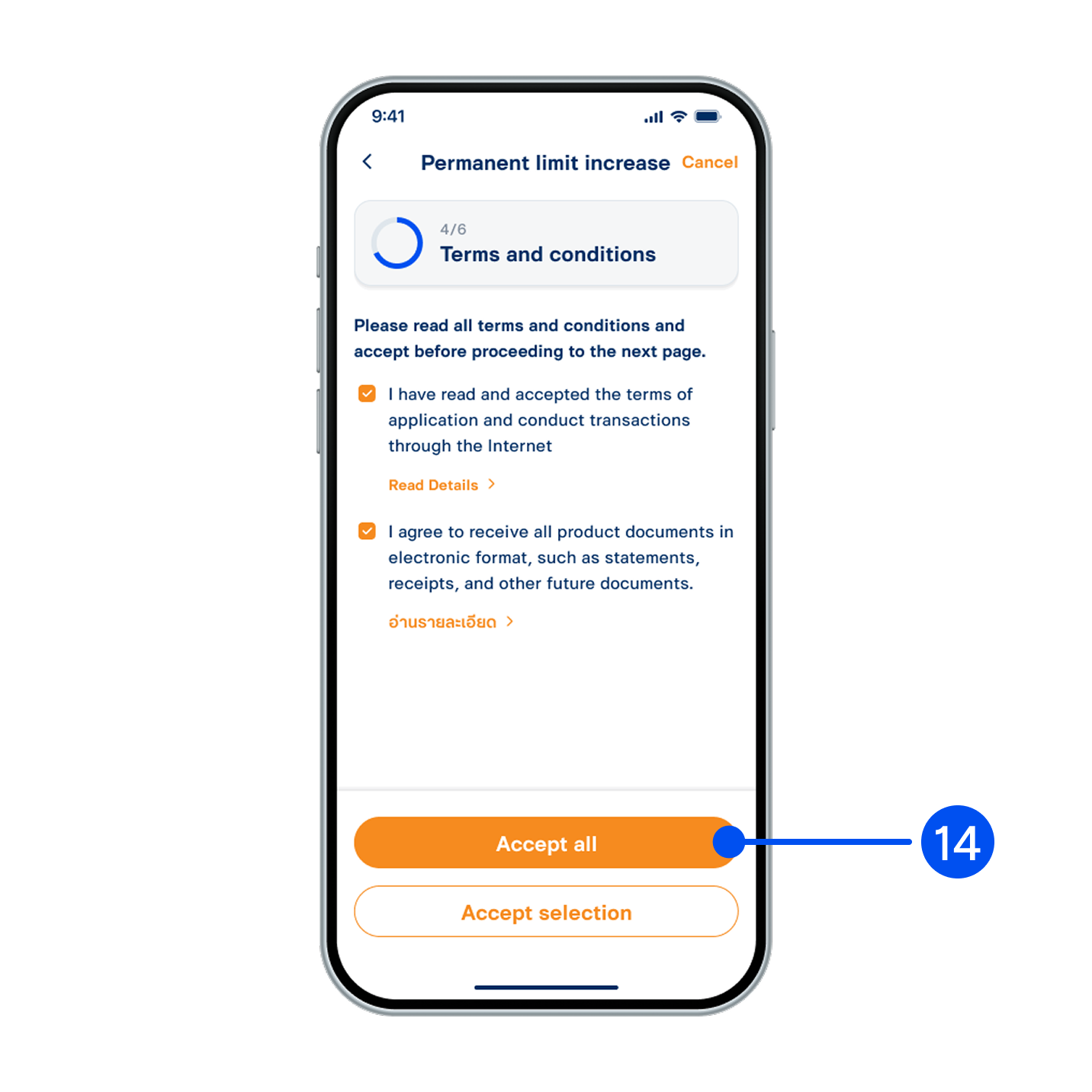
14. Read and accept terms and conditions, then select “Accept all” or “Accept selected".
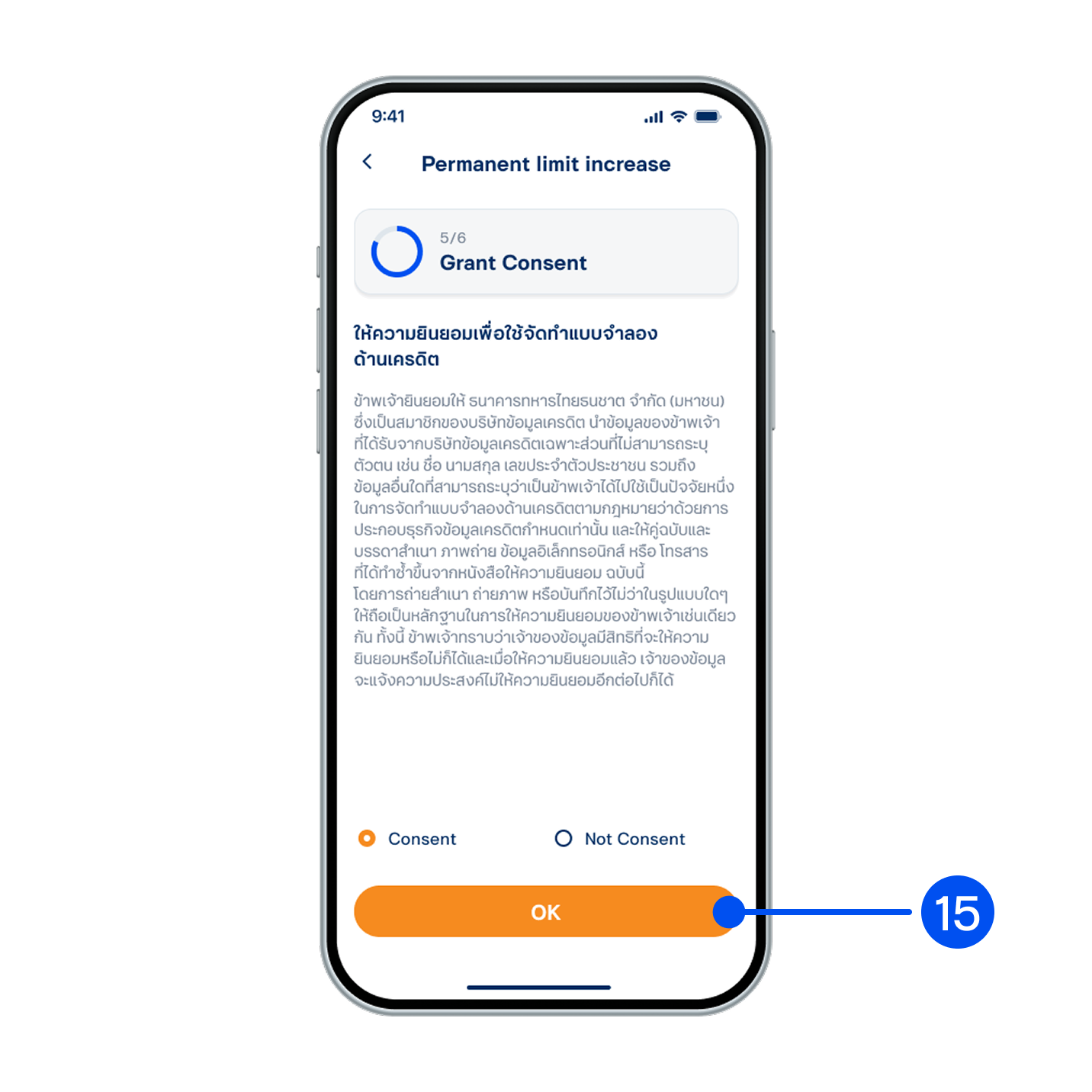
15. Grant your consent for credit modeling, then select "OK”.
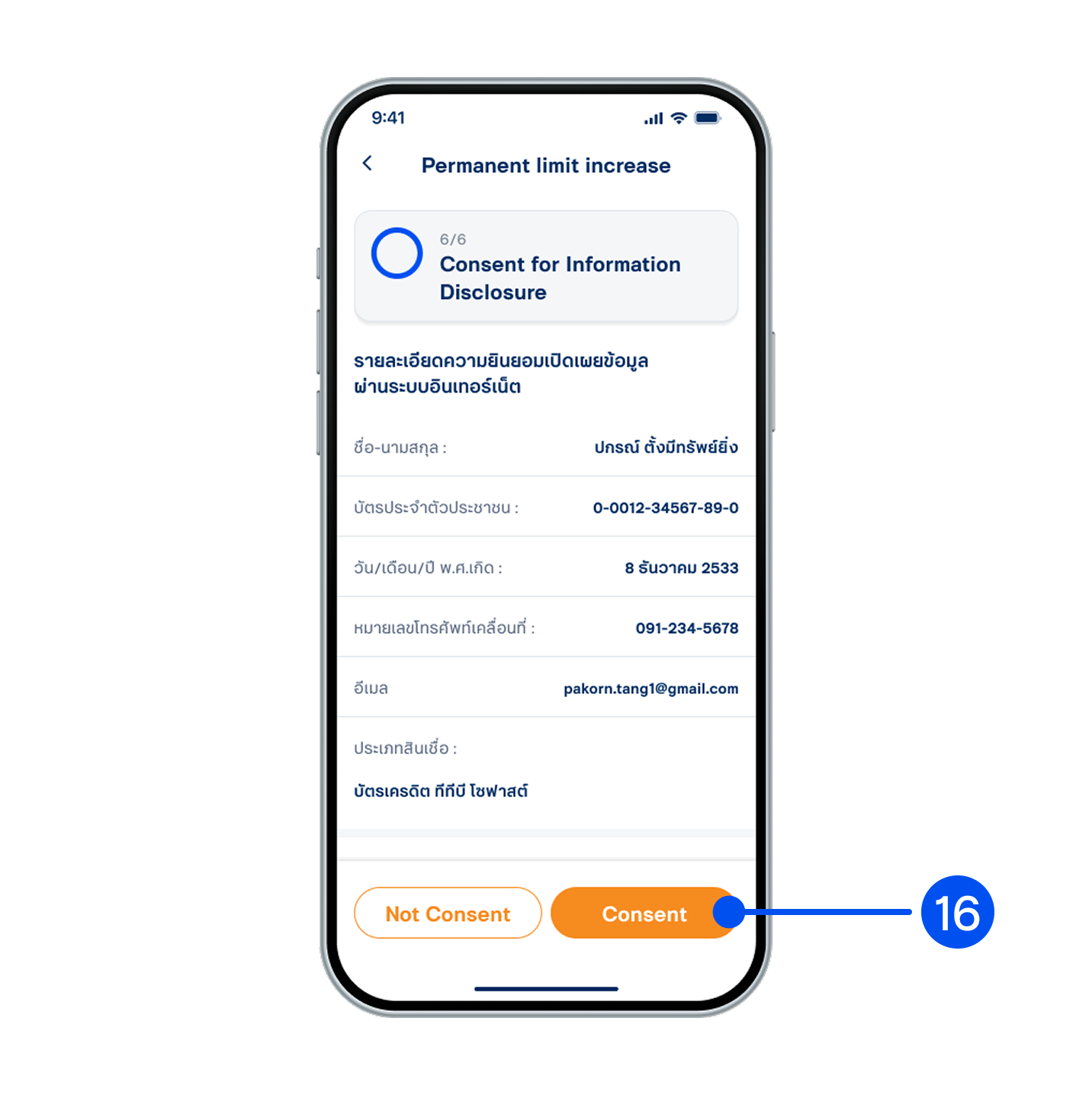
16. Read the consent details for information disclosure, then select "Consent”.
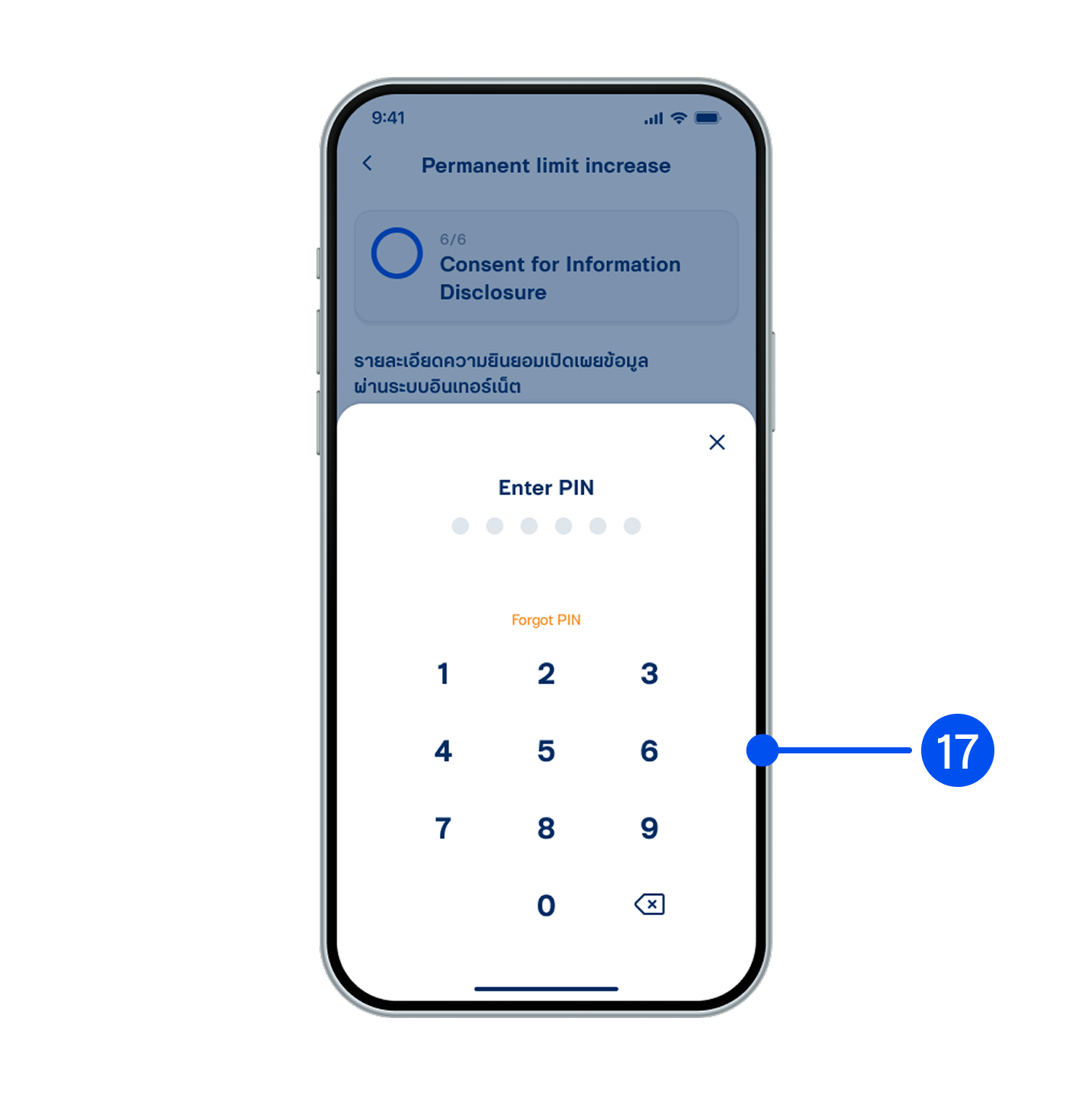
17. Enter PIN to confirm.
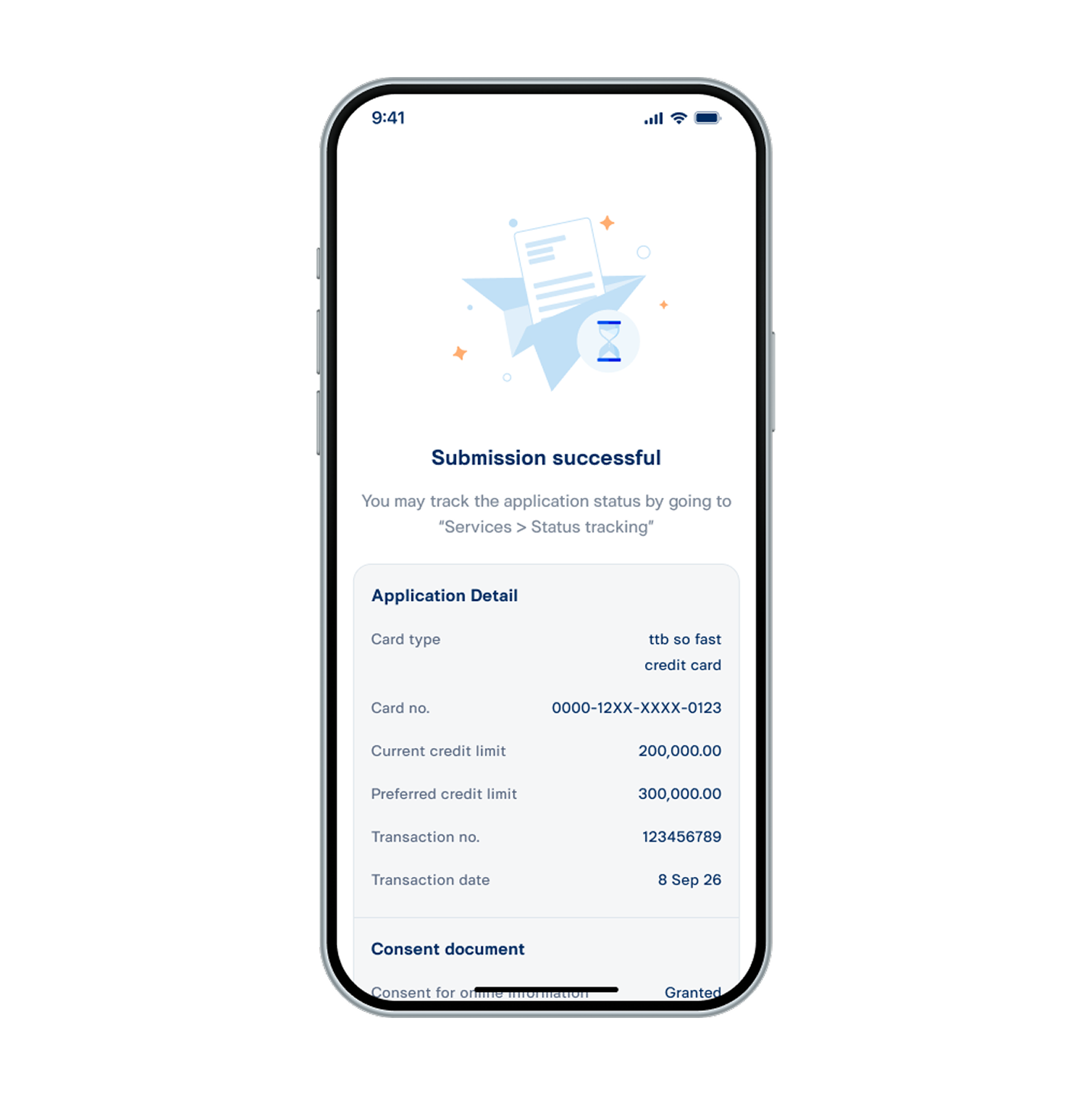
18. Your request for a permanent credit limit increase has been submitted successfully.