

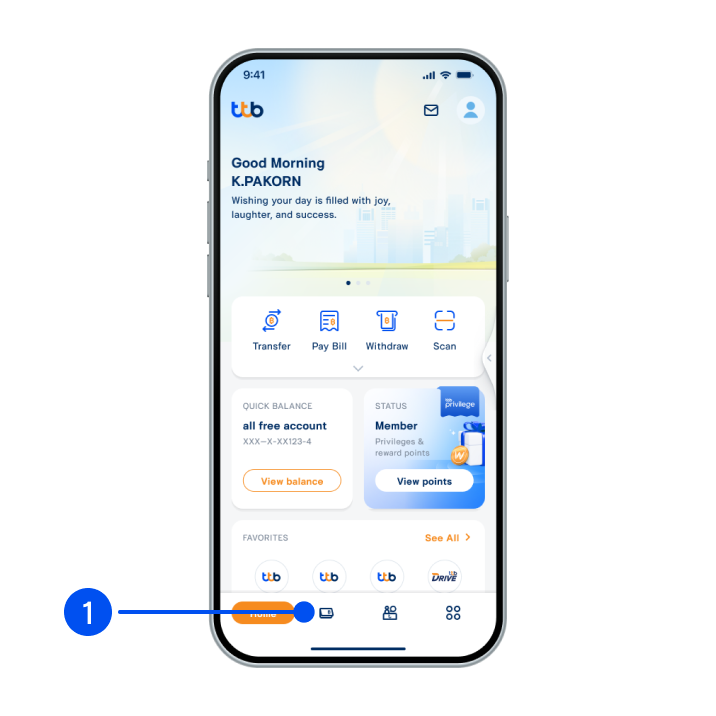
1. Select “Account”, the 2nd menu from the bottom.
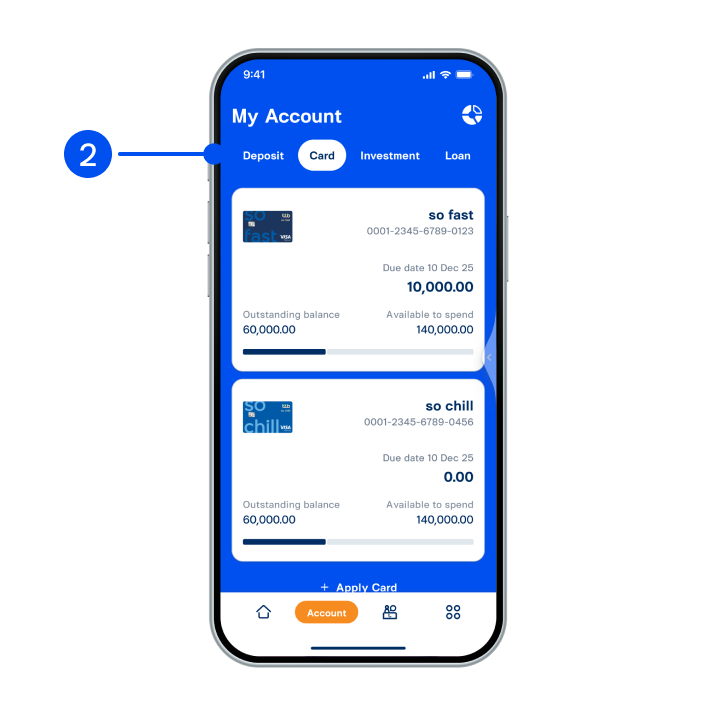
2. Select “Card” tab at the top, then select the card you wish to adjust credit limit.
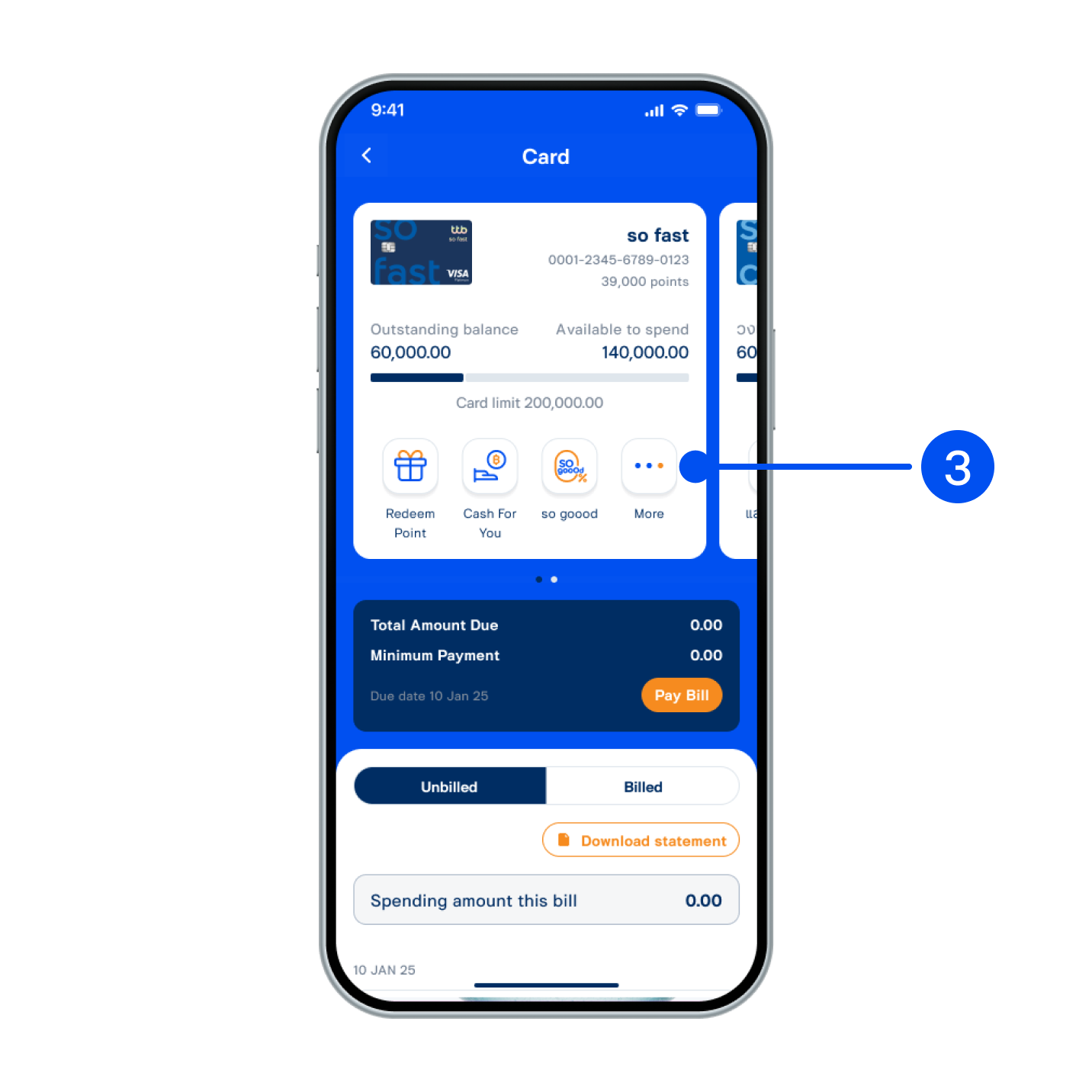
3. Select “More”.
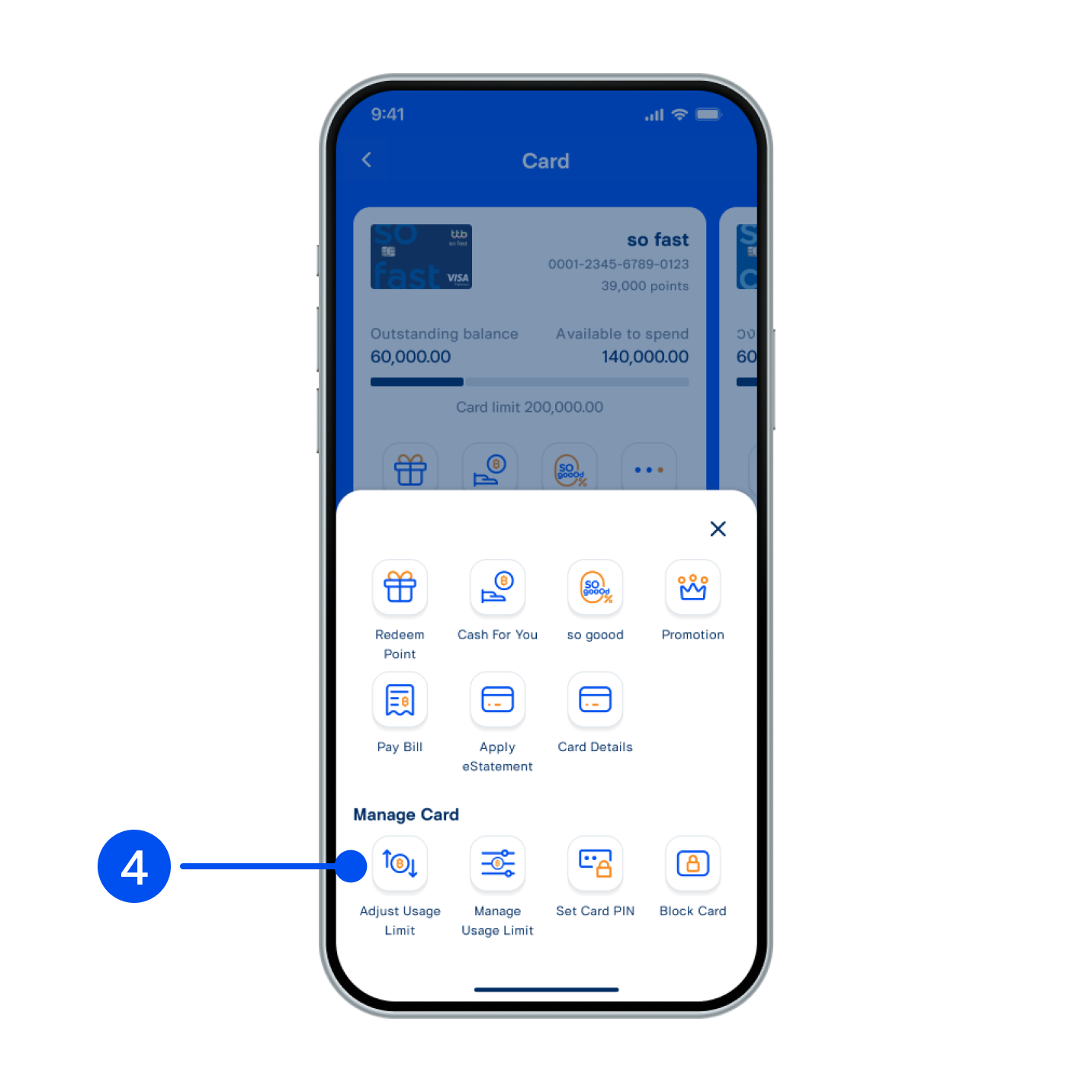
4. Select “Adjust usage limit” menu.
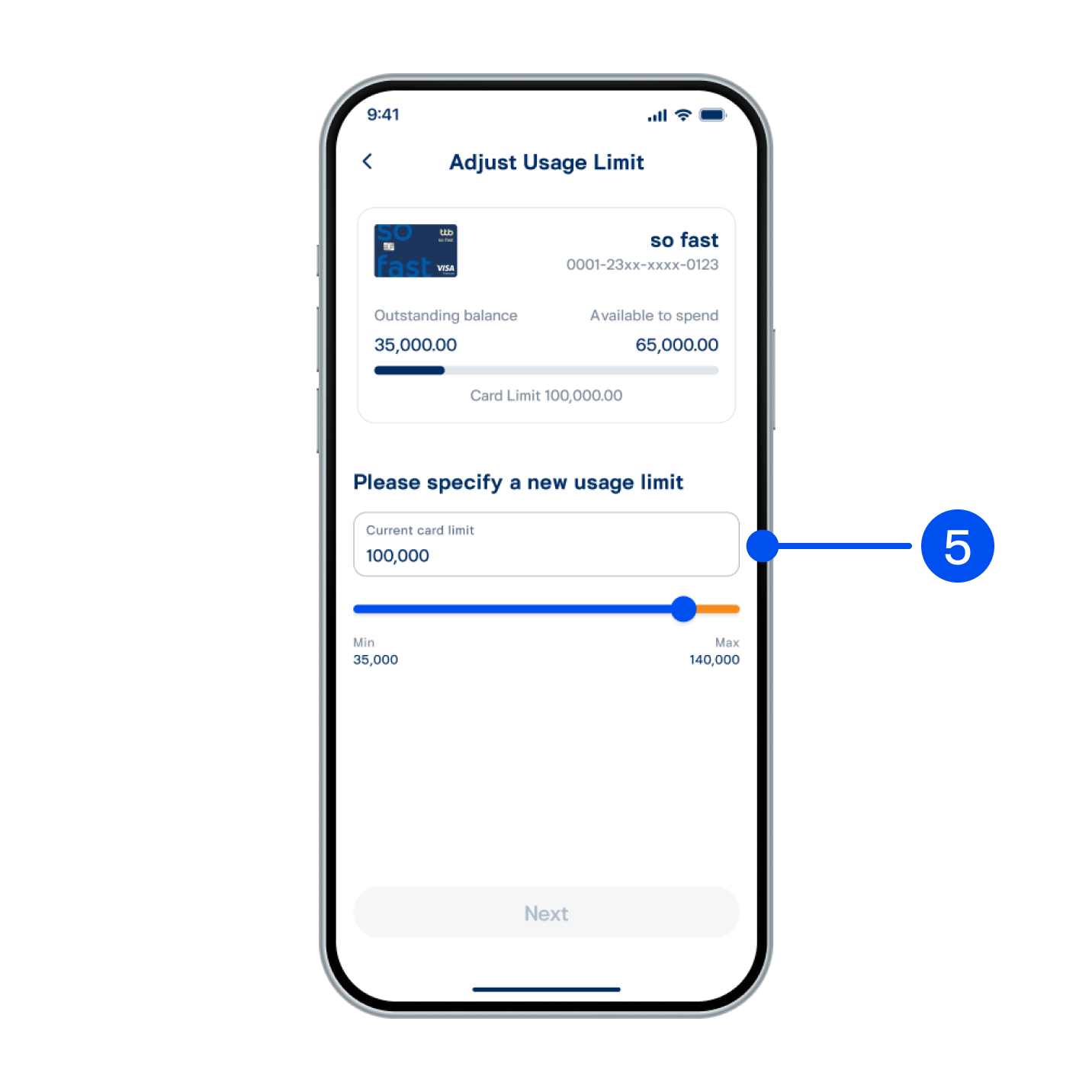
5. Specify a new usage limit. If you have a temporary usage limit offer, an orange bar will appear.
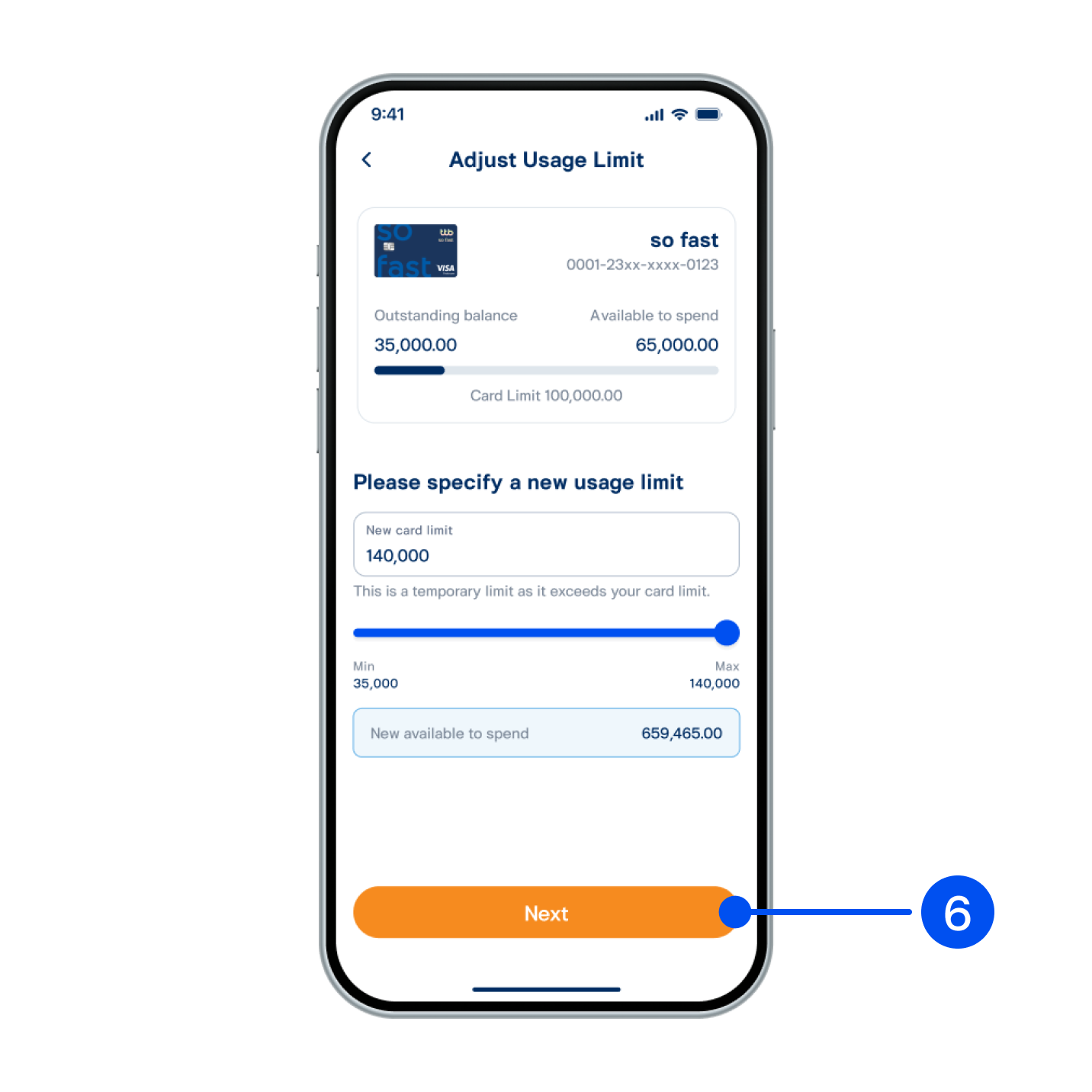
6. Select “Next”.
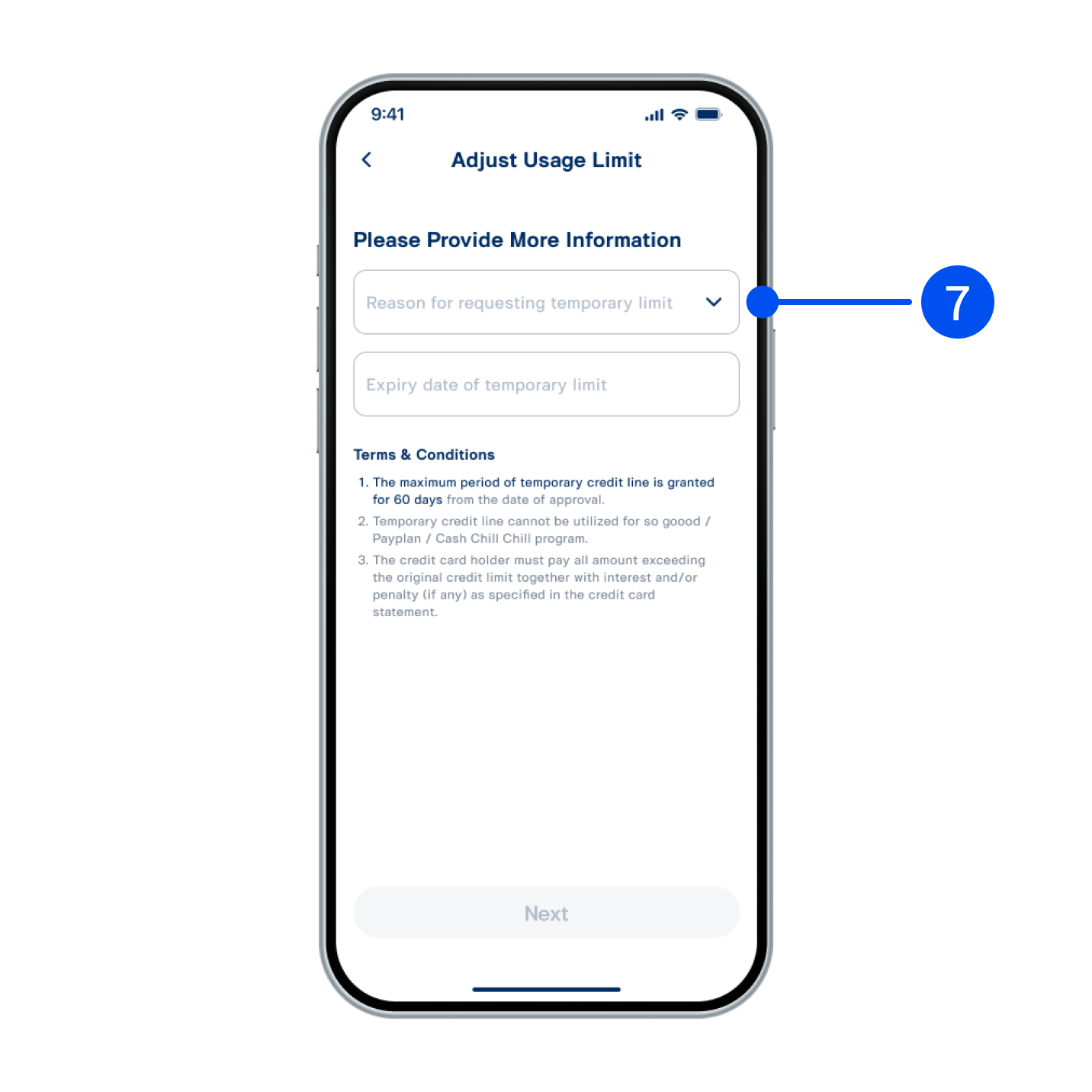
7. Select reason for requesting temporary limit and expiry date of temporary limit.
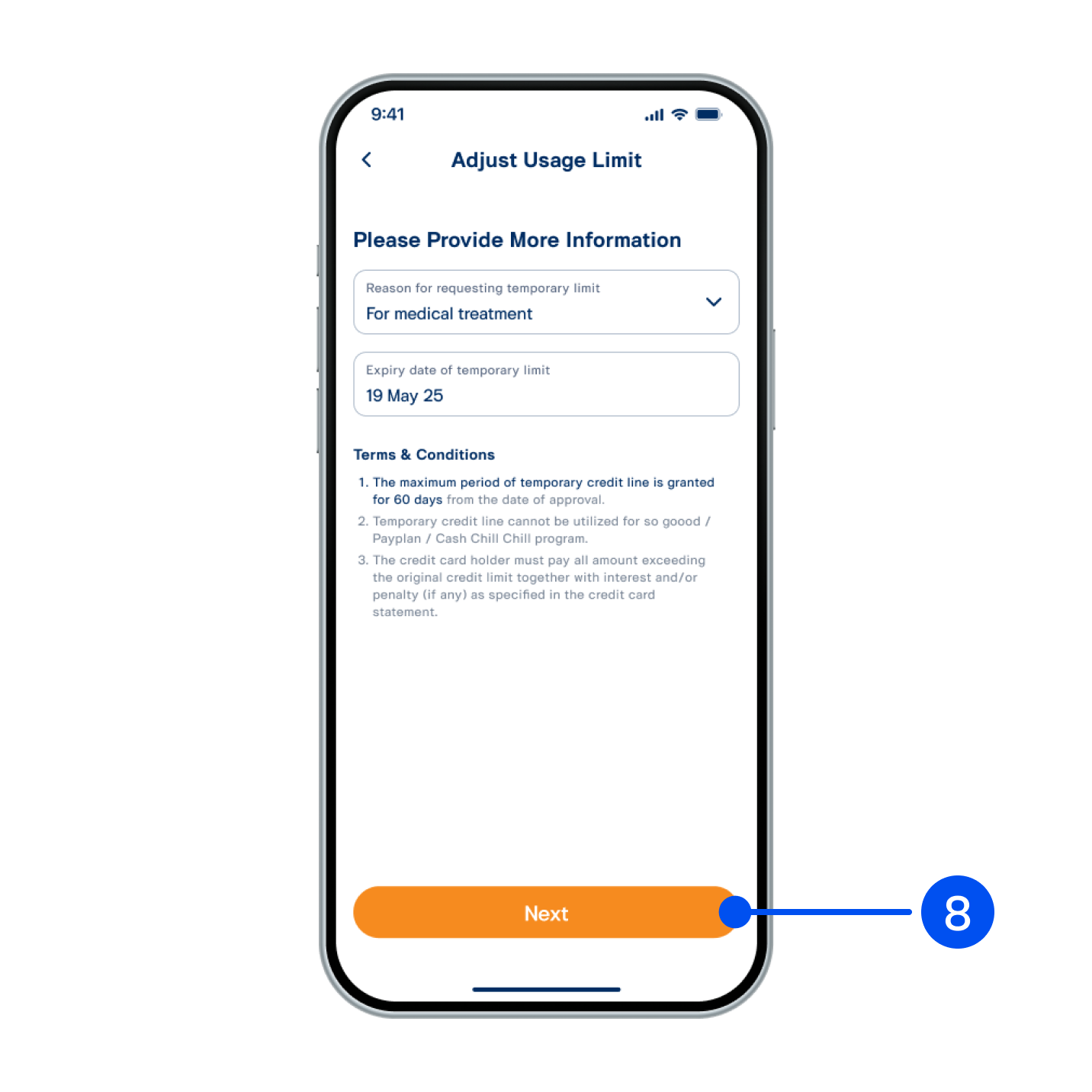
8. 8. Select “Next”.
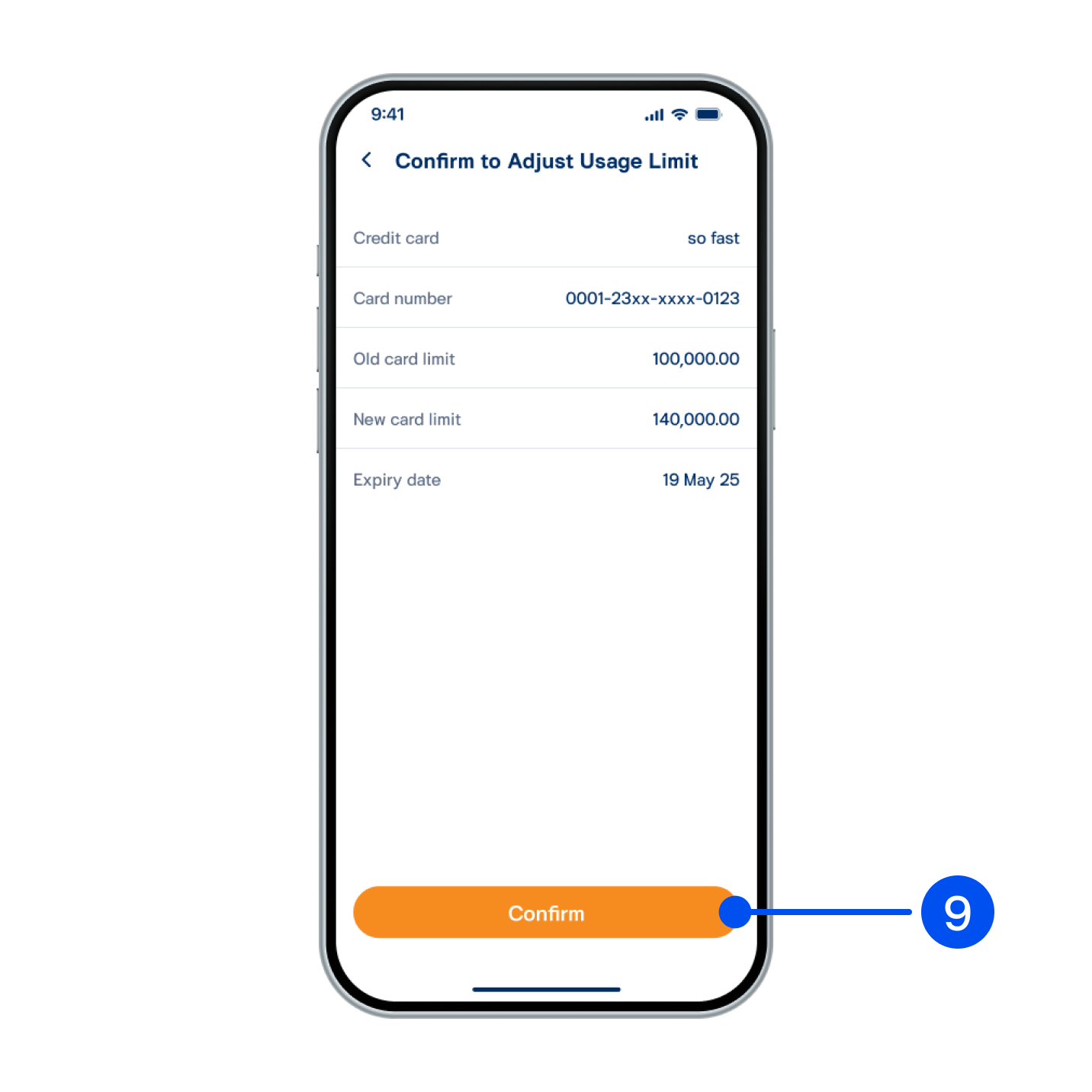
9. Check the details and select “Confirm” to proceed.
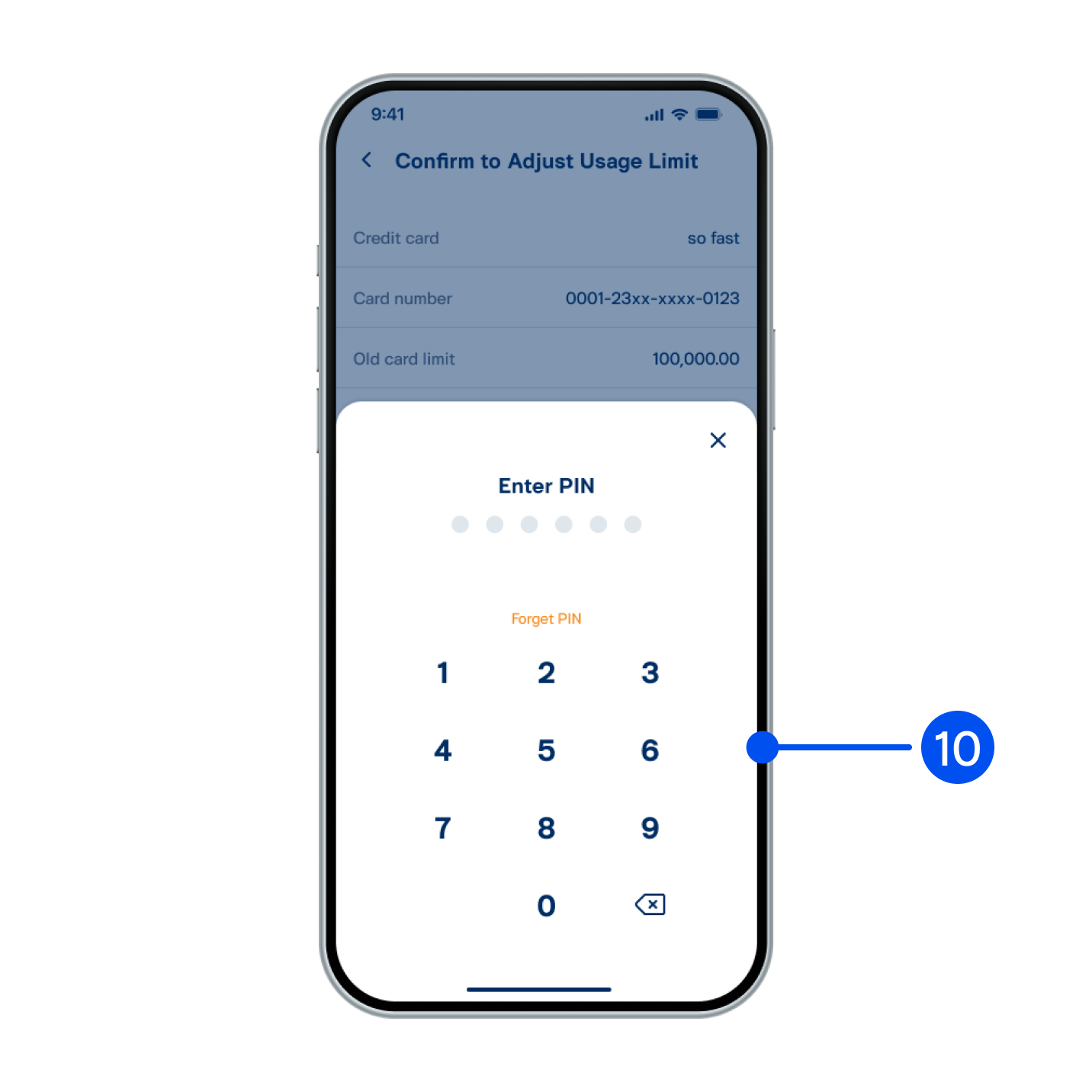
10. Enter PIN to confirm.
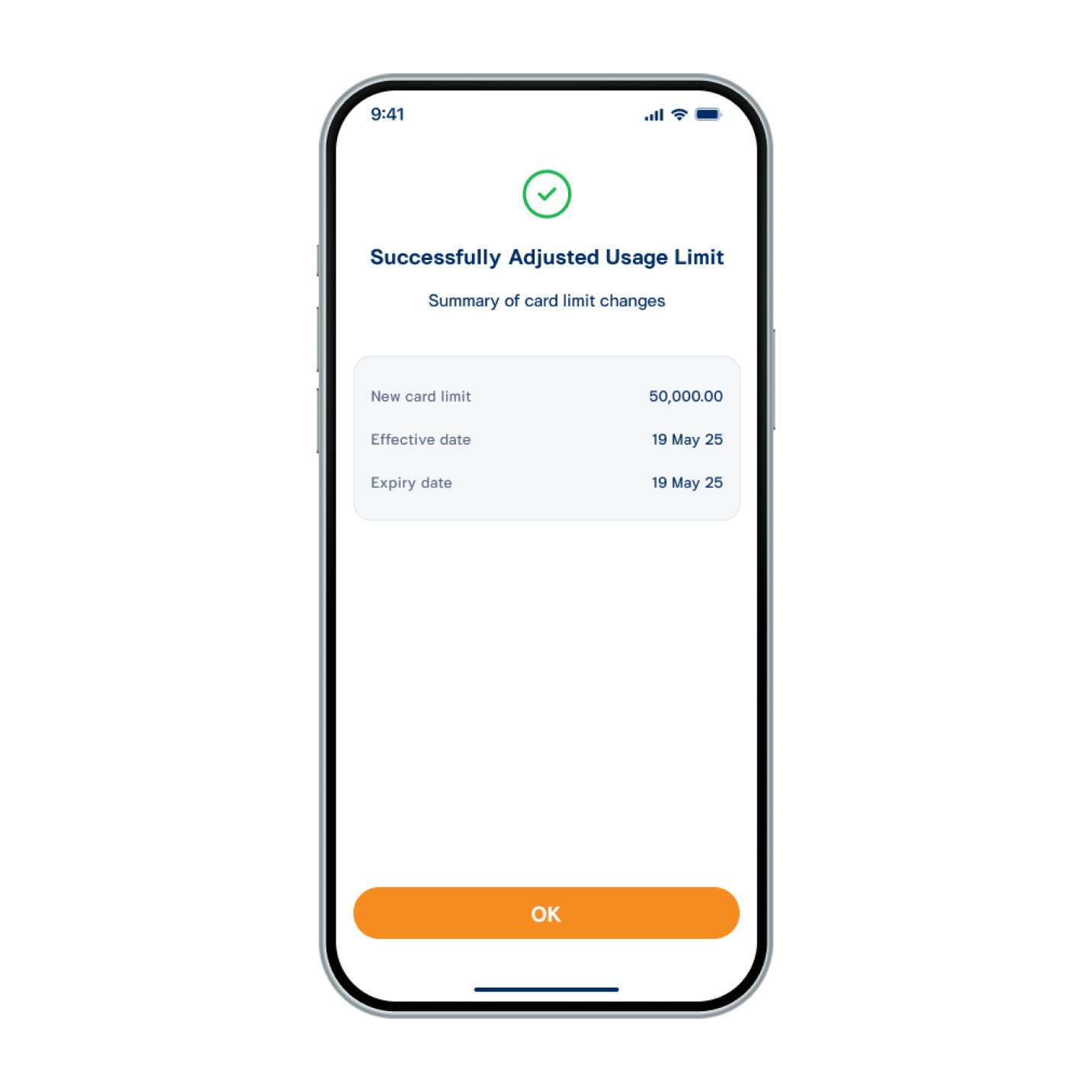
11. Usage limit adjusted successfully.